
Seeing several cameras in a device list does not mean your application has created an acquisition session for each one. Discovery, transport loading and image acquisition are different responsibilities, even when a library exposes them through one convenient object. This distinction matters when you expand a working single-camera application without accidentally sharing its selected device, acquisition state or cleanup logic. The architecture below separates those responsibilities, gives every camera an explicit owner and provides tests for independent startup and shutdown.
Separate discovery, transport and acquisition
Think of the application as three layers. Their public names vary between libraries, so map these responsibilities to your runtime's documented objects rather than relying on class names.
| Layer | Responsibility | What it does not establish |
|---|---|---|
| Discovery manager or registry | Loads transport support and enumerates available devices | An active acquisition session for every listed device |
| Transport producer | Implements transport access and exposes devices through the transport interface | Application-level ownership of every camera it exposes |
| Per-camera acquisition session | Owns the selected device connection, stream resources and acquisition lifecycle | Synchronization with other cameras |
A GenTL Producer supplies transport functionality. Loading several producers broadens the available transport implementations; it does not automatically start several cameras. Conversely, one producer may expose several devices that an application can open separately, subject to the producer, wrapper and device capabilities.
The application-level session should normally represent one selected camera. Internally, the underlying API may separate the device connection, remote camera features and stream handles. Keep those resources associated with the same session rather than scattering them across global variables.
A useful ownership hierarchy is:
- Application: owns the transport environment and session collection.
- Discovery registry: records devices and their identifying information.
- Camera session: owns one selected device connection and its stream resources.
- Processing branch: receives images with their camera identity and acquisition metadata.
This hierarchy describes responsibilities, not a universal API. Some libraries combine layers, and others require you to manage each handle explicitly.
Choose shared infrastructure with independent session state
The usual starting point is one documented runtime or discovery environment with a separate acquisition session for each camera. This avoids duplicating infrastructure while keeping selected devices and lifecycle state independent.
However, confirm that the library supports multiple active acquisition objects under that environment. An object that can enumerate many devices may still expose a single-current-device interface. Do not assume that calling its selection method again creates another independent connection.
| Architecture | Appropriate use | Main qualification |
|---|---|---|
| Shared runtime, separate camera sessions | The API documents concurrent sessions | Runtime lifetime must exceed every dependent session |
| Separate manager instances in one process | The API documents independent instances but limits sessions per instance | Instances may still share producer internals and physical resources |
| Separate acquisition processes | Process-level fault isolation or incompatible runtime requirements | Adds interprocess communication, deployment and recovery work |
Creating multiple manager objects is not automatically equivalent to creating multiple isolated camera sessions. A wrapper may use shared state internally, and producers can impose their own access restrictions.
Start with the simplest documented arrangement. Move to separate processes only when a measured requirement justifies the extra complexity. Independent session objects improve lifecycle control, but they do not isolate a process crash or a shared hardware failure.
Select devices by stable identity
Avoid making enumeration position part of the camera assignment. A device appearing first during one startup may appear later after another transport loads or a camera reconnects.
Build a configuration record for each logical camera role. For example, an inspection station might have an entrance view, a measurement view and an exit view. Each role should map to identifying information supported by the runtime.
Useful selection fields can include:
- Device serial number or another documented persistent identifier.
- Transport type and producer identity, where needed to distinguish entries.
- An administratively assigned device name, if its uniqueness is controlled.
- Expected model information as a validation check, not the sole identifier.
Do not treat an IP address, connection order or display name as universally permanent. Record which identifier your runtime guarantees and which values can change during maintenance.
At startup, reject missing and ambiguous matches explicitly. Opening the wrong camera successfully is often harder to notice than failing to open any camera.
If discovery succeeds but a selected device cannot open, use the separate checks in device-open troubleshooting after successful discovery. That problem occurs between enumeration and acquisition; it does not prove that the session architecture requires another manager instance.
Give each session an explicit lifecycle
Keep a small lifecycle record for every camera. A practical application-level sequence is: discovered, selected, opened, configured, prepared, acquiring, stopping and closed. These are your application's states, not required transport enumeration values.
Use the vendor-documented order for the underlying stream and device operations. Some runtimes hide preparation; others expose buffer announcement and stream startup separately.
- Resolve the logical role to exactly one device identity.
- Open that device with the access mode your application requires.
- Apply that camera's configuration and read back critical settings.
- Prepare its acquisition resources using the documented API sequence.
- Start acquisition and mark the session active only after success.
- On shutdown, stop new work and complete the documented acquisition-stop sequence.
- Release outstanding resources, close the device and remove its session record.
Keep the shared runtime alive until all sessions using it have closed. Likewise, retain feature references only as long as their owning device connection remains valid.
Partial startup needs an explicit policy. If the measurement camera opens but the exit camera fails, decide whether the station must stop or may enter a defined degraded mode. Do not let whichever session initialized last determine the policy accidentally.
For repeated open-and-close cycles that accumulate resources, the feature-access resource troubleshooting guide provides a separate investigation path. Here, the architectural goal is clear ownership and deterministic release.
Budget resources for every active session
A session count is also a resource multiplier. Each camera contributes image traffic, acquisition buffers and processing work. Separate objects do not create additional link bandwidth or memory capacity.
For an unpacked image without row padding, estimate payload and reserved image memory as follows:
Consider a hypothetical system with three cameras. Each produces 1920 × 1200 images in an unpacked, one-byte-per-pixel monochrome format at 30 frames per second.
The payload arithmetic is:
- Per frame: 1920 × 1200 × 1 = 2,304,000 bytes.
- Per camera: 2,304,000 × 30 = 69,120,000 bytes per second.
- Across three cameras: 69,120,000 × 3 = 207,360,000 bytes per second, approximately 207 MB/s.
With eight allocated image buffers per camera, the image storage alone is:
2,304,000 × 8 × 3 = 55,296,000 bytes, approximately 55.3 MB.
These figures exclude row padding, metadata, transport overhead, processing copies and application storage. Use the actual payload size reported by the runtime when available. Buffer counts here illustrate memory accounting, not a recommendation for every application.
If those camera streams converge on one shared network uplink, their combined payload matters. Dedicated camera connections do not eliminate a later shared bottleneck. Investigate that boundary with the network traffic and transfer-fault guide, rather than changing session ownership to solve a capacity problem.
Match the software architecture to physical interfaces
Choose area scan cameras by the inspection requirements first, then verify that the chosen acquisition runtime supports their interfaces. The camera finder helps separate hardware choices from software ownership decisions.
The LS-MV-133GM-GE is a monochrome, global-shutter GigE camera. It provides an interface example for a network-connected acquisition branch.

- Sensor format
- 1/2.7"
- Interface
- GigE
- Resolution
- Up to 3 MP
- Shutter
- Global
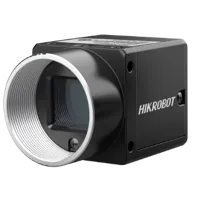
The MV-CS200-10UM is a monochrome, rolling-shutter USB3 camera. Using a different interface does not remove the need for an independently owned device session.
- Sensor format
- 1"
- Interface
- USB3
- Resolution
- 16-25 MP
- Shutter
- Rolling
These examples identify interface and shutter differences; they are not a matched inspection pair or a claim of compatibility with any particular software package. Confirm operating-system support, producer requirements and concurrent-device behavior before selecting the runtime.
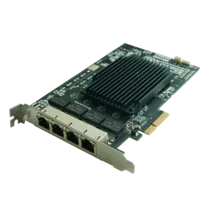
The frame grabbers and interface cards category covers hardware that may sit between cameras and the host. The MV-GE1104 is listed as a GigE frame grabber with 4 ports.
- Interface
- GigE
- Ports
- 4 ports
A card's physical port count does not define the number of sessions your application can create. Check driver support, host connectivity, camera power requirements and aggregate throughput separately. Use the accessories finder for hardware selection and the PCIe compatibility explanation when evaluating expansion constraints.
If you prefer vision controllers, verify the operating system, supported acquisition runtime and camera interfaces. Moving the application to a controller does not replace the need for explicit session ownership.
Verify isolation before integrating inspection logic
First prove that sessions behave independently without adding measurement algorithms or production sequencing. Log the logical role, persistent device identity, lifecycle transition and error context together.
Run these tests on a controlled setup with the machine in its approved commissioning condition:
| Test | Expected architectural behavior |
|---|---|
| Start cameras in a different order | Logical roles still resolve to the intended devices |
| Omit one configured camera | Startup follows the defined missing-device policy |
| Stop one session | Other sessions remain active where the runtime supports independence |
| Restart one closed session | Its resources are recreated without replacing unrelated session state |
| Exit after partial startup | Every successfully opened resource is released |
| Repeat application startup and shutdown | No stale ownership prevents the next documented open |
Also test configuration boundaries. Changing exposure on the entrance view should address that view's feature interface, not a global variable holding the most recently opened camera.
Where the API permits concurrent access, apply its documented thread-safety rules. Distinct session objects do not guarantee that every producer call can execute concurrently. Serialize operations that the runtime requires to be serialized, without unnecessarily serializing all image processing.
After a runtime change, repeat these tests as part of software upgrade validation. A single-camera smoke test cannot establish that multi-device ownership still behaves correctly.
Know when the simple model is insufficient
One camera does not always mean one image stream. A device can expose multiple streams or components, depending on its capabilities and transport. In that case, retain one device owner and represent the documented stream relationships beneath it. Do not open competing device connections merely to imitate a stream abstraction.
Independent sessions also do not establish exposure synchronization. Starting software acquisition calls close together is not proof that cameras exposed simultaneously. Timing requirements need a separate design involving supported trigger or clock mechanisms and measured timing behavior.
Likewise, a library may offer a documented multi-device acquisition object that manages per-camera resources internally. That can be a valid implementation. The requirement is traceable ownership and independent lifecycle handling where needed, not a mandatory public object count.
If cameras already open and start correctly but later stop delivering images, continue with multi-camera callback and buffer-queue troubleshooting. That is a runtime-delivery problem, distinct from deciding which object owns each connection.
Check the architecture before ordering
Use this short review before committing to hardware or a runtime:
- Confirm documented support for the required concurrent devices and transports.
- Assign a stable identity to every logical camera role.
- Separate shared runtime ownership from per-camera acquisition state.
- Define partial-startup, missing-camera and reconnect policies.
- Budget combined payload, image memory and shared-link capacity.
- Verify access-mode restrictions and thread-safety requirements.
- Keep runtime resources alive until every dependent session has closed.
- Test independent stop, restart and application shutdown before adding inspection logic.
Next, use the camera configuration starting point to organize the hardware selection. If concurrent-device support or interface compatibility remains uncertain, send the proposed camera roles, runtime version and connection layout through application support before ordering.
Questions
Does each camera need its own transport producer?
Not necessarily. A producer supplies transport access and may expose several devices. Whether those devices can acquire concurrently depends on the producer, application library and hardware. Follow the runtime's documented multi-device arrangement rather than loading another producer solely because you added another camera.
What should be independent for each camera?
Keep each camera's selected device connection, stream resources, configuration references and lifecycle state under a clear owner. Discovery and transport infrastructure may be shared when supported. Processing results should retain camera identity so images cannot silently enter another camera's inspection branch.
Can device-list order identify the cameras?
Enumeration order is not a dependable role assignment. Device availability and transport initialization can change the list order. Match each logical camera role to a documented persistent identifier, then validate that startup finds exactly one suitable device for that role.
Should every camera run in a separate process?
Separate processes can help when process-level fault isolation or runtime incompatibility requires them. They also introduce communication, deployment and recovery responsibilities. Start with documented independent sessions in one process unless testing demonstrates a reason to use a more complex boundary.
Do independent sessions synchronize camera exposures?
No. Session ownership controls connections and acquisition resources, not exposure alignment. Synchronized capture requires supported timing mechanisms and verification against the application's timing tolerance. Closely spaced software calls alone do not establish simultaneous exposures across cameras.