
A camera appears in your device selector, but opening it fails after the discovery session closes. That combination points to a different problem from a camera that never appears at all. Discovery can return identifying information without establishing a usable device session. This troubleshooting procedure helps you separate stale discovery state from access conflicts, transport problems, and cleanup errors, then verify a repeatable open-and-close sequence before changing hardware.
Separate discovery from device access
A GenTL application works through a producer and a hierarchy of modules. The system module exposes interfaces; an interface exposes devices; an opened device can expose data streams. Discovering a device and opening that device are separate operations with separate prerequisites.
A device selector may contain information copied during an earlier enumeration. That information can remain visible after the application closes its interface and system handles. The displayed camera therefore proves that discovery succeeded earlier, not that the current interface instance has a populated device list.
Record the boundary where the failure occurs:
- Before interface enumeration: investigate producer loading and system initialization.
- During device enumeration: investigate interface discovery, connections, and transport access.
- At device open: investigate current discovery state, device identity, ownership, and requested access.
- After device open: investigate feature access or stream setup separately.
The GigE Vision software compatibility checks provide the broader producer-and-application compatibility checks. Keep this investigation narrower: determine what changes between successful enumeration and the failed open.
Test the likely causes in order
For a failure that follows closing and reopening the discovery hierarchy, start with lifecycle handling. Do not assume that every producer reconstructs its internal device list when asked to open a remembered identifier.
| Likely cause | Distinguishing test | Corrective action |
|---|---|---|
| Device list not refreshed on the reopened interface | Refresh the current interface list before resolving and opening the device | Add an explicit refresh and check its result |
| Interface list not refreshed on the reopened system | Refresh interfaces before obtaining the current interface identifier | Rebuild discovery from the system level |
| Identifier retained from an earlier session | Compare fresh identifiers and identifying information with the saved selection | Resolve the selection against the current enumeration |
| Another process owns the camera | Close other camera applications and repeat with the same access mode | Establish explicit ownership and handover |
| Permissions, driver, or transport problem | Try an authorized diagnostic tool with equivalent permissions | Correct the underlying access or installation problem |
These tests are discriminators, not guarantees. A fresh enumeration can still find a device that another process owns, or one that disappears before the open request.
Preserve the first failure in the log. A later cleanup error may be a consequence of the failed open rather than its cause.
Rebuild discovery on the current handles
Use an explicit discovery sequence as the portable starting point. Some producers may support opening a known device without a prior list update; do not make that behavior an undocumented dependency of your application.
- Initialize and open the producer. Record the producer file path and application build so repeated tests use the same components.
- Refresh interfaces. Call
TLUpdateInterfaceListon the newly opened system handle and check the returned status. - Enumerate current interfaces. Obtain the current interface identifiers rather than relying solely on a previous session's cached list.
- Open the selected interface. Keep its handle associated with the system instance that created it.
- Refresh devices. Call
IFUpdateDeviceListon that interface and check completion before requesting device access. - Resolve the selected camera again. Match available identifying information to the user's selection, then obtain the current device identifier.
- Open the device. Call
IFOpenDevicewith the current interface handle, current identifier, and intended access mode. - Continue only after success. Feature access and stream creation belong after a valid device handle exists.
Treat this as an operation sequence, not copy-and-paste code. Function signatures, timeout handling, and wrapper behavior must follow the GenTL version and SDK documentation used by your application.
A successful list update that reports no changes is not the same as a failed update. Check the operation's status separately from its changed-list indication. Likewise, an update timeout should remain visible rather than being converted into a generic camera-open message.
If discovery itself fails on a network connection, use the Linux GigE Vision discovery troubleshooting procedure instead of repeatedly changing device-open code.
Run a controlled lifecycle experiment
Change one lifecycle behavior at a time. Keep the camera connection, producer, application build, access mode, and permissions unchanged throughout the comparison.
Test these paths:
| Test path | Discovery and open sequence | What it helps establish |
|---|---|---|
| Continuous session | Enumerate and open without closing the parent handles | Whether opening works in the original discovery context |
| Reopened session without explicit refresh | Close discovery handles, reopen them, and attempt the existing selection | Whether the original failure follows session reconstruction |
| Reopened session with explicit refresh | Reopen, refresh interfaces and devices, resolve the selection, then open | Whether rebuilding current discovery state removes the failure |
Run each path for 20 repetitions during initial isolation. That gives 3 × 20 = 60 open attempts across the comparison. This is a diagnostic sample, not proof of production reliability.
Use a simple failure-rate calculation:
For example, a hypothetical baseline with 18 failures in 20 attempts has a failure rate of 18 / 20 × 100% = 90%. A refreshed path with no failures in 20 attempts provides evidence that lifecycle handling matters, but does not establish a long-term failure rate of zero.
Log a monotonic timestamp, test-path name, session identifier, operation name, result, and elapsed time for each call. Include identifying information sufficient to distinguish cameras, while keeping sensitive installation details out of shared reports.
A repeatable difference between the test paths is more useful than an isolated successful retry. Do not add arbitrary sleeps at the same time as list refreshes; that makes the result difficult to interpret.
Make cleanup follow successful ownership
A device-open failure should not trigger an unconditional close on an invalid device handle. Track successful resource creation explicitly, and release only resources that the current session owns.
For a successfully opened acquisition session, follow the documented shutdown sequence for the camera and producer. End acquisition, release stream resources as required, close streams, close the device, close interfaces, and finally close the system module. Library shutdown comes after its dependent resources have been released.
For a failure during device open, the cleanup path is shorter. There may be an interface and system to close, but no valid device to close.
Use separate result fields for:
- The original operation that failed.
- Each subsequent cleanup operation.
- Any resource that remains owned after cleanup.
This prevents a secondary close failure from replacing the useful diagnostic message. It also makes double-close errors easier to identify.
Check thread ownership as well. A background discovery worker must not close an interface while another thread is opening a device through it. Coordinate discovery, selection, open, and shutdown transitions rather than relying on timing.
If a valid device opens but later feature access fails, continue with GenICam feature-access error diagnosis. That is a different boundary from the open operation examined here.
When refreshing the lists is not the answer
A refresh cannot resolve every open failure. If the fully refreshed path still fails, retain the same logging and test the remaining causes independently.
Exclusive access: close other viewers, services, and background acquisition processes. Confirm the requested access mode is supported and appropriate. Visibility during discovery does not establish permission to control the device.
Permissions and installation: compare execution environments, including user permissions, producer selection, library search paths, and application architecture. Obtain software, firmware, and documentation only from the manufacturer or its authorized distributors.
Connection changes: check whether the camera disconnects, resets, or changes its network presence between enumeration and open. A current identifier does not prevent a later physical or transport interruption.
Producer or consumer compatibility: compare the application with an authorized diagnostic tool using the intended producer. One tool succeeding does not prove identical lifecycle behavior, but it narrows the investigation.
Post-open acquisition failures: if the device opens and streaming then fails, move to intermittent acquisition troubleshooting. Do not label a stream timeout as a device-open failure.
Avoid using access-control changes or disabling security protections as a general diagnostic shortcut. Request the documented permissions and supported configuration needed for the installation.
Check hardware requirements without replacing the diagnosis
Replacing a camera is not the first response to a consumer-side lifecycle defect. First establish whether the failure follows the application sequence, the producer, or the physical connection.
If you are selecting equipment for a new deployment, the area scan cameras category and camera finder help identify the required interface and imaging format. Producer compatibility still needs a separate software validation.
The featured camera is a USB3 area scan camera. Its inclusion identifies a transport option, not a claim that it reproduces or resolves this failure.
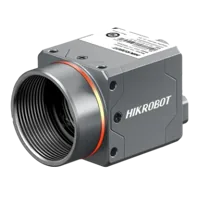
- Sensor format
- 1/1.8"
- Interface
- USB3
- Resolution
- 6-10 MP
- Shutter
- Rolling
The LS-MV-133GM-GE is a GigE area scan camera. Validate the complete acquisition stack for the intended deployment rather than assuming that changing interfaces fixes lifecycle handling.

- Sensor format
- 1/2.7"
- Interface
- GigE
- Resolution
- Up to 3 MP
- Shutter
- Global
For installations using vision controllers, document the application build and installed acquisition components on the selected controller. Neither a camera interface nor a controller category establishes compatibility with a particular GenTL consumer.
Before ordering, confirm operating-system support, processor architecture, interface drivers, producer availability, required access modes, and any applicable software licensing. Apply the software upgrade validation checklist when changing a validated acquisition stack.
Verify the fix before deployment
Finish with a regression checklist that exercises transitions, not just initial discovery:
- First connection: open successfully after starting the application with no remembered selection.
- Remembered selection: resolve the saved camera selection against current enumeration.
- Repeated sessions: repeat discovery, open, and close without accumulating stale handles.
- Failed open: preserve the original error and skip cleanup of resources never created.
- Camera absent: report the missing selection clearly instead of opening an unrelated device.
- Camera reconnected: rediscover before attempting access through a rebuilt session.
- Competing application: report ownership conflicts without uncontrolled retry loops.
- Concurrent shutdown: prevent discovery and open operations from using closing handles.
Perform reconnection tests on a test installation or during a controlled maintenance window. Set acceptance criteria from the application's operating requirements, then retain logs with the validated software versions.
The useful fix is a deterministic lifecycle: refresh current discovery state, resolve current identifiers, open through valid parent handles, and release only owned resources. For help matching a camera to a supported acquisition stack, send the interface requirements and failing operation sequence through application support.
Questions
Why can a camera appear in discovery but fail to open?
Discovery and device access are separate operations. The application may display information retained from an earlier enumeration even though it has rebuilt its transport-layer handles. Opening can also fail because another process owns the camera, permissions differ, or the connection changes after discovery.
Must every GenTL producer refresh its device list before opening?
Do not assume all producers require the same preparation. Some can open a known identifier without a prior update. Explicitly refreshing the current interface's device list, checking the result, and resolving the camera again is a portable defensive approach when rebuilding a session.
Which error matters when device open and cleanup both fail?
Keep the original open result as the primary error. A failed open may leave no valid device handle, so an unconditional close can create a second failure. Track which resources were successfully created and record cleanup results separately from the initiating fault.
Should an application retry device open until it succeeds?
No. A delay might change timing without rebuilding the producer's discovery state, and repeated attempts can obscure resource leaks or ownership conflicts. First verify explicit list refreshes and handle lifetimes, then introduce bounded retries only for identified transient conditions with clear logging.
Should a different camera be purchased to fix this failure?
Usually not before isolating the failing boundary. Compare continuous-session and reopened-session tests using unchanged hardware. If explicit discovery reconstruction fixes the reopened path, investigate application lifecycle handling first. Hardware selection should follow imaging, interface, environmental, and validated software requirements.