
A missing-node exception does not always mean that your camera lacks the requested feature. A misspelled SDK method can enter dynamic feature lookup, while a valid feature name can belong to another node map or naming convention. This troubleshooting procedure is for developers moving camera-control code between devices, SDK releases, or application wrappers. You will separate API errors from feature-discovery failures, inspect access conditions, and validate values before adding callbacks.
1. Separate SDK methods from camera features
Start with the exact expression that fails, not the last operation your application intended to perform. Opening a connection, retrieving a node, writing a value, and registering a callback are different operations.
Some language bindings expose camera features through dynamic attribute lookup. When an attribute is not recognized as an SDK member, the binding may search the camera node map for that attribute instead. A method-name error can therefore appear as a missing camera feature.
Method names are case-sensitive in many APIs. Do not assume that a lowercase connection method exists because another library uses that spelling. Check the installed SDK documentation for the exact object type, method name, capitalization, and required connection state.
Use this first split:
- If connection setup fails, verify the documented SDK call before investigating exposure or gain nodes.
- If explicit node lookup fails, inspect the active map and feature name.
- If lookup succeeds but writing fails, investigate access state, data type, and permitted values.
- If registration fails, resolve the node independently before examining callback behavior.
For installation, producer selection, and application support, start with the GigE Vision software compatibility checks. A working connection is necessary, but it does not prove that every example feature exists.
2. Use the failure stage to choose the next test
The following order is a practical diagnostic sequence, not a measured ranking of failure rates. Start with inexpensive checks that do not change camera configuration.
| Failure stage | Likely explanation | Discriminating test | Corrective action |
|---|---|---|---|
| Connection-method call | Wrong method spelling or object type | Compare the call with the installed SDK reference | Use the documented method on the correct object |
| Named-node lookup | Wrong map, spelling, or unsupported name | Inspect the map's feature list and exact node names | Select the right map or a verified feature name |
| Existing node unavailable | Selector, mode, or prerequisite prevents access | Inspect availability and documented dependencies | Set prerequisites in the documented order |
| Value write | Read-only state, wrong type, range, or increment | Query access and numeric metadata immediately before writing | Correct state and validate the requested value |
| Callback registration | Invalid node, unsupported callback interface, or lifetime error | Resolve and inspect the node before registration | Register through the documented interface and retain its handle |
| Callback expectations | Confusion between node changes and acquisition events | Identify what the callback actually reports | Use the appropriate feature callback or event mechanism |
Record the exception text and the first failing application line. A long stack trace through attribute lookup is useful evidence, but it does not establish which feature names the camera supports.
If acquisition also stops intermittently, keep that investigation separate using the acquisition-failure troubleshooting procedure. Missing feature names and lost image transfers need different tests.
3. Confirm the device and active node map
Identify the connected device explicitly. Selecting the first discovered device can connect your application to a different camera after a reconnect or installation change. Use a stable identifier supported by the SDK, and record the selected device in the diagnostic log.
Many acquisition environments expose several maps or feature collections. Their names vary, but common roles include:
- Remote-device features: camera settings such as exposure, gain, and acquisition controls.
- Local-device or transport features: host-side connection and transport settings.
- Stream features: receive buffers, stream statistics, and delivery controls.
- Interface or system features: discovery and interface-level configuration.
An exposure feature normally belongs to the remote-device map, not the stream map. Conversely, a host buffer setting may not exist in the camera map. Search the appropriate layer rather than trying the same name everywhere.
Obtain the map after the documented connection sequence. Use the SDK's feature browser or enumeration functions to inspect the features exposed in that session. Distinguish internal node names from display labels: a readable label containing spaces is not necessarily a valid lookup name.
Where available, log both feature identity and access information. A useful record contains the map role, requested name, whether a node was returned, interface type, and current access status.
4. Distinguish absence from temporary inaccessibility
A missing node, an unimplemented feature, and an implemented but unavailable feature are different conditions. SDKs may expose these distinctions through helpers, access modes, or exceptions; use the documented checks rather than assuming one universal API.
Check these questions separately:
- Does lookup return a valid node?
- Is the feature implemented?
- Is it available in the current configuration?
- Is it readable now?
- Is it writable now?
An existing node can become read-only during acquisition. Another feature may depend on a selector, an automatic-control mode, or an enable flag. These dependencies are camera-specific and can change after another setting is written.
For example, manual gain control may require changing an automatic-gain mode first. Do this only when the camera documentation describes that dependency. Do not disable unrelated controls merely to make a write succeed.
When acquisition state appears relevant, stop acquisition through the documented application sequence, check access again, and restart after configuration. This is a diagnostic test, not permission to interrupt a running production process without coordination.
Trigger and frame-rate controls can also interact. The external-trigger frame-rate guide explains why an accepted acquisition setting does not necessarily determine the delivered image rate.
5. Resolve names and types from the connected camera
SFNC, the Standard Features Naming Convention, provides standardized feature names and semantics. Cameras and software generations can expose different feature sets, however, and vendor-specific features also exist. Neither GigE Vision nor USB3 Vision alone determines every node name.
Names such as GainRaw and Gain, or AcquisitionFrameRateAbs and AcquisitionFrameRate, are useful examples of names encountered across implementations. They are not universal replacement rules. Removing a suffix can select a missing feature, a differently typed feature, or a control with different scaling.
Build a verified mapping for each supported configuration:
| Application intent | Inspect before accepting a candidate |
|---|---|
| Adjust analog or digital gain | Selector, numeric type, units, scaling, range, automatic-control dependency |
| Set acquisition rate | Units, enable conditions, trigger interaction, current writable state |
| Change exposure | Exposure mode, units, limits, increment, acquisition-state restrictions |
| Select a mode | Enumeration entries and their current availability |
| Start an operation | Command interface and documented completion behavior |
Inspect the node's actual interface type. Integer and floating-point nodes need numeric validation. Enumeration nodes accept supported entries, not arbitrary labels. Boolean and string nodes require their corresponding value types. Command nodes are executed rather than assigned a numeric value.
If the camera exposes unit or SFNC-version metadata, record it. If it does not, use the official device documentation rather than inferring units from a familiar feature name.
Avoid a broad exception handler that silently tries unrelated names. It can hide a real permissions, connection, or state error behind an apparently successful fallback.
6. Validate range and increment before writing
After resolving a writable numeric node, query its current limits. Some limits depend on other settings, so values cached before a mode change may no longer apply.
For an integer node with minimum minimum and positive increment increment, permitted values commonly follow this pattern within the reported range:
Consider a hypothetical feature with minimum 5, maximum 101, and increment 8. A request of 41 lies inside the range, but it is not aligned with the increment:
The next aligned value is 45. Choose between rejection, 37, and 45 according to the application's requirement; do not silently round a measurement-critical setting. These are illustrative raw values, not a gain conversion or specifications for a listed camera.
Floating-point nodes require their own metadata checks. Do not impose integer-step logic unless the node reports an applicable increment. Also reject invalid numeric inputs before passing them to the SDK.
Read the value back after writing when the feature is readable. Compare it using an appropriate tolerance or documented quantization rule. A successful write confirms that the request was accepted; it does not by itself prove the intended image effect.
7. Register callbacks only after feature access works
Resolve the target node and test ordinary access before attaching a callback. Registration cannot repair a misspelled feature name or a map mismatch.
Determine what the SDK callback means. A node callback may report changes or invalidation within the feature-access system. It is not automatically a frame-arrival notification, a hardware-event subscription, or a guarantee that every autonomous camera change will be reported.
Use this lifecycle:
- Connect and obtain the documented map.
- Resolve the intended node and inspect its interface and access state.
- Register using the SDK's supported callback mechanism.
- Retain the callback object and registration handle as required by the language binding.
- Make a controlled, permitted feature change and record the observed notification.
- Deregister before destroying the node map or disconnecting, following the documented shutdown order.
Keep callback work short. Queue information for application processing rather than performing lengthy image processing or arbitrary reconfiguration inside the callback. Observe the SDK's threading and reentrancy restrictions, and handle callback exceptions without losing the diagnostic record.
For notifications tied to acquisition or hardware events, verify event support separately. A working gain-change callback does not establish support for exposure-end or trigger events.
8. Make portability a software requirement before ordering
Treat transport, feature support, and SDK behavior as separate selection criteria. Start with area scan cameras when evaluating cameras for a host-controlled acquisition application. Consider smart cameras and vision sensors when evaluating on-device inspection, while checking the programming interface your application actually needs.
The LS-MV-133GM-GE is cataloged with a GigE interface.

- Sensor format
- 1/2.7"
- Interface
- GigE
- Resolution
- Up to 3 MP
- Shutter
- Global
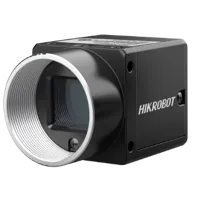
The MV-CS200-10UM is cataloged with a USB3 interface.
- Sensor format
- 1"
- Interface
- USB3
- Resolution
- 16-25 MP
- Shutter
- Rolling
These interface facts do not establish feature-name equivalence, callback support, or compatibility with a particular wrapper. Verify those requirements against the official documentation for the proposed device and software combination.
Use the camera finder to narrow hardware choices, then request confirmation of the controls your application depends on. A useful requirements list names the application intent, required access during acquisition, event needs, and acceptable units or quantization.
Keep feature discovery separate from the main inspection logic. Maintain verified candidate names where needed, but inspect the returned type and semantics before accepting a match. If a required feature is absent, fail with a clear capability message. If an optional feature is absent, report that explicitly rather than silently changing inspection behavior.
9. Verify the fix and prevent regressions
A corrected lookup is only the first acceptance test. Exercise the configuration through the states your application will use.
- Confirm the intended device is selected after reconnecting.
- Repeat lookup on the correct map after a fresh connection.
- Verify feature access before and during acquisition where required.
- Write a valid test value and read it back when supported.
- Check selector dependencies and automatic-control modes.
- Verify the resulting image or acquisition behavior independently.
- Confirm callback registration, notification, and shutdown without duplicate registrations.
- Repeat the test with each supported camera and SDK combination.
Save a compact capability report with device identity, software version, selected map, resolved feature names, types, units, limits, and access conditions. Record actual error details instead of replacing every failure with a generic unsupported-feature message.
Do not use feature renaming as a fix for every exception. When the documented feature browser also fails, investigate the connection, device state, and supported software combination before changing application names again. Obtain software and device documentation only through the manufacturer or its distributors.
For a new system, begin with the camera configurator. For an existing application, send the required feature list and a minimal failure description through applications support so hardware selection stays tied to verified capabilities.
Questions
Does a missing-node exception mean the camera lacks the feature?
Not necessarily. Some bindings treat an unknown object attribute as a feature lookup, so a misspelled SDK method can produce the same symptom. Establish whether the failure occurs during a method call, node lookup, value write, or callback registration before concluding that the feature is absent.
Can I replace GainRaw with Gain in every application?
No. Inspect the connected camera's feature list and confirm the candidate node's type, units, range, and selector dependencies. Similar names can represent different numeric interfaces or scaling. A portable application needs a verified mapping of application intent to supported features, not a suffix-removal rule.
Why can a visible feature still reject a value?
The feature may exist but be unavailable or read-only in the current state. Acquisition, automatic controls, selectors, and enable conditions can affect access. Query access immediately before writing, follow documented dependencies, and inspect the current range and increment rather than relying on previously cached values.
Does using the same camera interface guarantee feature compatibility?
No. The transport interface is only part of the compatibility picture. Confirm the required feature set, naming convention, SDK access, callback behavior, and acquisition-state restrictions for the proposed replacement. Test those capabilities against a written acceptance list before relying on existing application code.
What should I check when a feature callback never runs?
First verify that the callback is intended for feature changes rather than image arrival or hardware events. Check the SDK's notification semantics, object lifetime, registration handle, and threading requirements. Make a controlled change after registration, then deregister through the documented shutdown sequence.