
A periodic electrical signal can set image timing more predictably than repeated software capture commands. However, connecting a square wave does not automatically make delivered frame rate equal pulse frequency. The camera must accept the signal electrically, recognize the selected edge, and be ready for another exposure.
This explanation is for engineers connecting an external timing source to an acquisition system. You will learn how to separate camera triggering from software recording, calculate a realistic timing budget, and verify that every requested image reaches your application.
Separate the electrical trigger from image acquisition
In a common externally triggered arrangement, the signal generator connects to a camera hardware input. Acquisition software configures the camera, starts acquisition, and receives the resulting images through the data interface. The pulse train normally does not pass through the acquisition application before reaching the camera.
The intended signal path is:
- An external source produces an electrical edge.
- The camera accepts that edge when its trigger conditions are satisfied.
- The camera starts the configured frame capture sequence.
- Image data transfers to the host and enters an acquisition buffer.
- The application retrieves, processes, or saves the frame.
These events are related, but they are not simultaneous. Trigger-to-exposure delay, sensor readout, data transfer, and application buffering each affect the result.
| Capture arrangement | What determines image timing | What software does |
|---|---|---|
| Free-running acquisition | Camera timing settings and operating limits | Starts acquisition and receives frames |
| Software-triggered acquisition | Software requests and command latency | Sends a capture request and receives frames |
| Hardware frame triggering | Accepted external edges and camera readiness | Configures, arms, and receives frames |
| Burst acquisition | A trigger starts a configured sequence | Configures the burst and receives its frames |
For one image per pulse, confirm that the selected event starts one frame rather than a burst or acquisition session. A control labelled “trigger” may refer to any of these functions.
Check capability beyond a disabled software control
A disabled hardware-trigger control is not sufficient evidence that the camera lacks a trigger input. The control may reflect the selected driver, acquisition interface, current operating mode, or software support.
Check the camera documentation and the features exposed by the installed acquisition interface. Establish all of the following before changing wiring:
- The camera has an external input documented for frame triggering.
- The chosen software interface exposes the required trigger settings.
- The selected input line can operate as an input rather than an output.
- The desired frame-start event supports an external line as its source.
- Exposure mode, sensor mode, and acquisition mode permit that trigger arrangement.
- Feature changes are allowed in the current acquisition state.
Where supported, GenICam-style controls may include TriggerSelector, TriggerMode, TriggerSource, and TriggerActivation. Their availability and accepted values are device-specific; do not assume every camera exposes the same feature tree.
Also distinguish application recording controls from device timing controls. Starting a recording may only begin collecting images from an already running camera. It does not necessarily configure the physical input.
Use the camera software compatibility checks to establish the driver and feature-access path before troubleshooting the pulse source.
Match the electrical interface before connecting it
A square wave describes a waveform, not a complete electrical interface. Its voltage levels, output circuit, reference connection, polarity, and timing must match the camera input documentation.
Check the input connector pinout and the input circuit type. A logic-level input, an optically isolated input, and an industrial sensor input can require different connections. An output that switches a load is not automatically suitable for driving a camera input directly.
Record these items in the wiring drawing:
- Permitted input voltage range and switching thresholds.
- Required input current or external resistor, if specified.
- Signal return, isolation arrangement, and grounding requirements.
- Minimum high time, minimum low time, and any input filtering.
- Source output type and its ability to drive the connected input.
- Connector pin assignments, shielding, and strain relief.
Select camera data, power and I/O cables by connector and pinout, not appearance. The accessories finder helps locate cable types, but cable length alone cannot establish electrical compatibility.
For periodic timing, use a source that produces a stable pulse train. For one image per passing object, photoelectric sensors may be a better source, provided their outputs match the camera input. The trigger-sensor finder separates that selection from camera selection.
Do not connect a sensor output and a generator output together unless a documented interface circuit supports that arrangement.
Calculate the timing budget, not just pulse frequency
With rising-edge triggering, one qualifying rising edge requests one frame. A square wave also has a falling edge, but that edge does not request another frame unless the camera is explicitly configured to respond to it.
The last estimate applies only when exposure and readout cannot overlap. Some cameras support overlapping operation, so their documented trigger timing takes priority over this simplified sum. Interface throughput and host processing can impose additional limits.
Worked timing example
Suppose an application needs a requested capture rate of 40 Hz. Assume, for illustration, a non-overlapping camera mode with a 4 ms exposure, 13 ms readout, and a chosen 1 ms guard interval. These are application assumptions, not specifications for any listed product.
The calculation is:
This example has timing margin under the stated assumptions. It still needs confirmation that both pulse durations meet the input specification and that the host can receive the resulting data stream.
At 60 Hz, the period would be about 16.7 ms, shorter than the assumed 18 ms cycle. That arrangement could reject triggers even though the signal generator produces a clean waveform.
For a source with jitter, compare the shortest interval between edges with the required cycle time. An acceptable average frequency can hide occasional intervals that are too short.
Pulse width does not always set exposure
In timed-exposure mode, the selected edge starts an exposure whose duration comes from the camera setting. The square wave's high time does not normally determine that duration.
A documented trigger-width exposure mode behaves differently: pulse duration can control exposure. Switching between these modes changes the timing calculation. Automatic exposure can also change the available margin, so use a bounded or fixed exposure while establishing the trigger limit.
Configure and arm the camera before enabling pulses
Configuration order matters because some features cannot change during acquisition. Use the documented sequence for the camera and acquisition interface; the following is a typical starting point:
- Stop acquisition and disable the external pulse train.
- Select the image format, region of interest, exposure mode, and exposure duration.
- Select the frame-start trigger event and the physical input line.
- Choose the active edge and any documented input filter settings.
- Enable trigger mode and configure a suitable host buffer or recording length.
- Start acquisition so the camera and receiving application are ready.
- Enable the external pulses and monitor the first captured frames.
- Disable pulses before ending the run, then allow pending transfers to finish.
This sequence avoids sending the first pulse before the camera is armed. Where a documented trigger-ready signal or status is available, use it rather than relying solely on an arbitrary startup delay.
Check whether an acquisition frame-rate limiter remains active in trigger mode. Depending on the device, that control may be ignored, restricted, or relevant to accepting triggers. Do not assume an internal rate setting automatically follows the external source.
Software recording limits matter too. A finite capture configured to collect a fixed number of images may stop receiving while the generator continues producing pulses.
Verify requested, captured, and received frames separately
Begin at a low pulse frequency, then increase it toward the required operating rate. Keep exposure, image size, and processing settings fixed during this test so the limiting condition remains identifiable.
For a timed run, calculate the expected number of requests:
For a precise test, use a counted pulse train or independently count the edges delivered to the camera. Generator start and stop boundaries can otherwise introduce uncertainty in the expected total.
Compare the measurements available from the source, camera, and host:
| Measurement | What it helps establish | Limitation |
|---|---|---|
| Edges measured at the camera input | Electrical requests reached the connector | Does not prove the camera accepted them |
| Documented accepted-trigger count | Requests accepted by the camera | Not available on every camera |
| Camera-generated frame count | Frames produced during acquisition | Counter meaning must be checked |
| Host-received frame count | Images delivered to acquisition software | May exclude images discarded later |
| Saved-image count | Images retained by the application | Can reveal storage or application losses |
For example, if the camera reports 2,400 generated frames but the host receives 2,396, the discrepancy is downstream of frame generation. It is not evidence that four electrical edges were ignored.
Conversely, consecutive frame identifiers do not prove that every trigger was accepted. A rejected trigger may produce no frame and therefore no identifier gap.
Camera timestamps can help assess capture intervals, but confirm what event they represent. Host arrival times include transfer and scheduling effects and should not be treated as exposure-start times.
If losses occur after frame generation, follow the acquisition-failure troubleshooting guide for transport, buffering, and host-side checks. That investigation is separate from deliberately setting capture cadence.
Shortlist imaging hardware without assuming trigger support
Start with area scan cameras that meet the image-quality and motion requirements. Use the camera finder to narrow interface, shutter, and sensor choices, then verify hardware-trigger capability for the exact candidate.
The LS-MV-133GM-GE is a mono GigE camera with a global shutter. It is an imaging candidate when monochrome capture fits the inspection; the supplied catalog information does not establish its external-trigger electrical or timing specifications.

- Sensor format
- 1/2.7"
- Interface
- GigE
- Resolution
- Up to 3 MP
- Shutter
- Global
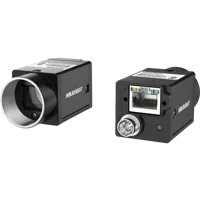
The MV-CU020-90GC is a color GigE camera with a global shutter. Consider it when color information is required, while separately confirming its trigger input, supported modes, and software access.
- Sensor format
- 1/1.7"
- Interface
- GigE
- Resolution
- Up to 3 MP
- Shutter
- Global
Neither an interface label nor a global-shutter specification proves hardware-trigger compatibility. Global shutter addresses how the sensor exposes the image; trigger support addresses how capture starts. Treat these as independent checks.
For moving subjects, also establish an exposure duration that meets the blur limit. Accurate trigger timing cannot compensate for an exposure that is too long for the motion.
Recognize when periodic pulses are the wrong solution
A fixed-frequency source works well when the required timing is periodic. It may be unsuitable when objects arrive at irregular intervals or conveyor speed changes.
Use an object-detection signal when the inspection needs one frame per object. Consider an encoder-derived trigger when the task requires images at fixed travel increments. In either case, account for the delay between detection, exposure, and the object's arrival at the inspection position.
Other cases need additional design work:
- Multiple cameras may share a trigger but have different exposure-start delays.
- A burst setting may intentionally generate several frames from one accepted edge.
- A rolling-shutter exposure can distort moving objects despite accurate trigger timing.
- A source with variable pulse width can vary exposure in trigger-width mode.
- A low average request rate can still contain closely spaced edges that exceed readiness limits.
When synchronization accuracy matters, specify the acceptable exposure-time difference between cameras. Receiving their images together on the host does not demonstrate simultaneous exposure.
Check these items before ordering or commissioning
Use this checklist to turn a desired pulse frequency into a verifiable system requirement:
- Capture event: One accepted edge starts one frame, unless a burst is intentional.
- Software access: The acquisition interface exposes the required device settings.
- Electrical match: Voltage, current, polarity, return path, and input circuit are documented.
- Pulse timing: High time, low time, and shortest edge interval meet the input requirements.
- Exposure budget: The selected exposure and sensor mode permit the requested cadence.
- Data path: Transfer, buffers, processing, and storage sustain the generated image stream.
- Verification: The test distinguishes delivered edges, generated frames, received frames, and saved images.
- Failure handling: The application detects count mismatches and responds appropriately.
Begin with the camera configuration step, or send the timing and wiring requirements through application support. Include the pulse waveform, required capture frequency, exposure target, input pinout, acquisition interface, and results from a counted-trigger test.
Questions
Does pulse frequency always equal the camera frame rate?
Only when the camera is configured for one frame per selected edge and accepts every request. Exposure, readout, trigger filtering, and other operating limits can cause requests to be rejected. Data transfer or application losses can further reduce the number of images received or saved.
Does a disabled hardware-trigger control mean the camera cannot be triggered?
No. A disabled control can reflect the selected acquisition interface, driver capabilities, operating state, or application restrictions. Check the exact camera's documented input functions and confirm that the installed software exposes them before deciding that external triggering is unavailable.
Does the square wave's high time determine exposure?
In timed-exposure mode, the camera's exposure setting usually determines exposure duration after the selected edge. In a documented trigger-width mode, pulse duration can determine exposure instead. Confirm the selected mode before choosing duty cycle or calculating the maximum request frequency.
How can I distinguish ignored triggers from lost images?
Measure delivered edges and compare them with documented camera counters, received images, and saved images. Check what each counter actually measures. Frame identifier gaps can indicate missing generated images, but an ignored trigger may create no frame and leave no identifier gap.
Can a photoelectric sensor connect directly to a camera trigger input?
Sometimes, but compatibility must be established from both devices' electrical documentation. Check output type, input voltage and current requirements, switching polarity, return connection, and pulse duration. Use an appropriate documented interface circuit when the sensor output does not directly match the camera input.