
A camera that produces distorted images immediately after power-up, but works after another application opens it, presents a useful diagnostic clue. Something about the device state, transport configuration or image interpretation has changed. That observation does not identify which setting changed, and it does not establish a firmware fault.
This procedure helps you separate malformed image interpretation from incomplete network delivery. You will capture a cold-start baseline, compare documented setting readbacks, and build a repeatable initialization sequence without depending on another viewer to prepare the camera.
Separate image interpretation from incomplete delivery
Start by saving an original received buffer, its metadata and the corresponding displayed image. A screenshot alone cannot show whether corruption occurred during transmission, buffer interpretation or rendering.
Record the camera identity and software versions alongside the evidence. Confirm that the application opens the intended device rather than the first discovered camera. For discovery, device-description and software-interface questions, use the GigE Vision compatibility checks.
The visible pattern helps prioritize tests, but none of these symptoms proves a cause by itself.
| Observed symptom | First checks | Evidence that strengthens the diagnosis |
|---|---|---|
| Repeatable diagonal displacement or wrapped rows | Row stride, width, packing and buffer offsets | Complete buffers become correct when interpreted with the documented layout |
| Wrong brightness or regular intensity banding | Valid bit depth, byte order and pixel alignment | Raw values match the expected image after the correct conversion |
| Wrong colors with recognizable geometry | Pixel format, channel order and Bayer pattern | An explicitly selected converter restores the expected colors |
| Missing regions, broken blocks or intermittent damage | Frame status, packet loss and receive-buffer handling | Damage correlates with incomplete buffers or transport errors |
| Every cold start fails, but a warm reopen works | Startup settings and retained camera state | One controlled setting change consistently changes the outcome |
A successfully negotiated display format is not proof that the camera transmitted that layout. Compare requested settings with actual camera readbacks and the metadata attached to each buffer.
Capture a baseline before opening another viewer
Run the investigation off production or under your site's approved commissioning procedure. Keep the target, illumination and camera position unchanged so that image differences remain meaningful.
After a genuine camera power cycle, connect only the application under investigation. A software reconnect is not equivalent: some settings can remain active while the device stays powered.
Capture the following baseline before any other program connects:
- Device identity, firmware version and device-description version where available.
- Host interface, network path and interface MTU.
- Actual width, height, offsets, binning and decimation settings.
- Pixel format, payload size and chunk-data state.
- Acquisition mode, trigger configuration, exposure and requested frame rate.
- Stream packet size and packet delay, where supported.
- Received frame status, valid byte count, frame identifier and transport counters.
Use the documented feature type when reading a GenICam node. A Boolean, enumeration or command cannot safely be treated as an integer simply because its name looks familiar. Record unsupported features explicitly rather than silently substituting a value.
Take a second snapshot after the known-working application has initialized the device and released control. Compare actual values, not just configuration files or user-interface selections.
Verify pixel format and payload arithmetic
A receiver must agree with the camera about how pixels occupy memory. Sensor bit depth alone does not establish the transmitted storage layout. Packed pixels, unpacked containers, padding and additional payload components can change the expected buffer size.
For a simple image with tightly packed rows and no additional data, use this estimate:
Consider an illustrative image measuring 1280 × 960 pixels:
| Illustrative layout | Arithmetic | Nominal image bytes |
|---|---|---|
| Mono8 | 1280 × 960 × 8 / 8 | 1,228,800 |
| Tightly packed 12-bit pixels | 1280 × 960 × 12 / 8 | 1,843,200 |
| Mono16 | 1280 × 960 × 16 / 8 | 2,457,600 |
These are application examples, not specifications for a listed camera. The packed example assumes no row padding and the documented packing convention.
For the Mono16 example, the nominal row length is 1280 × 2 = 2560 bytes. If a renderer advances only 1920 bytes between rows, each row begins 640 bytes before its proper position. That mismatch can produce severe geometric distortion even when every network packet arrived correctly.
At 30 frames per second, the same Mono16 example produces:
This estimate excludes network overhead and other traffic. It is not a guaranteed operating rate.
Use the camera's reported PayloadSize and the receiver's documented allocation requirements rather than hard-coding the arithmetic result. Inspect valid image bytes separately from allocated buffer capacity. Account for row padding, chunk data and other components using the applicable metadata.
Where available, a documented internal test pattern can remove scene motion and lighting variability. If a complete test-pattern buffer looks correct in an independent decoder but wrong in your display pipeline, concentrate on interpretation rather than network replacement.
Test packet size without confusing it with MTU
The camera's stream packet setting and the network interface's MTU are related, but they are not interchangeable values. Their size conventions and protocol overhead must be understood before comparing them.
A path with a 1500-byte IP MTU cannot be assumed to accept jumbo packets merely because the camera supports larger transmissions. Every relevant link, interface and switch must support the selected configuration.
Use the manufacturer's documented packet-size procedure or supported automatic sizing function. Where exposed, GevSCPSPacketSize is a setting to inspect; do not assume every device implements it identically or permits changes during acquisition.
Run two separate tests:
- Transport compatibility test: after a cold start, select a documented packet size compatible with the whole path. Capture frame-completion status and transport counters.
- Initialization-state test: on a separate cold start, read the packet setting, write that same supported value through the documented interface, and acquire again.
If reducing packet size removes incomplete frames, investigate path compatibility, packet rate, host receive capacity and competing traffic. Smaller packets also increase packet-processing demand, so they are not automatically the final performance setting.
If rewriting an unchanged value restores the image, that suggests a state-dependent effect rather than a simple oversized-packet explanation. It still does not prove defective firmware. Record the readback, write result and resulting stream behavior for vendor review.
For losses that vary with load or time, continue with the intermittent acquisition troubleshooting procedure. That investigation addresses transport reliability beyond this cold-start comparison.
Use a controlled cold-start test matrix
Change one variable per trial. Otherwise, a successful image may conceal which adjustment mattered.
| Trial | Starting condition | Intervention | What to compare |
|---|---|---|---|
| A | Camera freshly power-cycled | None beyond the failing application's normal startup | Baseline settings, buffer status and image |
| B | Camera freshly power-cycled | Explicitly set the documented image layout | Geometry, valid bytes and decoding |
| C | Camera freshly power-cycled | Apply a supported transport-compatible packet size | Completion rate and transport counters |
| D | Camera freshly power-cycled | Rewrite the existing supported packet value | Whether the write changes behavior without changing the readback |
| E | Camera freshly power-cycled | Initialize with the known-working application, then close it | Full setting differences and subsequent behavior |
Repeat the decisive trials across at least 3 cold starts as a practical initial check. This is a suggested diagnostic sample, not a reliability qualification.
Confirm that the other application has released camera control before starting your receiver. Avoid simultaneous acquisition clients unless the camera and software explicitly support that arrangement.
Do not load saved user sets, reset defaults and alter network settings together. Each action can change multiple features. A broad reset may produce a working image while destroying the evidence needed to build a dependable startup sequence.
Build an explicit startup sequence
Once the decisive difference is identified, implement a documented sequence rather than launching another viewer as a prerequisite. Device dependencies vary, so follow the camera's stated feature order and access restrictions.
A practical application sequence is:
- Select the device explicitly. Verify its identity and establish the required control access.
- Read the initial state. Capture relevant settings before loading a configuration or writing features.
- Stop acquisition if required. Make configuration changes only in states where the device permits them.
- Apply a documented baseline. If using a user set, load it before applying application-specific overrides.
- Configure the image layout. Set supported geometry, pixel format and additional payload options in the documented order.
- Configure transport and acquisition. Apply the tested packet settings, trigger mode and timing limits.
- Read back the final values. Reject unsupported writes or unexpected substitutions rather than continuing silently.
- Allocate and queue receive buffers. Use the final payload requirements and the receiver's documented ownership rules.
- Start acquisition and validate initial frames. Check frame status, valid bytes and interpretation before accepting inspection results.
Keep the startup log with the inspection recipe. A saved configuration file is not evidence that the device accepted every requested value.
If the application supplies external triggers, distinguish trigger timing from corrupted payloads. The external-pulse acquisition timing guide covers that separate limit.
Know when the usual answer is wrong
Packet-size changes are a useful test, not a universal cure. Several results should redirect the investigation.
Complete buffers remain geometrically wrong. Recheck stride, packing, byte order and component offsets before increasing receive buffers. Complete transport does not establish correct rendering.
Only a later displayed image looks wrong. Check buffer ownership. A display thread can read memory after the acquisition system has reused it, producing apparent corruption unrelated to the camera's transmitted image.
Lower frame rate helps. This implicates a load-dependent path, but does not identify whether the bottleneck is network reception, copying, conversion or display. Compare raw acquisition with rendering disabled using documented application controls.
Only the viewer-to-application handover works. Compare every relevant readback, including chunk state and acquisition mode. Do not focus exclusively on the first setting that looks different.
The same setting write repeatedly repairs cold starts. Prepare a minimal reproduction with power-cycle history, setting snapshots and original buffers. Obtain firmware and recovery procedures only through the manufacturer or its authorized distributors. Avoid undocumented register writes intended to imitate another application's hidden behavior.
Check hardware before ordering replacements
Replacing a camera is premature when the same device produces correct complete buffers after a reproducible configuration change. First verify connectors, power stability, the cable route and the supported network path.
Use the camera and I/O cable category and accessory finder to identify the required cable type. Match connector, interface, shielding and installation requirements; physical fit alone does not establish suitability.
If replacement or a new station is justified, compare area scan cameras through the camera finder. The following listings identify GigE camera options, not guaranteed remedies for this symptom.
The LS-MV-133GM-GE is a GigE mono area scan camera.

- Sensor format
- 1/2.7"
- Interface
- GigE
- Resolution
- Up to 3 MP
- Shutter
- Global
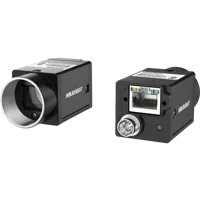
The MV-CU020-90GC is a GigE color area scan camera.
- Sensor format
- 1/1.7"
- Interface
- GigE
- Resolution
- Up to 3 MP
- Shutter
- Global
Before selecting either, confirm the documented software support, required pixel formats, throughput and connection details for your application. A different interface or camera model should solve a demonstrated requirement, not replace diagnosis.
Verify the fix across power cycles
Use a short acceptance checklist before returning the station to service:
- Cold startup: repeat the complete power-up sequence without opening another viewer.
- Setting agreement: compare final readbacks with the approved recipe after every start.
- Buffer validity: reject incomplete frames and unexpected payload layouts explicitly.
- Image interpretation: verify a static reference target or documented test pattern against the expected geometry.
- Representative load: run with the intended processing, display and network traffic active.
- Traceability: retain software versions, setting snapshots and failure counters with the test result.
As an initial functional check, capture 100 consecutive frames per startup and require every accepted frame to have valid status and the expected layout. Extend the run to match production duration and operating conditions; a short clean sequence cannot establish long-term reliability.
For a new build, start with the camera configuration step. For an existing fault, send the controlled test results and setting differences through applications support before ordering replacement hardware.
Questions
Why does opening another application make the camera image correct?
The other application may change transport settings, image format, acquisition state or another initialization-dependent feature. Compare actual device readbacks before and after it connects. A working handover demonstrates a state difference, but does not identify that difference or prove a firmware defect.
How can I distinguish a pixel-format problem from packet loss?
Inspect the received buffer status and transport counters, then decode a saved original buffer using the documented layout. Complete buffers with consistently displaced rows point toward interpretation errors. Damage that tracks incomplete frames or missing packets supports a transport investigation, although visual appearance alone is not decisive.
Should I always reduce the stream packet size?
No universal packet value suits every camera and network path. Use the documented size convention and a supported configuration compatible with the entire connection. Once a conservative baseline works, test performance changes separately while monitoring completion status and receive errors.
Should the application configure the camera after every power cycle?
Explicit startup configuration is useful when the device permits it and the application verifies the resulting values. Follow documented feature dependencies, configure before allocating payload-dependent buffers, and check write failures. Do not assume settings survive a power cycle unless their persistence is documented and verified.
What evidence should accompany a vendor support request?
Provide a minimal reproduction that distinguishes cold starts from reconnects, together with device and software versions, actual setting readbacks, frame status and original received buffers. Include the smallest documented setting change that reliably changes the result. Remove confidential scene content before sharing evidence.