
An intermittent acquisition error means the application did not receive a usable frame when expected; it does not identify the failed component. For maintenance and integration teams, the quickest route is to determine whether one camera fails independently or several fail together. Then test the trigger, power, transport and host separately. This procedure helps you collect useful evidence, isolate shared faults and verify calibration without repeatedly changing settings that may already be correct.
1. Separate missing frames from unusable images
First establish what actually failed. A camera that delivers a dark image has a different problem from a camera that disconnects. Likewise, an application timeout does not prove that the camera stopped exposing.
| Observation | Start investigating | Evidence that helps distinguish causes |
|---|---|---|
| One camera fails while others continue | Its trigger branch, supply branch, cable and host port | Camera identity, trigger counters, link state and timestamps |
| Several cameras fail at the same time | Shared trigger, supply, controller, host or application | Correlated logs and shared-resource measurements |
| Failure follows machine movement | Flexing cable, connector strain or electrical disturbance | Position, motion event and cable routing |
| Failure appears after sustained operation | Temperature, processing backlog or resource exhaustion | Temperature records, queue depth and error counters |
| Frames arrive but appear dark or blurred | Exposure, illumination, optics or motion | Saved raw images and acquisition counters |
These are test priorities, not diagnoses. Independent faults can coincide, and a shared resource can affect only its busiest channel.
For visible image defects rather than missing frames, use the controlled image tests for suspected lens damage. Keep optical troubleshooting separate from transport troubleshooting.
2. Capture the fault before changing settings
Record the complete error text, camera identity, timestamp and operating state. Preserve application logs, transport statistics and device events before restarting, where the supported software permits this.
Collect the following information:
- Camera interface and connection topology, including switches, extenders, hubs and acquisition cards.
- Cable type, total route, connector arrangement and any moving sections.
- Trigger source, requested acquisition rate, exposure and image format.
- Camera, acquisition-card and host software versions.
- Whether recovery requires restarting acquisition, reconnecting the device or restarting the host.
- Which cameras fail together, using a common time reference where available.
Save the current configuration and calibration through the application's documented export procedure. Note device identifiers as well as application names; a friendly name alone may not distinguish replaced or reassigned cameras.
Change one variable at a time. A shorter cable, different driver and longer timeout applied together might restore operation, but they leave the cause unresolved.
3. Determine whether the trigger reaches the camera
A frame wait can expire simply because no valid trigger arrived. Check the application's trigger request, the electrical signal at the camera input and the camera's accepted-trigger counter, if available. These represent different points in the chain.
Inspect the configured trigger source, edge, input polarity and debounce settings. Confirm pulse requirements against the camera documentation rather than assuming every digital input accepts the same signal.
Use this sequence in a safe maintenance state:
- Confirm that a trigger command or physical pulse occurs when expected.
- Check whether the camera reports accepting that trigger.
- Check whether exposure or frame-generation events follow.
- Compare generated frames with completed frames delivered to the application.
If permitted by the supported software, compare externally triggered acquisition with software triggering or free-running acquisition. Stable free-running acquisition narrows the search toward triggering, timing or application coordination; it does not certify the entire system.
A trigger arriving while the camera is busy may be ignored or handled according to its configured behavior. Exposure, readout and trigger-overlap capabilities must therefore match the requested sequence.
4. Check power at the affected branch
A shared supply problem deserves early attention when several cameras disappear together. For a single-camera fault, inspect its individual power branch and connectors first.
Review the supply rating, connected loads and documented startup requirements. Account for illumination or other equipment sharing the supply. A brief disturbance during a switching event may not appear in a slowly updated software display.
Where safe and appropriate, have qualified personnel measure the camera's supply at the relevant connection under operating load. Compare the result with the device's specified input range. Follow the manufacturer's measurement procedure and electrical safety requirements.
For power delivered through the data connection, inspect the supplying port's status and power budget. Do not assume every Ethernet port supplies power, or that every acquisition card supports the camera's power method.
Look for loose terminals, damaged contacts, unsupported adapters and strain transferred into connectors. Correct these with power isolated as required by the equipment documentation. Do not disturb live connectors merely to reproduce an intermittent fault.
5. Test the complete cable path, not a universal length rule
Cable limits depend on the interface, signaling rate, cable construction and connected hardware. A limit from another installation is not a reliable design rule.
| Interface family | What to verify in the supported documentation |
|---|---|
| GigE Vision and faster Ethernet links | Cable category, negotiated rate, segment length, switch capacity and any power requirements |
| USB3 Vision | Approved cable assembly, connector retention, host topology and active-extension compatibility |
| Camera Link | Supported configuration, clock rate, cable assembly and acquisition-card compatibility |
| CoaXPress | Cable type, link rate, connector requirements and any power-over-cable arrangement |
Count the complete path: patch sections, bulkheads, adapters and extenders can all matter. Inspect camera data and power cables by function, not appearance alone.
A useful isolation test is a direct connection using a known-good cable that the hardware documentation supports. Run it at the same acquisition settings. A successful short-path test implicates something removed from the original path, but does not identify which component.
The LS-ACC-MFM-MFM-ST-10M is a Mini-FAKRA, Z-code camera data cable. It is a connector-specific example, not a general replacement for other interfaces. Check complete device compatibility before selecting an assembly.
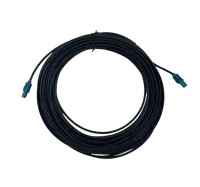
- Type
- Camera data cables
- Length
- 10 m
For replacement selection, the accessories finder helps narrow the connection type. Confirm pinout, shielding, motion rating and supported length against the actual installation before ordering.
6. Correlate failures with electrical disturbances
Compare failure timestamps with motor starts, drive switching, contactor operation and other substantial electrical events. Correlation provides a testable lead; it is not proof of interference.
Inspect whether camera cables run alongside motor or switching-power cables. Review separation, crossing arrangements, shield termination and bonding against the equipment documentation and the machine's electrical design.
A temporary, safely secured alternative cable route can help distinguish routing sensitivity from a camera fault. Keep the acquisition settings unchanged during that comparison.
Do not disconnect protective earth or improvise shield arrangements to suppress symptoms. Have a qualified controls or electrical specialist review changes that affect bonding or electrical protection.
If the fault occurs only during motion, also examine bending and connector strain. Electrical disturbance and mechanical cable damage can produce similar symptoms, but require different corrections.
7. Isolate the host, acquisition card and driver
Several cameras can share resources even when they have separate connectors. Examples include an Ethernet uplink, USB host controller, acquisition card, storage device or application processing queue.
Review transport counters and host logs for incomplete frames, packet loss, device resets, buffer exhaustion and application exceptions. Counter names and meanings vary, so interpret them using the supported documentation.
Use a controlled comparison:
- Run one camera at the original settings.
- Add the remaining cameras without changing their settings.
- Compare transport errors, processing load and queue growth.
- Where supported, test another equivalent port or known-good host path.
If the failure follows the camera branch, return to its cable, power and device settings. If it remains with a host path, investigate that path and its shared resources. A port swap that changes configuration or power delivery is not a clean comparison.
Browse frame grabbers by the required interface, then verify driver and application support. The MV-GE1104 is a GigE frame grabber. Its interface alone does not establish compatibility with an existing application.
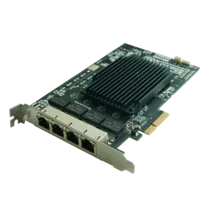
- Interface
- GigE
- Ports
- 4 ports
Obtain drivers, firmware and manuals only from the manufacturer or its authorized distributors. Check the supported combination of operating system, application, SDK, firmware and driver before changing anything. Preserve a documented rollback path; an arbitrary newer driver is not automatically the right repair.
8. Calculate transport load and check timeout assumptions
A system can enumerate every camera successfully yet fail when image traffic begins. Estimate payload demand before replacing hardware.
Use the transmitted pixel format, not just the sensor's nominal bit depth. Packed formats and container formats can occupy different amounts of data. Device-reported payload size is preferable when available.
For a hypothetical image measuring 2048 × 1536 pixels, with 1 transmitted byte per pixel at 30 frames/s:
- Image payload = 2048 × 1536 × 1 = 3,145,728 bytes.
- Payload rate = 3,145,728 × 30 = 94,371,840 bytes/s.
- Using decimal units, that is about 94.4 MB/s, or 755 Mbit/s.
- Two such streams require about 188.7 MB/s, or 1,510 Mbit/s, before protocol overhead.
Those streams cannot both traverse a shared 1 Gbit/s link at that sustained rate. Separate camera links do not help if their traffic later meets that bottleneck. Simultaneous image bursts can also expose buffering limits even when average throughput appears acceptable.
As a diagnostic test, reduce frame rate while keeping image format unchanged. If failures disappear, investigate transport capacity, buffering and processing demand. Reduced load identifies a direction, not a finished repair.
Check what starts the application's timeout. Depending on the API, the wait may include time before the next trigger, exposure, readout and delivery. Increasing a timeout cannot repair a broken link, and may conceal a growing queue.
9. Verify calibration as a separate function
An acquisition error and an invalid-calibration indication can occur together without having the same cause. Applications differ in where they store calibration and what conditions invalidate it.
After restoring stable acquisition, check the documented calibration state, selected camera identity and loaded configuration. Confirm that image dimensions, region of interest, orientation and any binning match the calibrated setup.
Do not recalibrate repeatedly while frames are still missing. First establish reliable acquisition, then verify the mapping with a suitable reference target and the application's acceptance procedure.
If the camera or lens moved, or the imaging geometry changed, recalibration may genuinely be necessary. The lens focal-length selection guide explains the relationship between field of view and imaging geometry; it is not a communication repair procedure.
For dimensional applications, verify measurement performance separately, as illustrated by the diameter and eccentricity inspection setup. For robot applications, validate the complete inspection-to-motion sequence, including the timing considerations in the thread inspection and robot-handling guide.
Replace a camera only after compatibility checks. The area scan cameras category and camera finder help identify candidates, but mechanical fit, software support and calibration requirements still need review.
10. Prove recovery under representative conditions
A restart that produces several good images is not adequate verification. Test beyond the previous failure interval and include the operating conditions associated with the fault.
For example, collecting 10,000 frames at 30 frames/s takes 10,000 ÷ 30 = about 333 seconds, or 5.6 minutes. That test says little about a fault previously appearing after an hour of warm-up.
Use this recovery checklist:
- Run every required camera together at the intended acquisition settings.
- Include representative machine motion, electrical switching and operating temperature.
- Compare requested, accepted and delivered frame counts where those counters exist.
- Account for every missing, incomplete or deliberately discarded frame.
- Confirm that processing queues remain bounded rather than growing steadily.
- Verify calibration and inspection results using the application's acceptance procedure.
- Confirm documented recovery after an interruption in a safe maintenance test.
- Save final configurations, software versions and the evidence supporting the repair.
Keep a concise fault report: symptom, shared resources, controlled changes, results and final verification. If the cause remains uncertain, send that report through application support before purchasing speculative replacements.
When a cable, host interface or camera change is justified, start with the system configurator. Select the replacement around the supported connection and application requirements, then repeat acquisition and calibration verification before returning the machine to service.
Questions
What should you check when several cameras fail together?
Begin with components the cameras share: trigger distribution, power supply, host controller, acquisition card and application. Compare timestamps before assuming simultaneity. A shared resource is a useful starting point, but logs and controlled tests are still needed to distinguish electrical, transport and software causes.
Can a shorter cable fix intermittent acquisition errors?
Use a known-good cable assembly supported for the interface, signaling rate and hardware combination. Check connectors, pinout, shielding and any power requirements. If a shorter direct path works, investigate the removed sections and connections rather than assuming cable length alone caused the problem.
Should you recalibrate after an acquisition timeout?
Not automatically. Restore reliable acquisition first, then check the application's calibration state and verify results against a reference. Recalibration may be required after a geometry or image-configuration change, but it does not repair missing triggers, interrupted power or unreliable data transmission.
When should you update the acquisition driver?
Change drivers when the supported compatibility information or documented fault guidance justifies it. Obtain software through the manufacturer or an authorized distributor, preserve the existing configuration and prepare a rollback. Test the full application afterward; device detection alone does not demonstrate reliable image acquisition.
Will increasing the frame timeout solve the problem?
A longer timeout is appropriate only when the existing wait is shorter than legitimate acquisition timing. Determine whether that wait includes trigger arrival, exposure and image delivery. If frames are lost or queues keep growing, extending the timer merely delays the reported failure.