
A vision application can keep acquiring valid images while its process memory rises throughout a shift. The difficult part is separating repeated feature-node access from retained frames, application references and normal allocator behavior. This troubleshooting procedure is for developers maintaining long-running camera applications. You will build a small test matrix, measure growth per operation, identify ownership mistakes and prepare a reproducible report without assuming the camera hardware is responsible.
1. Establish what is growing
First identify the process consuming memory. A camera application, acquisition service and display process may have different lifetimes. Watching total system memory alone cannot identify which component retains allocations.
Record these measurements together:
- Process resident memory, which describes memory currently resident in physical RAM.
- Private committed memory, or the closest equivalent available on your operating system.
- Language-runtime allocation statistics, where available.
- Completed node lookups, value reads and acquired frames.
- Application queue depth and outstanding image objects.
These measurements are not interchangeable. A language-level profiler may not see allocations inside a native library. Conversely, resident memory can change because of paging rather than allocation growth.
A rising graph is evidence to investigate, not proof of a leak. One-time initialization, bounded caches and allocator reuse can increase memory before reaching a plateau. Start with likely ownership problems, then isolate the library path.
| Possible cause | Discriminating test | Corrective direction |
|---|---|---|
| Application retains values, wrappers or logs | Remove lists, callbacks, histories and unbounded logging | Bound storage and remove stale references |
| Images remain checked out or queued | Stop acquisition and repeat only feature access | Correct buffer ownership and queue limits |
| Initialization or bounded caching | Repeat a fixed workload after warm-up | Establish whether memory reaches a repeatable plateau |
| Feature wrapper or native allocation remains retained | Compare repeated lookup with reuse of a supported node reference | Review lifetimes and reproduce with a minimal program |
| Transport or acquisition resources remain allocated | Acquire and release frames without feature polling | Investigate the acquisition path separately |
If feature access fails rather than consumes memory, follow GenICam feature-access error diagnosis. That is a different symptom and needs different evidence.
2. Separate lookup, value reads and acquisition
Use a fresh process for each test. Keep the camera configuration, software versions, test duration and measurement interval unchanged. Disable the display and avoid saving images during the initial tests.
Choose a documented, readable feature that remains available in the tested device state. Do not repeatedly write settings simply to exercise the API. Some writes change acquisition behavior or require acquisition to stop.
Run the following cases separately:
| Test | Repeated work | What it isolates |
|---|---|---|
| Idle baseline | Open the device and wait | Background activity and initialization |
| Lookup only | Obtain the same node reference, then discard the application reference | Node lookup and wrapper creation |
| Cached-reference reads | Obtain a node reference once, then read its value repeatedly | Value access without repeated lookup, where supported |
| Lookup plus read | Obtain the reference and read its value each cycle | The combined feature-access path |
| Acquisition only | Acquire frames and promptly return or release them | Transport, buffers and image ownership |
| Combined workload | Acquire frames while polling features | Interactions between otherwise stable paths |
Keep only counters and bounded measurement samples. Do not append every returned node or value to a collection. Disable per-operation console output, which can introduce its own buffering and slow the workload.
A memory problem appearing only during lookup is different from one appearing during reads through a retained reference. If only the combined workload grows, investigate callbacks, locking, queues and device-state changes before blaming node lookup alone.
For failures that also include dropped frames or acquisition exceptions, use the separate intermittent acquisition troubleshooting procedure.
3. Measure a slope after warm-up
Begin with a warm-up period, then sample memory at a fixed interval. For example, allow 5 minutes for initialization and sample every 10 seconds during a 30-minute screening run. These are starting values, not proof that a longer production run will remain stable.
Save elapsed time, memory measurements and completed operation counts in each sample. Plot memory against both time and operation count. A relationship with operation count is more informative than a graph that merely rises while the application runs.
Use the same memory metric for both tests. Apply baseline subtraction only when the baseline is reasonably stable and measured under comparable conditions. If repeated runs disagree substantially, report that variability rather than presenting a precise retained-byte estimate.
Worked example
Suppose a lookup test completes 10 operations per second for a measured interval of 15 minutes. After accounting for the idle baseline, memory increases by 1.5 MiB.
The daily figure is a projection assuming the observed slope continues. A later plateau would invalidate that assumption. The estimated bytes per operation also do not reveal the size or identity of a particular leaked object.
Repeat the test at a different operation rate. If growth per minute changes roughly with lookup frequency, while growth per lookup stays similar, the evidence points toward that execution path. It still does not identify which layer owns the retained allocation.
4. Audit resource lifetimes and application references
Camera access often crosses several ownership boundaries: application objects, language bindings, native feature maps, device handles and transport resources. A small wrapper can hold a reference to a much larger object graph.
Review ownership in a fixed order:
- Remove accidental retention. Check collections, closures, exception records, callback registrations and debugging histories for references to camera-related objects.
- Review node-reference reuse. Reuse a reference only when the SDK documents that its lifetime covers the intended operations.
- Check cleanup on every path. Follow documented release procedures after success, timeout, cancellation and exceptions.
- Unregister callbacks. Remove subscriptions when their owner shuts down, following the API's documented sequence.
- Respect parent lifetimes. Do not continue using a node reference after its owning device or feature map becomes invalid.
Reconnecting a camera may require obtaining fresh references. Holding a cached reference across device destruction is not a valid memory optimization unless the SDK explicitly supports it.
In garbage-collected runtimes, removing an application reference does not necessarily cause immediate collection. A controlled collection can help investigate language-level retention, but it does not prove that native resources have been released. Likewise, memory that remains reserved for allocator reuse is not automatically leaked.
5. Exclude retained images and unbounded queues
Image storage can overwhelm the small changes caused by feature access. Test acquisition without feature polling, and count how many images remain outstanding.
For an unpacked monochrome image, a first estimate is:
As a hypothetical example, an image measuring 2448 × 2048 pixels with 1 byte per pixel contains:
Actual allocations may include row padding, metadata, conversion buffers and display copies. Packed pixel formats also need different arithmetic. Use the delivered payload size when the SDK provides it.
Returning a borrowed image buffer and discarding a copied image are different operations. Follow the documented ownership contract. If processing must continue after returning a borrowed buffer, make a deliberate copy and give that copy a bounded lifetime.
Bound producer-consumer queues and choose an explicit overload policy: backpressure, controlled stopping or permitted frame dropping. Never silently discard inspection results where the process requires complete traceability.
If feature polling exists only to record exposure and gain, check whether supported per-frame metadata provides the required information. The guide to verifying exposure and gain metadata explains why a later feature read may not describe the frame already received.
6. Bound polling without confusing mitigation with repair
Read stable configuration once after configuration succeeds, then refresh it only when the relevant state changes. Poll genuinely dynamic values at the rate the application needs, rather than once per image by default.
For example, changing a diagnostic status poll from 100 reads per second to 1 read per second reduces that call count by a factor of 100. If retained memory is proportional to calls, growth may fall similarly. That is a testable mitigation, not proof that ownership is correct.
Classify each feature before changing its polling rate:
- Static configuration: read after setup or a confirmed configuration change.
- Slow diagnostic state: poll at a bounded interval appropriate to the response requirement.
- Frame-associated information: prefer documented metadata when available and appropriate.
- Control-critical state: retain the timing and fault response required by the control design.
Do not reduce necessary fault monitoring to disguise memory growth. General-purpose camera polling must not substitute for a machine safety function.
A planned process restart can sometimes limit operational exposure while a supported fix is evaluated. It remains a temporary measure requiring a controlled stop, resource cleanup and recovery checks. A restart during acquisition can lose images and inspection results.
7. Validate supported software changes
Record the complete software stack before changing it: application build, runtime, binding, SDK, transport layer, driver and camera firmware. Package names alone are insufficient; include exact installed versions and the installation source.
Check the manufacturer's supported combinations and release notes. Obtain software, firmware and manuals only from the manufacturer or its authorized distributors, using the documented distribution channel. Avoid mixing unrelated binaries simply because their interfaces appear compatible.
Change one component at a time on a controlled test system. Preserve a supported rollback path and rerun the same test matrix. A newer release should be judged by measured behavior, not assumed to fix every memory symptom.
Before making stack changes, complete the GigE Vision software compatibility checks. Matching a camera interface does not establish compatibility between every runtime and transport component.
A useful support package contains:
- A minimal reproducer without proprietary inspection logic or credentials.
- Device identity, firmware and the software-version inventory.
- The tested feature, device state and acquisition mode.
- Memory samples, operation counts and queue-depth records.
- Results from idle, lookup-only, read-only and acquisition-only tests.
- Documented cleanup steps and whether memory reaches a plateau.
8. Keep hardware selection separate from the diagnosis
Replacing a camera is not the first response to host-process memory growth. Keep the existing area scan cameras and vision controllers unchanged while isolating software paths, unless evidence identifies a hardware-specific interaction.
For hardware identification, the LS-MV-133GM-GE is a GigE camera example from the catalog.

- Sensor format
- 1/2.7"
- Interface
- GigE
- Resolution
- Up to 3 MP
- Shutter
- Global
The MV-CU020-90GC is another GigE camera example for documenting a candidate test setup.
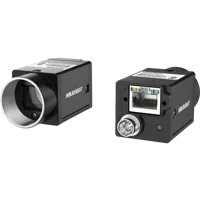
- Sensor format
- 1/1.7"
- Interface
- GigE
- Resolution
- Up to 3 MP
- Shutter
- Global
These examples are not claims of a memory defect, software compatibility or a verified fix. If substitution becomes necessary, confirm support for the replacement before interpreting a changed memory trend.
Use the camera finder when a documented compatibility requirement calls for different hardware. If the task also requires dedicated camera-processing hardware, compare interfaces and application requirements within the controller category:
Vision computers and fanless industrial PCs
190 models · from $1,119.00More memory increases operating headroom; it does not repair an indefinitely rising allocation trend. Measure the normal bounded working set before sizing a production controller.
9. Verify the correction under the production workload
Define acceptance criteria before the final endurance run. Separate bounded memory use from acquisition quality: an application that stops growing by dropping required work has not passed.
Use this release checklist:
- Repeat the isolated reproducer. Compare post-warm-up slopes using the same operation count and measurement method.
- Run the combined workload. Restore acquisition, processing, display, logging and required feature polling.
- Bound retained work. Confirm queue depth and outstanding image counts stay within declared limits.
- Exercise documented recovery. Test stop/start and permitted reconnection behavior without reusing invalid references.
- Check image integrity. Confirm expected frame counts, metadata and inspection results remain correct.
- Extend the duration. A 30-minute screening run cannot establish stability throughout an 8-hour shift.
- Preserve evidence. Save versions, configuration and time-series measurements with the release record.
For unresolved growth, send the minimal reproducer through the software provider's supported channel. For help matching camera and controller requirements, use application support. If the diagnosis establishes a genuine hardware requirement, start with the camera configuration step.
The configurator matches a camera, lens, light, light controller and cables to each other, step by step, and lists only parts that fit what you already picked.
Questions
Does rising process memory prove a camera feature access memory leak?
No. Initialization, bounded caches and allocator reuse can raise process memory before it stabilizes. Look for repeatable growth after warm-up, compare against an idle baseline and count completed operations. A sustained relationship between growth and feature-access count is stronger evidence than an upward graph alone.
Should feature-node references be cached?
Only when the SDK documents that the reference remains valid for the intended device lifetime and state. Reusing a supported reference can avoid repeated lookup work, but references may become invalid after disconnection or device destruction. Obtain fresh references when required by the documented lifecycle.
Why can a runtime profiler stay flat while process memory grows?
Native libraries may allocate memory outside the runtime's tracking system. Compare runtime measurements with process-level private memory and resident memory, recognizing that each measures something different. Use native-allocation diagnostics where supported, and retain the same minimal workload so results remain comparable.
Will a controller with more memory solve the problem?
Additional memory can extend the time before exhaustion, but it does not correct continuing retention. First determine whether the application has a bounded working set or an ongoing slope. Size hardware for the measured workload after resolving ownership problems and validating supported software changes.