
A valid image can still have uncertain capture settings. Reading exposure or gain after a frame arrives does not necessarily tell you what produced that image. This troubleshooting procedure helps you associate documented metadata with individual frames, measure setting-change behavior, and distinguish timing problems from decoding errors. It also explains what to check before choosing a camera for traceable acquisition.
Start by separating requests, readbacks and frame metadata
Use documented metadata attached to the image whenever the camera and acquisition software support it. Keep that metadata with the image throughout processing, rather than reading current settings later.
Three values can legitimately differ:
| Value | What it tells you | What it does not establish |
|---|---|---|
| Requested setting | What the application asked the camera to use | Whether the request was accepted or which frame used it |
| Current setting readback | What the documented control interface reports at that moment | The settings of an image already waiting in a queue |
| Frame-associated metadata | What the documented field reports for that particular frame | Physical accuracy beyond the manufacturer's stated meaning and tolerances |
Even a field labeled exposure time needs a definition. It might report the selected exposure duration, an applied duration, or another documented quantity. Do not silently treat those meanings as interchangeable.
Investigate association and timing before assuming a camera fault. A practical starting order is:
- Metadata was paired with the wrong image or read after its buffer was reused.
- A current setting readback was mistaken for historical frame information.
- Automatic controls, queued frames or setting-application delays explain the difference.
- Units, increments or field decoding were interpreted incorrectly.
- A reproducible implementation problem remains after those checks.
If frames disappear or acquisition stops, use the separate acquisition failure troubleshooting procedure. The procedure below addresses images that arrive but have uncertain settings.
Record enough information to reconstruct each frame
Create an acquisition record while the image and its metadata are still owned by the receiving code. If processing continues after releasing the acquisition buffer, copy both into application-owned storage according to the software documentation.
For each received frame, record:
- Camera identity and stream identity, especially with multiple cameras or streams.
- Frame identifier, including its documented reset or rollover behavior.
- Device timestamp, its units and its defined event, such as exposure start.
- Host arrival timestamp from a monotonic clock.
- Exposure and gain metadata, their validity flags and their units.
- Automatic exposure and gain state, when available for that frame.
- Acquisition status, payload validity and any incomplete-frame indication.
Maintain a separate command log with the requested value, write-start time, write-completion time and reported result. Record any subsequent control readback as a readback, not as frame metadata.
A device clock and a host clock generally cannot be subtracted without a documented mapping or synchronization method. Host arrival time is useful for queue investigations, but it is not automatically the exposure time.
Pair records using the frame object or documented identifiers. Never match two independent queues merely because their entries arrived close together. Include stream identity because identifiers may overlap across streams.
For a visual check, display the frame identifier and copied metadata beside the corresponding image. The preview overlay debugging guide explains how to keep displayed diagnostics associated with the image being examined.
Establish a fixed-setting baseline
Begin with stable conditions so that image changes have a clear interpretation. Use a stationary target, fixed geometry and steady illumination. Avoid saturation and very dark regions when comparing brightness.
- Disable automatic exposure and automatic gain using documented controls. Confirm their state through the supported interface.
- Hold other processing settings constant, including gamma, black level and automatic brightness adjustments where applicable.
- Select supported exposure and gain values, then read back the accepted settings.
- Enable the documented per-frame fields and verify that the receiving software actually exposes them.
- Capture a baseline sequence and save images together with their metadata and command log.
- Repeat after stopping and restarting acquisition to check configuration persistence and identifier behavior.
As an initial diagnostic sample, collect 100 consecutive frames at each fixed operating point. This is a useful starting dataset, not a reliability qualification.
Look for missing fields, changing validity flags, unexplained identifier gaps and metadata that changes while controls remain fixed. If the documented interface does not provide a field, record it as unavailable. Do not substitute a nearby control readback.
Measure exposure and gain change timing separately
First change exposure while holding gain fixed. Then change gain while holding exposure fixed. A simultaneous change makes it harder to identify which control caused a transition.
Use two supported values with a visible difference, while staying within the camera's documented operating range. Leave enough frames between changes to reach a stable state.
For a hypothetical free-running test, use a frame rate of 50 frames per second and exposure settings of 800 microseconds and 1600 microseconds. Assume the documented metadata reports exposure in microseconds.
| Frame identifier | Exposure metadata | Observation |
|---|---|---|
| 410 | 800 microseconds | Last frame delivered before the write begins |
| 411 | 800 microseconds | Earlier setting remains associated with this frame |
| 412 | 800 microseconds | Earlier setting remains associated with this frame |
| 413 | 1600 microseconds | First frame reporting the new setting |
| 414 | 1600 microseconds | New setting continues |
For consecutive frames at a constant rate, the observed span is:
The result is an observed three-frame offset in the delivered sequence. It is not proof that the sensor took 60 milliseconds to apply the write. Queued images and transport delays can contribute, and the reference frame was delivered before the command rather than necessarily exposed immediately before it.
Repeat the change in both directions, initially over 30 trials. Save the range of observed offsets rather than reporting only an average. Investigate any identifier gaps before using subtraction to count frames.
Repeat under the intended trigger mode, frame rate and software load. Exposure and gain can have different application timing. A result obtained during free-running acquisition does not establish behavior during triggered acquisition.
For deterministic production changes, prefer a documented method that associates settings with an acquisition event. Depending on supported features, that could involve a sequencer, an acknowledged configuration stage, or acquisition stopped during reconfiguration. Verify the method rather than assuming the next delivered frame uses the new values.
Check units, scaling and quantization
A small disagreement can come from different representations rather than incorrect exposure. Check the units and increments of both the control interface and the metadata field.
Use the documented acquisition library to decode metadata when possible. If interpreting a documented binary layout directly, check field width, signedness, byte order, scale and layout version. Preserve raw values alongside converted values during diagnosis.
Consider a hypothetical metadata field with an 8-microsecond increment. A requested exposure of 803 microseconds might be reported as 800 microseconds if the documented representation rounds to that increment:
This arithmetic illustrates quantization; it does not establish the behavior of any catalog camera. The control itself might also quantize the request, so compare the requested value, accepted readback and frame metadata separately.
Test several nearby settings and several widely separated settings. Consistent steps suggest finite resolution. A constant ratio suggests a scale mismatch, while an abrupt discontinuity near a boundary deserves a field-format investigation.
Gain needs its own unit check. A raw code, a linear multiplier and a value expressed in decibels are not interchangeable. Also determine whether the field describes analog gain, digital gain or a documented combined quantity.
Investigate suspicious transition values without correcting them by guesswork
An isolated spike during a setting change is evidence to investigate, not permission to repair the value mathematically. Do not divide unexpected values, add a guessed rollover constant, or replace them with the nearest request.
Use a controlled sequence to narrow the cause:
- Repeat the same transition with automatic controls disabled and no other writes.
- Inspect the metadata from the original frame object before releasing its buffer.
- Compare the application's result with the manufacturer's supported acquisition application, where it exposes the same field.
- Check the documented metadata layout and compatibility requirements for the installed software and firmware.
- Repeat at a slower acquisition rate and with a minimal processing pipeline.
- Preserve the smallest reproducible dataset for manufacturer support.
If only the application shows the anomaly, inspect buffer ownership, field conversion and queue pairing first. If the supported application reproduces it, that narrows the investigation but does not establish the underlying cause.
A frame may be transport-valid while its exposure provenance remains uncertain. Keep these as separate statuses in your application. Depending on inspection requirements, retain the image for diagnosis but exclude it from measurements requiring known capture settings.
Under steady illumination and a linear, unsaturated signal path, doubling exposure should approximately double the signal above black level. Use this only as corroborating evidence. It is not a substitute for documented frame association or a calibrated exposure measurement.
Handle automatic controls and missing metadata explicitly
With automatic exposure or gain enabled, application requests may no longer describe every frame. Record the available frame-associated values and the documented control state instead of reconstructing history from occasional readbacks.
Avoid polling current settings for every received image and treating the results as historical truth. Polling can add control traffic while leaving the original association problem unresolved.
If exposure metadata exists but gain metadata does not, exposure can still be traceable while gain remains unknown. Do not label the complete capture configuration as verified.
When required metadata is unavailable, there are three legitimate paths:
- Use a documented acquisition method that establishes fixed settings before capture.
- Hold settings constant and validate the configuration boundary using the manufacturer's documented behavior.
- Choose a camera and software combination that exposes the required per-frame information.
The usual advice to discard a fixed number of frames after every write is not sufficient by itself. A measured settling interval can support a validated procedure, but it is not a universal guarantee across operating modes or software loads.
Select cameras by verified metadata support, not interface alone
Start with area scan cameras for conventional inspection systems, or board-level cameras when integration space drives the design. Use the camera finder to narrow the hardware requirements.
Neither packaging nor interface establishes which metadata fields are available. A shared control standard also does not mean every camera implements every optional feature. The GigE Vision software compatibility checks cover the related distinction between camera features and software access.
The LS-MV-133GM-GE is an area-scan candidate for hardware screening. Its catalog entry does not establish the per-frame metadata behavior required by this procedure.

- Sensor format
- 1/2.7"
- Interface
- GigE
- Resolution
- Up to 3 MP
- Shutter
- Global
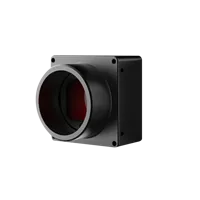
The board-level camera below is a candidate for an integrated design. Confirm the same metadata requirements before selecting it for capture-setting traceability.
- Sensor format
- 1/2.7"
- Interface
- USB3
- Resolution
- Up to 3 MP
- Shutter
- Global
For either approach, request documentation or a representative acquisition file showing:
- Exposure and gain field availability, units, increments and validity semantics.
- Whether values describe requested, selected or applied settings.
- Frame identifier behavior and timestamp event definitions.
- Access through the intended acquisition software and programming interface.
- Setting-change behavior in the required trigger and shutter modes.
- Firmware and software version dependencies.
Where independent physical exposure verification is required, ask what documented timing outputs or measurement methods are available. Metadata support alone does not establish calibrated exposure accuracy.
Acceptance checklist before deployment
Define acceptance around the information your inspection actually needs. A stable fixed-setting station and a system that changes exposure between parts have different requirements.
- Association: each saved image retains its own metadata, validity status and stream identity.
- Timing: device timestamps have a known meaning, and host timestamps remain clearly distinguished.
- Configuration: requested values, accepted readbacks and automatic-control states are logged separately.
- Transitions: exposure and gain changes have been tested independently in the production acquisition mode.
- Interpretation: units, scaling, increments and identifier rollover behavior are documented.
- Exceptions: missing or suspect fields produce an explicit uncertainty status rather than an invented replacement.
- Repeatability: the checks are repeated after relevant software, firmware or acquisition-mode changes.
Keep the evidence with the configuration record: a representative image sequence, command log, metadata definitions and test conditions. This makes later discrepancies easier to reproduce without guessing which settings were active.
Use the camera configuration workflow to define the hardware requirements. If per-frame exposure and gain are mandatory, send the required fields and acquisition mode through technical support before committing to a camera.
Questions
Does reading exposure after receiving an image identify its exposure?
No. A control readback describes the state reported when that read occurs, according to the interface documentation. The image may have been exposed earlier and waited in a queue. Use documented metadata associated with the frame, or a validated acquisition procedure that establishes which settings were active.
How many frames does an exposure or gain change take to appear?
There is no universal frame count. Sensor timing, acquisition mode, control handling and buffered images can affect the observed transition. Measure exposure and gain separately, repeat the test under production conditions, and use documented synchronization features when a specific frame must receive a specific configuration.
Why can exposure metadata differ slightly from the requested value?
First compare the accepted control value with the metadata's documented units and resolution. Different increments or rounding rules can explain small differences. Preserve the raw field during testing and examine multiple settings before deciding whether the discrepancy is expected quantization or an interpretation error.
Can image brightness reveal gain when gain metadata is missing?
Not reliably. Brightness also depends on exposure, illumination, scene reflectance, clipping and image processing. If gain metadata is unavailable, use a documented fixed-gain capture procedure or select a camera and software combination that provides the required frame-associated gain information.
Do all industrial cameras provide exposure and gain metadata?
No such capability should be assumed from the interface or form factor. Confirm the exact fields, their meanings and their accessibility through your intended software. A representative recorded frame with decoded metadata is stronger evidence than a general statement about interface compatibility.