
A camera can appear on the network while its host adapter still sits in an unsuitable expansion slot. That makes PCIe selection a hardware compatibility decision, not just a comparison of advertised transfer rates. For engineers specifying a GigE acquisition computer, the first task is separating the adapter's connector size, required electrical lanes and supported PCIe generation. You can then check bandwidth, motherboard resource sharing and software support independently. This approach prevents a faster-looking slot from being mistaken for a supported installation.
Start with the adapter's documented slot requirement
If a network adapter requires an x4 electrical connection, select a supported slot providing at least that connection. A newer-generation x1 connection does not automatically satisfy the requirement, even when its theoretical bandwidth looks sufficient.
Read the adapter documentation carefully. An x4 card connector, an x4 minimum electrical connection and an x4 recommended installation are related but different statements. Some cards support operation with fewer lanes; others do not document that configuration. Do not assume reduced-lane operation from bandwidth arithmetic alone.
A physically longer slot can be the correct answer. For example, an x16-length motherboard slot may accept an x4 card while providing x4 electrical lanes. Check both the motherboard slot table and the adapter's supported installation instructions.
Separate generation, connector length and electrical lanes
PCIe specifications describe several independent characteristics. Keep them in separate columns when comparing computers.
| Characteristic | What it describes | What you must verify |
|---|---|---|
| Generation | Transfer rate and encoding used by each lane | Generations supported by the card and motherboard |
| Physical slot size | Connector length and mechanical clearance | Whether the adapter fits without modification |
| Electrical lane count | Lanes actually connected and allocated to the slot | Whether the active configuration meets the card requirement |
| Platform support | Firmware, operating system and driver compatibility | Whether the complete installation is supported |
The notation x1, x4, x8 or x16 describes lane count, not generation. A Gen 2 x1 connection still has one lane. Its higher rate does not turn it into an x4 connection.
An ordinary closed-ended x1 slot will not accept an x4 card connector. Some motherboards provide open-ended slots, but mechanical clearance does not establish electrical or software compatibility. Use such arrangements only when the relevant documentation supports them. Do not cut slots or card connectors to force a fit.
PCIe generations generally support negotiation to a mutually supported rate. The resulting link is limited by the installed hardware and negotiated configuration. Generation compatibility alone does not prove that the card has enough lanes or that the application supports it.
Estimate bandwidth without confusing it with compatibility
PCIe throughput depends on lane count, transfer rate and encoding efficiency. The figures below are theoretical ceilings in one direction, before transaction overhead and platform limitations.
| Negotiated generation | Transfer rate per lane | Encoding | Approximate x1 ceiling | Approximate x4 ceiling |
|---|---|---|---|---|
| Gen 1 | 2.5 GT/s | 8b/10b | 250 MB/s | 1,000 MB/s |
| Gen 2 | 5 GT/s | 8b/10b | 500 MB/s | 2,000 MB/s |
| Gen 3 | 8 GT/s | 128b/130b | 985 MB/s | 3,940 MB/s |
| Gen 4 | 16 GT/s | 128b/130b | 1,970 MB/s | 7,880 MB/s |
Here, MB/s uses decimal megabytes. GT/s describes transfers per second, not application bytes per second.
Actual usable throughput is lower because the link also carries packet headers and other transactions. Adapter design, memory access and shared upstream resources can reduce performance further.
A 1 Gb/s Ethernet link corresponds to 125 MB/s before Ethernet and transport overhead. Image payload is lower than that line-rate conversion. Use measured stream traffic or a documented acquisition bandwidth estimate rather than treating every link as pure image data.
PCIe is bidirectional, but do not add both directions when budgeting incoming camera traffic. Most image data moves toward host memory; available bandwidth in the opposite direction does not double that receive capacity.
Work through a multi-camera bandwidth budget
Consider a hypothetical acquisition system with four camera streams, each delivering 90 MB/s of image payload. These figures illustrate a sizing method, not the capabilities of a particular catalog camera or adapter.
The additional 25% is an illustrative planning allowance, not a measured overhead value or a universal design rule. Actual host-bus traffic depends on the adapter, packet handling and acquisition implementation.
A Gen 2 x1 connection has a 500 MB/s encoding ceiling. A 450 MB/s planning budget therefore sits close enough to that ceiling to require careful measurement. It is not a comfortable capacity argument once real transaction overhead and competing activity enter the picture.
More importantly, this calculation cannot authorize an x1 installation for an adapter requiring x4. The sequence is:
- Establish a supported mechanical and electrical installation.
- Estimate the aggregate camera traffic.
- Check the adapter and shared platform paths for capacity.
- Measure acquisition under the intended operating conditions.
If a supported installation still loses packets, move to the separate network-congestion troubleshooting guide. It addresses runtime transfer faults rather than whether a card belongs in a particular slot.
Read the motherboard lane-allocation table
A motherboard's connector layout is not its electrical block diagram. A long connector may provide fewer lanes than its length suggests, and available lanes may change when other devices are installed.
Before selecting the computer, record the following information from its documentation:
- Physical connector size: Confirm the adapter fits and its bracket matches the enclosure.
- Electrical connection: Identify the maximum lane count and any reduced-lane operating modes.
- Generation: Record the supported rate for that specific slot, not merely the processor's capabilities.
- Resource sharing: Check whether storage devices or another expansion card disable or reduce the slot connection.
- Upstream connection: Determine whether traffic shares a chipset link with storage, USB or other network interfaces.
- Power and cooling: Confirm the adapter's documented requirements and available airflow.
For example, a board may describe an x16-length connector operating electrically at x4. That can be suitable for an x4 adapter, subject to generation and platform support. Another board may reduce the same-looking connector to x1 after a storage socket is populated.
After assembly, inspect the negotiated link width and generation using supported system or adapter diagnostics. Distinguish maximum capability from current negotiated operation; some diagnostics also show an idle power-management state. Investigate unexpected results under the conditions specified by the diagnostic documentation.
Check drivers and acquisition software separately
A correctly installed card can still be unsuitable for the acquisition stack. Verify software requirements before ordering hardware, especially when maintaining an established inspection installation.
Start with the operating-system version and architecture. Then check the adapter driver, acquisition package and any documented network filter or performance driver. Obtain installation packages from the manufacturer or its authorized distribution channel.
An application may specify supported adapter families or particular driver versions. Meeting GigE link speed requirements does not remove those restrictions. The GigE Vision software compatibility checks explain the wider camera-to-application compatibility problem.
Keep these acceptance questions separate:
| Question | Evidence to collect |
|---|---|
| Does the operating system recognize the adapter? | Device status and installed driver version |
| Is the PCIe link configured correctly? | Negotiated width and generation |
| Can the acquisition stack access the camera? | Discovery and connection results |
| Can the application sustain acquisition? | Frame counts, incomplete frames and relevant transport counters |
Discovery proves only part of the chain. A camera appearing in a device list does not demonstrate sustained image delivery. Conversely, a discovery failure does not prove insufficient PCIe bandwidth.
If no images arrive despite successful discovery, follow the firewall troubleshooting procedure without disabling unrelated protections or changing several network settings together.
Keep camera and cable selection in the compatibility review
Select the camera for the inspection task, then size the host interface for its actual stream. The area scan cameras category and camera finder support camera selection; neither replaces the network adapter's documentation.
The LS-MV-133GM-GE is a GigE monochrome camera with a global shutter. It is a catalog option to consider when those characteristics match the inspection requirement.

- Sensor format
- 1/2.7"
- Interface
- GigE
- Resolution
- Up to 3 MP
- Shutter
- Global
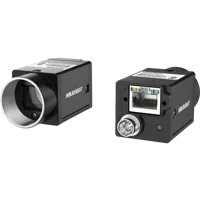
The MV-CU020-90GC is a GigE color camera with a global shutter. Its suitability still depends on the required image detail, exposure and application support.
- Sensor format
- 1/1.7"
- Interface
- GigE
- Resolution
- Up to 3 MP
- Shutter
- Global
These camera examples do not establish a compatible network adapter or predict the frame rate achievable in your application. Record the intended image dimensions, pixel format, acquisition rate and simultaneous camera count before requesting a host recommendation.
For cabling, check the interface, connector, shielding, routing and motion requirements. Use the cables category and accessories finder to identify relevant connection options. Do not select a cable merely because its connector appears to fit.
Camera data, power and I/O cables
366 models · from $39.00Cable faults and electromagnetic interference can produce symptoms that resemble a bandwidth problem. Inspect link status and error counters before replacing a motherboard or adapter. For failures that occur only occasionally, use the intermittent acquisition troubleshooting guide to separate connection, transport and application causes.
Verify the installation under representative load
Create a repeatable acceptance test rather than relying on a short preview session. Use the intended camera count, image format and acquisition rate, including the largest production recipe.
A practical commissioning sequence is:
- Document the baseline. Record the occupied motherboard slots, storage configuration, firmware, operating system, adapter driver and acquisition version.
- Confirm the host connection. Check the negotiated PCIe width and generation against the supported installation.
- Test one stream. Establish clean acquisition before adding simultaneous cameras.
- Add the remaining streams. Compare aggregate traffic and transport counters with the baseline.
- Apply normal system activity. Include production processing, image recording and other expected I/O loads.
- Repeat startup and recovery. Confirm the configuration remains correct after a cold start and the application's documented reconnect sequence.
For example, run an initial sustained test for 30 minutes, then extend qualification to a duration appropriate for the production duty cycle. A short test can reveal immediate saturation but cannot establish long-term reliability.
Record incomplete frames, receive errors, dropped buffers, processing queue depth and application results where those measurements are available. A clean network does not prevent software queues from overflowing. The multi-camera buffer-queue troubleshooting guide helps when reception continues but processing stalls.
Know when a different adapter is the better choice
If only a supported x1 slot is available, a documented x1 adapter may be more appropriate than trying to install an x4 card. That choice still requires adequate aggregate bandwidth, the necessary ports and acquisition-software approval.
Replacing the computer may be justified when the required adapter has no supported slot, shares an overloaded upstream path or lacks sufficient cooling. Replacing it solely because there is no connector labeled x4 may be unnecessary: a documented x16-length, x4-electrical slot could already meet the requirement.
Before ordering, complete this short checklist:
- Adapter connector fits without modification.
- Electrical lanes satisfy the documented minimum.
- Slot generation and negotiated operation are acceptable.
- Storage and other expansion devices do not invalidate the configuration.
- Operating system, driver and acquisition software support the adapter.
- Aggregate traffic has measured headroom under representative load.
- Camera and cable requirements are documented independently.
The right answer is a supported hardware path with verified capacity, not the largest number printed beside a connector. Start the camera configuration process, or send the slot table, adapter requirements and stream budget through application support before committing to the system.
The configurator matches a camera, lens, light, light controller and cables to each other, step by step, and lists only parts that fit what you already picked.
Questions
Can a newer PCIe x1 slot replace an x4 slot for a camera adapter?
Not automatically. A newer generation raises throughput per lane but does not change the connector length or supply additional lanes. Use fewer lanes only when the adapter and motherboard documentation support that configuration, and confirm that the acquisition software also accepts it.
Can an x4 network adapter use an x16 motherboard slot?
An x16-length connector can often accept a shorter card, but its electrical connection must be checked separately. Read the motherboard's lane-allocation table, including changes caused by installed storage or other cards. Then compare the available lanes and generation with the adapter's documented installation requirements.
How much PCIe bandwidth do multiple GigE cameras need?
Estimate the simultaneous stream payloads, add an appropriate planning allowance and compare that budget with the supported adapter and host path. Then measure sustained acquisition. Camera count alone is insufficient because image size, pixel format, acquisition rate and other system traffic all affect the result.
Why can a camera be discovered when acquisition still fails?
Discovery uses much less traffic than sustained image acquisition and does not exercise every part of the receive path. Missing images can involve firewall rules, packet handling, link errors or application buffers. Check those causes independently before attributing the problem to the PCIe slot.
Is a PCIe riser a suitable solution to a slot mismatch?
Only consider a riser when the computer and adapter documentation explicitly support the arrangement. A riser does not create additional electrical lanes or remove driver restrictions. It can also introduce enclosure, power and signal-integrity constraints, so a documented native-slot installation is usually simpler to validate.