
When cameras respond alternately, miss triggers, or recover after another channel is disconnected, start by separating the electrical trigger circuit from image delivery. A controller output indicator proves neither that the camera sees a valid voltage nor that an image reached the application. This procedure helps you locate the missing event, identify the correct input return, and choose a documented reference or isolation arrangement without treating every supply return as interchangeable.
1. Establish which event is missing
Follow the acquisition chain in order: trigger command, electrical input transition, accepted trigger, exposure, transferred image, and application result. Record evidence at each boundary rather than describing everything as a camera response.
| Observation | What it establishes | Next test |
|---|---|---|
| Controller output indicator changes | The controller reports an output state | Measure at the camera connector |
| Valid waveform reaches the input | The electrical signal reaches the terminals | Check trigger selection and readiness |
| Accepted-trigger count increases | The camera reports accepting an event | Check exposure status and acquisition state |
| Exposure occurs but no image arrives | The fault is downstream of trigger acceptance | Inspect transfer statistics and buffers |
| Image arrives but no result appears | Acquisition completed | Inspect application processing and result handling |
Use counters and exposure-status signals only where the camera documents their meaning. A configurable output might indicate exposure, acquisition activity, or a user-defined state; it is not automatically an exposure confirmation.
For timing limits after electrical validity is established, follow the hardware-trigger frame-rate checks. A correct voltage cannot make a busy camera accept an unsupported trigger sequence.
2. Prepare a safe, repeatable test
Put the machine into its documented maintenance condition and prevent unexpected motion using the required safety procedures. Do not bypass an interlock, emergency stop, or safety controller to generate test pulses. Electrical troubleshooting must not change the machine's protective functions.
Collect the camera connector diagram, input circuit, controller output circuit, and supply grounding information. Record the existing wiring before changing anything. Identify each signal conductor and return by terminal designation, not wire color alone.
Disconnect power before moving conductors. Energized measurements belong to qualified personnel using appropriately rated instruments and approved procedures. Never remove protective earth or float an earth-referenced oscilloscope to make a measurement.
Start with a slow, repeatable trigger pattern within the documented operating limits. Keep exposure, acquisition mode, and trigger configuration fixed. Change only one electrical or software condition between tests, then record the result.
3. Identify the input circuit before joining returns
An input detects the voltage or current across its own sensing circuit. The important question is not simply whether two devices use separate supplies, but where the trigger current flows and returns.
| Documented input arrangement | Required investigation | Typical legitimate approach |
|---|---|---|
| Non-isolated, voltage-sensing input | Determine its signal reference and permitted input range | Use the specified reference connection when the grounding design permits it |
| Isolated input with separate input terminals | Identify the complete input-current loop | Wire the loop as documented without adding an unnecessary power-return bond |
| Input intended for a sinking output | Identify the input supply and current-return path | Match the documented sinking-output circuit |
| Input intended for a sourcing output | Identify the load return and input-current requirements | Match the documented sourcing-output circuit |
| Differential input | Identify both signal terminals and common-mode limits | Use a compatible differential driver and specified wiring |
An isolated input still needs a complete circuit. Isolation does not mean that one signal conductor can operate without a return path. Conversely, the input return of an isolated circuit may deliberately remain separate from camera power return.
Sourcing and sinking outputs are not interchangeable merely because their nominal supply voltages match. Check polarity, input current, output leakage, and the permitted off-state voltage. Some outputs require an external supply or load arrangement that is not apparent from an output indicator.
4. Measure across the camera input terminals
Measure the trigger voltage between the camera's documented input and input return, preferably at the camera connector. Measuring only between the controller output and controller return can miss the fault you are trying to locate.
- Identify the sensing terminals from the camera input diagram.
- Measure the inactive and active levels across those terminals.
- Observe the waveform during operation, including pulse width and transitions.
- Compare the results with the documented high, low, current, and timing requirements.
- Repeat with the other channels active, without changing the test pattern.
A multimeter can help identify a steady reference offset, but it usually cannot characterize short trigger pulses. Use suitable waveform measurements when pulse shape, ringing, or narrow disturbances matter. An appropriately rated differential probe may be necessary; an ordinary oscilloscope ground clip can create an unintended bond.
A floating circuit can show unstable or misleading voltages on a high-impedance meter. Do not treat such a reading as a reliable signal level, and do not add a test load unless the documented circuit permits it.
Also check the inactive state. A clean active pulse is insufficient if leakage or a missing return prevents the input from falling below its low-state threshold. The next rising edge may then be absent at the sensing circuit.
5. Calculate the voltage the input actually sees
For a single-ended voltage input, express both measurements relative to the same reference:
Consider a hypothetical interface whose documentation requires at least 15 V for a high state and no more than 5 V for a low state. These are example values, not specifications for any catalog item.
The output measures 24 V relative to controller return. At the same instant, the camera input return measures 9 V relative to controller return:
A further 2 V reduction would leave 13 V across the input, below the example high-state requirement. The controller can therefore report an active output while the camera sees an invalid level.
This arithmetic explains why reference measurements matter. It does not establish why the offset exists or justify bonding the returns. Investigate the circuit and grounding design before choosing a correction.
6. Choose a documented reference or isolated interface
For a non-isolated input, the correct repair may be a documented connection between the output reference and input return. Confirm that both devices permit this connection and that it does not create an unwanted current path through signal wiring.
Before making that connection, review supply output isolation, existing return-to-earth connections, remote equipment bonds, and the expected potential difference. A signal conductor must not become the path for supply fault current or substantial equalizing current.
When direct reference sharing is unsuitable, use an interface selected for the actual electrical requirements. An isolated interface must satisfy input and output polarity, voltage, current, isolation rating, propagation delay, and pulse-width requirements. A mechanical relay may be unsuitable for frequent or short pulses because of operating time and contact bounce.
For an isolated camera input, the manufacturer's wiring diagram may already provide the necessary separation. Complete its specified current loop rather than adding a bond across the isolation boundary.
7. Prove the fault with controlled channel tests
Test each camera alone, then repeat with all intended trigger channels enabled. Compare waveforms at the receiving terminals, not just controller status indicators. Perform any disconnection or rewiring only after isolating power as required.
If a fault appears only when another channel operates, investigate shared returns, output commons, connector assignments, supply disturbances, and unintended current paths. Alternating operation is a useful symptom, but it does not uniquely identify a reference fault.
Use a bounded test rather than an indefinitely running conveyor. For example, command 40 widely spaced pulses and compare the available evidence:
- 40 commanded pulses but 39 valid transitions at the camera points toward an electrical delivery problem.
- 40 valid transitions but 39 accepted triggers points toward input configuration, readiness, or timing.
- 40 accepted triggers but 39 delivered images points toward acquisition or transfer handling.
These comparisons require counters with documented meanings and matching observation windows. Allow outstanding transfers to finish before comparing totals. Account for any documented trigger-to-frame relationship rather than assuming every acquisition mode produces one image per pulse.
If electrical transitions are correct but trigger acceptance is inconsistent after startup, check trigger-overlap configuration and startup writes. Configuration changes should be verified by readback where supported.
8. Move to transfer troubleshooting only when justified
Once accepted triggers and exposure activity are consistent, inspect image delivery separately. Record incomplete-image counts, transport errors, application buffer availability, and whether the receiving application continues consuming frames.
A useful distinction is whether the camera stops accepting triggers or keeps acquiring while the application stops receiving. Those observations lead to different tests and prevent unnecessary rewiring.
Use the intermittent acquisition failure procedure for faults crossing acquisition and application boundaries. For several active streams, the network congestion checks help investigate aggregate transfer load. If delivery stalls while callbacks or buffers accumulate, follow the multi-camera buffer-queue checks.
Do not assume that a shared network segment is inherently incorrect. Network topology, addressing, routing, and capacity need their own evidence. A trigger-reference correction and a transfer correction solve different problems.
9. Check parts without assuming electrical compatibility
The area scan cameras category and camera finder help narrow imaging requirements. Catalog attributes such as interface, shutter, and color do not establish trigger-input voltage, isolation, or connector pin assignment.
The LS-MV-133GM-GE is a monochrome GigE camera with a global shutter. Confirm its documented trigger circuit before selecting an electrical interface.

- Sensor format
- 1/2.7"
- Interface
- GigE
- Resolution
- Up to 3 MP
- Shutter
- Global
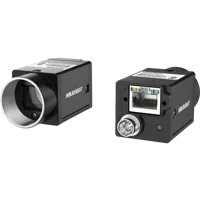
The MV-CU020-90GC is a color GigE camera with a global shutter. Its imaging attributes alone do not confirm compatibility with an existing controller output.
- Sensor format
- 1/1.7"
- Interface
- GigE
- Resolution
- Up to 3 MP
- Shutter
- Global
Check cables by connector, pin assignment, conductor requirements, shielding, and installation conditions. Matching connector shells are not proof of matching wiring.
The LS-ACP-M8A8M-OPEN-HF-7M is listed as a camera power and I/O cable for drag-chain use. Its compatibility with either camera above is not established by the supplied catalog context; verify the documented connector and pin mapping before selection.

- Type
- Power and I/O cables
- Length
- 6-8 m
Review power supplies against the actual load voltage, current, isolation, and grounding requirements. Do not select a supply merely because it appears in the same accessory category. The accessories finder helps locate candidates after those requirements are known.
Enclosed 12 / 24 / 48 V supplies for cameras, lights and controllers
4 models · from $29.0010. Verify the repair and preserve the evidence
After the documented correction, repeat the same bounded test with all intended channels active. Include startup and a normal production-rate run without exceeding the camera's documented limits. A temporary improvement is not enough if pulse levels or acceptance still change with other loads.
Use this final checklist:
- Confirm active and inactive input levels at the receiving terminals; both states must meet the documented requirements.
- Confirm pulse width and spacing; valid amplitude alone does not establish valid timing.
- Compare accepted triggers, exposures, and completed images using documented counters where available.
- Check that no shield, signal return, or protective conductor has acquired an unintended electrical role.
- Record the corrected wiring, interface settings, and measurements so the fault can be recognized later.
- Repeat after the normal startup sequence to catch configuration or power-sequencing differences.
Before ordering replacement parts, prepare the input diagram, output diagram, connector pin assignments, and measured waveform. Use the camera configurator for imaging selection, or send those electrical requirements through technical support to check the proposed interface and accessories.
Questions
Should separate camera and controller supplies share a common return?
Only when the documented interface requires a shared reference and the equipment grounding design permits that connection. An isolated input may instead use a separate signal-current loop. Check existing earth bonds, supply isolation, and input wiring before connecting returns; separate supplies alone do not determine the answer.
Why can the controller output indicator flash while the camera misses triggers?
It usually indicates the controller's commanded or reported output state, not the voltage across the camera input. A missing return, incompatible output circuit, damaged conductor, or insufficient pulse width can prevent detection even while the indicator appears normal.
Does alternating camera operation prove a common-reference fault?
No. Alternating responses can also arise from configuration, readiness, transport, or application handling. Establish whether valid electrical transitions reach each input, whether triggers are accepted, and whether exposures complete before assigning the fault to a reference connection.
Can an isolated interface solve an incompatible trigger connection?
It can be appropriate when direct reference sharing is not permitted or when the documented design requires galvanic separation. Select it for the actual signal polarity, voltage, current, isolation rating, delay, and pulse duration. Isolation does not correct an incorrect trigger configuration or inadequate image-transfer capacity.
Is a multimeter enough to verify a camera trigger signal?
It can reveal some steady-state voltage and reference problems, but short pulses require suitable waveform measurements. Probe the documented sensing terminals using an approved method. Oscilloscope grounding can change the circuit, so qualified personnel must select the probe arrangement before connecting it.