
A trigger setting can appear in an application's configuration while the camera continues using a different value. The missing link may be parameter scope, an unimplemented driver mapping, a rejected feature write, or a later initialization step that overwrites it. This troubleshooting procedure is for externally triggered acquisition that works after manual configuration but fails after restarting the application. You will trace the requested value into the device, verify its final state, and build a repeatable startup test without depending on a separate configuration utility.
1. Separate configuration failure from timing failure
Start by asking whether the camera received and retained the intended setting. Do not begin by assuming that a low delivered frame rate proves an overlap problem.
Trigger overlap generally governs which acquisition activities may overlap when another trigger arrives. Its available modes and exact behavior depend on the camera. It does not remove exposure, sensor readout, or transport limits.
Use the external-trigger frame-rate troubleshooting guide once the camera configuration is verified. That guide addresses timing capacity; this procedure addresses whether startup configuration actually reaches the device.
Collect four separate pieces of evidence:
- The application's requested parameter value.
- Evidence that the driver attempted the corresponding feature write.
- A device-side readback under the intended trigger selector.
- Trigger and image counts during a controlled acquisition interval.
| Observation | First test | Likely corrective action |
|---|---|---|
| Parameter exists, but no application attempt is recorded | Trace parameter loading into the driver | Correct scope or implement the supported mapping |
| Driver attempts the write, but reports failure | Check availability, access and enumeration entries | Apply documented prerequisites or reject the configuration |
| Readback initially matches, then changes | Read again after remaining startup operations | Remove the later overwrite or reorder initialization |
| Final readback matches, but image count remains low | Separate trigger acceptance from image delivery | Investigate timing, acquisition limits or transfer faults |
A missing log message alone is not proof that a write never occurred. Add instrumentation or inspect the documented configuration path before drawing that conclusion.
2. Check the parameter name and its scope
Inspect the effective configuration seen by the camera-owning process, not just the launch file or configuration template. Parameters can belong to a parent process, an individual camera instance, or a private component namespace.
For a multi-camera application, identify the physical device using a stable identifier supported by the driver. A successful write to the wrong camera can produce convincing logs while leaving the inspected stream unchanged.
Follow these checks in order:
- Print the fully resolved parameter path and value after all configuration files and command-line overrides are loaded.
- Confirm that the camera component reads that exact path, including spelling and capitalization.
- Check whether a later configuration file or runtime callback replaces the requested value.
- Confirm that the value is passed to the same driver instance that owns the intended camera.
An application parameter such as trigger_overlap_mode is not automatically a camera feature. The driver must explicitly translate it into the appropriate device operation.
Likewise, a default value in a configuration schema may only initialize an application variable. It does not prove that initialization invokes a setter, or that an unchanged default causes a hardware write.
Record the effective parameter source alongside its value. This makes configuration precedence visible when several files describe the same camera.
3. Verify that the driver applies the parameter
Trace the parameter through the installed driver's initialization path. Use its supported documentation and diagnostic facilities; consult source code only when it is legitimately available.
Look for three distinct stages: parameter parsing, feature application, and error handling. A configuration option may appear in a user interface even though the camera initialization routine never applies it.
For a GenICam feature interface, the relevant device feature may be named TriggerOverlap. Confirm the actual mapping rather than assuming that the application parameter and device feature share a name.
A useful diagnostic record distinguishes these events:
request: overlap mode loaded from application configuration
apply: device feature write attempted for selected trigger
result: write completed or returned a specific error
verify: device feature read back after configuration
Do not report success immediately after accepting a parameter string. Report it after the feature operation completes, and distinguish successful writing from successful verification.
If the mapping is absent, use a supported driver release that implements it, or arrange a maintained change through the documented extension process. Obtain software and documentation from the manufacturer or its authorized distributors.
A maintained implementation should handle unsupported modes, access errors, and readback mismatches. It should not silently continue as though the camera accepted the request.
Validate any driver change using the software upgrade validation checklist. Preserve the previous working configuration so the change can be reversed through the supported deployment process.
4. Check feature availability and writability
An existing feature is not necessarily writable in every camera state. Acquisition, trigger selection, exposure mode, and other dependencies can affect its availability.
Inspect the camera's device feature interface rather than assuming the transport-layer interface contains the same controls. Confirm the intended trigger selector before interpreting the overlap setting.
Check all of the following:
- The feature is implemented by the connected device.
- It is available under the current operating conditions.
- It is writable at the moment initialization attempts the change.
- The requested enumeration entry exists and is currently available.
- The application has the access required to configure the device.
Treat enumeration names as exact symbolic values. Do not assume that a label displayed by a configuration utility is identical to the string expected by the driver.
A mode named ReadOut, for example, should be requested only if the device exposes that entry and its documentation describes suitable behavior. Do not substitute a guessed numeric enumeration value.
Use the feature-access error diagnostic guide if the node cannot be found or becomes unavailable under particular settings.
If a utility is needed for comparison, stop the acquisition application, inspect the device, then close the utility before restarting the application. Treat this as a diagnostic comparison, not the production startup procedure.
5. Apply settings in a documented startup order
A correct write can still be lost if initialization subsequently loads a user set, changes the trigger selector, or runs another configuration callback.
There is no universal write order for every camera. Use the device's documented dependencies and add verification at meaningful boundaries.
A typical controlled sequence is:
- Open the intended camera and obtain configuration access.
- Stop acquisition if required by the device.
- Load any intended user set or baseline configuration.
- Establish the intended trigger selector and prerequisite operating modes.
- Temporarily disable triggering if the documentation requires it for configuration.
- Apply the trigger source, activation and supported overlap setting.
- Apply remaining dependent settings and restore the intended trigger state.
- Read back the final configuration before starting acquisition.
- Start acquisition and perform another readback if the features remain readable.
Selector-dependent controls deserve particular attention. A readback under the wrong selector may be valid but irrelevant to the trigger used for image acquisition.
The verification should compare the requested value with the camera feature value, not with the application's cached parameter. Follow the SDK's documented read and refresh behavior where caching is involved.
Capture the final trigger selector, trigger mode, source, activation, overlap mode, exposure mode, and any enabled acquisition-rate limit. Include the selected device identity in the same diagnostic record.
The programmatic camera initialization guide provides related guidance on establishing a known baseline. Avoid factory resets or persistent-memory changes unless they are necessary and documented.
For an inspection that depends on a particular setting, treat a mismatch as a startup fault. Report it clearly instead of silently collecting images under an unverified configuration.
6. Run a repeatable restart and readback test
First test configuration propagation while the camera is idle. Then test acquisition performance. Combining both immediately makes failures harder to locate.
Use an approved commissioning arrangement to control the trigger source. Do not alter machine safety interlocks or shared production timing without the appropriate procedure.
Warm-restart test
Close all configuration utilities. Start the application, save the final readback record, acquire a controlled image sequence, and stop the application cleanly.
Repeat this sequence 10 times as an initial screening test. Keep the requested configuration unchanged. Every run should identify the same camera and report the intended final feature values.
A result that works only after the first run suggests a dependency on retained state, delayed initialization, or configuration callbacks. It does not establish which cause is responsible.
Controlled camera power-cycle test
Follow the equipment's approved shutdown and power-up procedure. Cycle camera power, allow initialization to complete, and start only the acquisition application.
Repeat the test several times while recording readback and image counts. Do not assume that closing an application restores power-on settings; volatile and persistent behavior are device-specific.
Worked count example
Suppose a test source delivers 32 pulses per second for a measured interval of 10 seconds. Use independently counted input pulses where practical, because interval boundaries can affect the expected total.
This result establishes a delivery shortfall relative to the counted input. It does not prove that the overlap mode caused it, or that every other pulse was rejected.
Compare device trigger or acquisition counters, where available, with delivered image counts. Check frame identifiers for gaps when their documented behavior makes that comparison meaningful.
Keep one record per restart containing the requested mode, final readback, counted pulses, acquired frames and delivered frames. Repeated success demonstrates the tested conditions, not every possible operating state.
7. If readback matches, investigate the remaining causes
Once final readback consistently matches the request, stop treating the configuration file as the leading suspect. Investigate the acquisition chain using separate measurements.
Check exposure duration, sensor operating mode, region of interest, trigger electrical requirements, acquisition limits, and the documented meaning of the selected overlap mode. A supported overlap setting does not guarantee acceptance of every external pulse.
Automatic exposure can change timing during a test. Use fixed settings for an isolation test where appropriate, then restore and validate the intended production behavior. The per-frame metadata verification guide explains how image metadata can help identify changing acquisition conditions.
Separate camera acquisition from host delivery. The camera may accept triggers while images are delayed or lost later through transport, buffering, or application processing.
Use the intermittent acquisition failure guide when failures occur after successful startup. For Ethernet systems with transfer symptoms, follow the network congestion diagnostic guide.
Do not add an unexplained startup delay as the final fix. If waiting changes the result, instrument device readiness and configuration completion so startup depends on an explicit condition.
8. Check compatibility before ordering replacement hardware
A missing driver mapping rarely justifies replacing a camera immediately. First determine whether the existing hardware supports the required behavior and whether the supported software exposes it.
When replacement is justified, compare area scan cameras using the camera finder. Interface and shutter type are useful selection filters, but neither proves support for a particular overlap mode.
GigE, USB3, 10GigE and CoaXPress
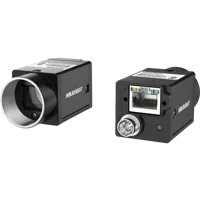
982 models · from $149.00The MV-CU020-90GC is a global-shutter, color camera with a GigE interface.
- Sensor format
- 1/1.7"
- Interface
- GigE
- Resolution
- Up to 3 MP
- Shutter
- Global
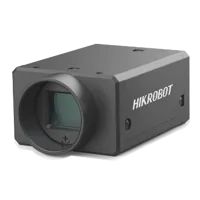
The MV-CH120-11UC is a global-shutter, color camera with a USB3 interface.
- Sensor format
- 1.1"
- Interface
- USB3
- Resolution
- 12 MP
- Shutter
- Global
These are interface examples, not verified solutions for the overlap behavior discussed here. Before selecting either, obtain confirmation of the required trigger feature, available enumeration entries, timing limits, and driver support.
If acquisition runs on a vision controller, verify its supported camera software and configuration path as well. Extra ports or processing capacity cannot correct a parameter that the driver never writes.
Vision computers and fanless industrial PCs
190 models · from $1,119.009. Release checklist and next step
Before returning the application to production, confirm that:
- The effective parameter belongs to the intended camera instance.
- The installed driver maps that parameter to a supported device feature.
- Access failures and unsupported entries produce actionable errors.
- Final readback occurs after all startup configuration writers finish.
- Warm restarts and controlled power cycles work without a separate utility.
- Trigger acceptance and image delivery have been checked independently.
- The startup record includes device identity and relevant software versions.
- A configuration mismatch prevents unverified inspection acquisition.
Keep this evidence with the deployed recipe. It provides a useful baseline when software, camera firmware, or initialization logic changes.
For a new system, begin with the camera configurator. For an existing installation, send the requested values, final device readback and restart results through technical support before changing hardware.
Questions
Why does a trigger overlap parameter appear without changing the camera?
A parameter listing confirms that the application holds a value, not that the device accepted it. The driver may ignore the parameter, apply it under another selector, or encounter an access error. Verify the mapping and read the final camera feature value after initialization finishes.
Can a saved camera setting replace an application startup write?
Only when the camera documentation describes the setting's persistence and the application deliberately relies on that behavior. A saved configuration can also be replaced during startup. For repeatable commissioning, explicitly establish the required state and verify it rather than depending on an earlier utility session.
Does receiving half the expected frame rate prove an overlap fault?
No. Similar rate reductions can result from acquisition timing, electrical trigger requirements, enabled rate limits, or image delivery problems. First confirm the final device setting, then compare input pulses, camera acquisition evidence and application image counts to locate the shortfall.
What should be confirmed before buying a camera for overlapping triggers?
Request confirmation that the camera exposes the required overlap behavior and that the intended driver can configure it before acquisition. Also verify selector dependencies, access conditions, supported firmware and documented timing limits. Interface compatibility by itself does not establish support for every trigger feature.