
A sample application can build successfully and still stop receiving frames. That does not prove the runtime failure came from the build setting you changed. For developers integrating depth cameras, the useful approach is to establish which software actually built and ran, then isolate acquisition from display and processing. Start with library provenance, perform a clean rebuild, and test one supported stream before investigating combined-stream behavior.
Separate the build error from the acquisition failure
Treat the missing build dependency and the frame timeout as separate observations until testing connects them. A build prerequisite tells the build system what must exist or finish first. A linker input tells the linker which code to resolve. Depending on the project, an archive may appear in either role, or both.
Removing a prerequisite can let a build continue without explaining which implementation the executable contains. The project might link another installed library, reuse an existing executable, or depend on an archive produced elsewhere. Conversely, a correctly linked application can time out because the transport or driver stops delivering frames.
Use this sequence to reduce rework, rather than assuming a measured ranking of failure probabilities:
| Observation | First check | What the result establishes |
|---|---|---|
| A required archive is missing | Build graph and actual linker command | Whether the dependency is missing, stale, or incorrectly located |
| The application launches unexpectedly | Executable path and build timestamp | Whether you ran the intended output |
| Launch differs between terminal and IDE | Working directory and loader environment | Whether launch configuration changes library selection |
| One stream works but several fail | Stream configuration and transport load | Whether failure depends on the acquisition combination |
| Acquisition continues but the application closes | Exception handling and processing logs | Whether the exit is separate from camera delivery |
A timeout exception followed by application exit is not automatically a memory-access crash. Preserve the exception text and process exit status. For broader transport symptoms, use the intermittent acquisition failure troubleshooting guide alongside this build-focused procedure.
Record the complete software combination
Before changing anything, save a short environment manifest. Record the camera identity, firmware revision, operating system, kernel, processor architecture, SDK release, driver package, compiler, and application revision. Include the selected stream formats and the connection topology.
Capture these details from the actual running environment, not just installer filenames. An SDK directory can contain one release while the executable loads another installation. Likewise, a driver package can remain installed after the application libraries have changed.
Check the manufacturer's compatibility documentation for the complete combination. A camera appearing in device discovery does not establish support for every stream, firmware revision, or operating-system release.
Keep a known-good configuration unchanged while testing. Change one layer at a time, and retain a documented rollback path. The machine-vision software upgrade validation checklist provides a useful structure for recording versions and acceptance results.
If the processor architecture differs between development and deployment, also review the binary compatibility checks for camera acquisition. Matching filenames do not establish matching architecture or application binary interface.
Inspect what was linked and what was loaded
Enable verbose build output and save the complete compile and link commands. Check the header search paths, library search paths, explicit library files, build configuration, and output directory. Look for an older SDK directory appearing before the intended installation.
For static linking, identify the archive actually supplied to the linker. A linker map, where supported, can show which archive members contributed code. A static archive normally does not appear as a separately loaded runtime library, so inspecting the loader alone cannot establish its provenance.
For shared linking, compare the recorded dependencies with the libraries loaded by the running process. On Linux systems using ELF executables, these read-only commands provide a starting point. Here, capture_app represents your application executable:
readelf -h ./capture_app
readelf -d ./capture_app
printenv LD_LIBRARY_PATH
printenv LD_PRELOAD
The executable header helps identify architecture. The dynamic section can show required shared-library names and embedded search paths. Environment variables can alter runtime selection, but these outputs alone do not prove which file was loaded.
Use the debugger's loaded-library view or the process memory map to obtain the resolved paths. An SDK that loads a transport plugin later may not list that plugin among the executable's direct dependencies. Record those modules after opening the camera as well.
Compare terminal and IDE launches using the same executable and arguments. Check their environment, working directory, and configured deployment paths. If they load different SDK files, resolve that discrepancy before changing acquisition settings.
Rebuild without inherited artifacts
A clean rebuild must remove uncertainty about old object files, generated configuration, and executable selection. Simply pressing the build button again may preserve all three.
- Save the original project, build logs, and environment manifest before making changes.
- Create a new, empty build directory separate from the source directory.
- Configure the project against one intended SDK installation and its matching headers.
- Restore the sample's documented dependency structure, or correct its paths using the manufacturer's build instructions.
- Build with verbose output and confirm the library inputs in the final link command.
- Launch the executable from that new directory and record its full path.
If the project expects an archive built from another target, verify that target's output directory and build order. If the sample instead expects an installed SDK, confirm that the development package supplies the documented files. These are different problems and need different corrections.
Do not recreate a missing archive with an arbitrary file from another release. Obtain packages, examples, firmware, and documentation only through the manufacturer or its distributors.
A useful controlled test is to build the manufacturer's unmodified sample separately from your application. If both fail under the same supported configuration, investigate their shared acquisition environment. If only your application fails, concentrate on its launch settings, processing, and integration code.
Isolate one depth stream before adding others
Start with one camera, one manufacturer-supported depth mode, and no optional streams. Disable display, recording, point-cloud generation, and downstream processing for the first acquisition test. Keep frame callbacks short and release buffers according to the SDK's documented ownership rules.
Run a hypothetical screening test for 10 minutes, then add one feature at a time. That duration is a troubleshooting starting point, not a reliability qualification. Record delivered frame counts, timeout counts, timestamps, and queue depth where available.
Estimate the additional data load before enabling more streams:
For example, an uncompressed stream with 640 × 480 pixels, 2 bytes per pixel, and 30 frames per second produces:
These are hypothetical application values, not specifications for a catalog camera. The estimate excludes protocol overhead and does not describe burst traffic, compression, or internal camera scheduling. Average payload alone cannot establish that a stream combination is supported.
Check the actual pixel format rather than assuming every depth pixel occupies the same number of bytes. If stream interpretation is uncertain, follow the missing depth stream and pixel-format checks.
If acquisition works without processing but stalls when processing returns, investigate buffer retention and queue growth. The callback and buffer queue troubleshooting guide explains that separate failure path.
Check drivers and physical transport separately
Once build provenance is consistent, inspect the runtime transport. Follow the manufacturer's supported driver and kernel requirements. An older camera may require a different supported stack from a newer device; installing the newest package is not automatically the correct choice.
For USB-connected equipment, verify the negotiated connection speed, power arrangement, hub topology, and competing devices on the same controller. Repeat the minimal test through a documented direct connection when practical. For multiple devices, use the depth-camera startup troubleshooting procedure to separate startup ordering from steady-state delivery.
For Ethernet equipment, examine interface error counters, packet loss, and competing traffic. The machine-vision network congestion guide is relevant when transport errors accompany the timeout. Neither connection type should be inferred from a camera's sensing method.
Inspect connector seating, strain relief, and cable condition. Select replacement camera cables by the documented interface, connector coding, power requirements, and motion rating. Physical fit alone does not establish electrical compatibility.
The accessories finder helps narrow cable options after those requirements are known.
Camera data, power and I/O cables
366 models · from $39.00Do not apply unrelated kernel patches or disable host security as a generic timeout remedy. Use documented installation steps and controlled tests that preserve the machine's approved configuration.
Verify recovery with repeatable acceptance tests
Define success before declaring the issue fixed. A useful test matrix separates build consistency, acquisition reliability, and application behavior:
| Test | Example scope | Evidence to retain |
|---|---|---|
| Minimal acquisition | One depth stream without processing | Frame count, timeouts, loaded-library paths |
| Combined acquisition | Add each required stream individually | Enabled modes and first failing combination |
| Full application | Restore display and processing | Queue behavior, processing duration, exceptions |
| Restart behavior | Repeat normal application and device startup | Startup order and recovery results |
For a hypothetical commissioning screen, repeat application startup 10 times and then run the final configuration for 30 minutes. Choose the actual qualification duration from production risk and operating conditions. Intermittent faults may require substantially longer observation.
Log the time of the last received frame, timeout event, and application shutdown separately. Catch documented SDK exceptions at an appropriate application boundary so an acquisition error produces a useful report rather than an unexplained exit. Use the documented stop and close sequence during cleanup.
Increasing a wait timeout can be justified when legitimate frame intervals exceed the existing setting. It does not repair a mismatched library, retained buffer, unsupported stream combination, or interrupted transport. Test that frames continue arriving, not merely that the error appears later.
Consider replacement only when support is the limiting factor
If no manufacturer-supported software combination meets your deployment requirements, changing the camera may be reasonable. First define the required sensing method, working geometry, depth performance, interface, host architecture, and supported software environment.
Browse 3D sensors or use the camera finder to identify candidates. Category membership does not establish compatibility with an existing SDK.
Laser profilers and stereo 3D cameras
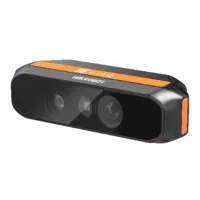
170 models · from $699.00The MV-DT01WMU is cataloged as a ToF sensing camera. Confirm its documented acquisition software and host requirements before treating it as a replacement candidate.
- Type
- Depth / ToF camera
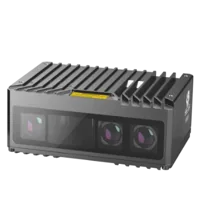
The MV-DPS200P-02 is cataloged as a projected structured-light 3D camera. Evaluate that sensing approach against the scene and integration requirements rather than assuming it behaves like another depth device.
- Type
- Stereo / structured light
Neither listing establishes compatibility with your existing application, kernel, firmware, or cabling. Request documentation and validate acquisition before committing to a migration.
Close the investigation with a short checklist
Before returning the application to service, confirm the following:
- Build inputs are traceable: the saved log identifies the intended headers, libraries, and compiler configuration.
- Runtime files are known: loaded SDK and transport modules come from the intended installation.
- The stack is supported: camera, firmware, driver, operating system, and SDK match documented combinations.
- Minimal capture passes: one depth stream runs without optional processing or additional devices.
- The final workload passes: required streams, processing, and startup behavior meet defined acceptance criteria.
- Errors remain diagnosable: timeouts, exceptions, and shutdown events produce separate, useful records.
- The original hypothesis was tested: the clean rebuild either changed the failure reproducibly or ruled out that specific build discrepancy.
If a timeout remains, prepare the environment manifest, build log, resolved library paths, stream settings, and minimal reproduction. For help selecting a supported replacement or matching connection accessories, send those requirements through technical support.
Questions
Can removing a missing archive dependency cause frame timeouts?
Not by itself. A prerequisite controls build ordering or file availability, while the linker command determines library inputs. Removing a prerequisite may conceal an incorrect path or leave old output in use. Inspect the actual link command and runtime libraries before connecting that change to a timeout.
How can you tell which SDK library the application actually uses?
For shared libraries, inspect the running process with a debugger or process memory map and record the resolved file paths. Include transport plugins loaded after device initialization. For statically linked code, use build logs and a linker map because the original archive is not normally loaded separately at runtime.
Should you install the newest SDK to fix a depth-camera timeout?
Use the release combination documented for the camera, firmware, operating system, and driver. Newer software may not support older hardware or deployment environments. Preserve a known-good configuration and validate any change with minimal acquisition before restoring the full application workload.
Why test one depth stream before enabling all camera streams?
A minimal stream removes several competing explanations, including unsupported combinations, additional bandwidth, and processing delays. Once that baseline is stable, add streams and application features individually. The first reproducible change that introduces failure provides a more useful diagnostic boundary than testing everything together.
Will increasing the frame timeout solve the problem?
Only when the configured wait is shorter than the legitimate frame interval or documented acquisition behavior. A longer wait cannot correct an unsupported driver combination or stopped transport. Measure incoming frame timestamps and verify continued delivery before accepting a timeout adjustment as the solution.