
A color camera can deliver fewer frames than expected for several unrelated reasons: long exposure, a bandwidth-heavy pixel format, conversion work, or an application that cannot consume images quickly enough. A frame-rate setting rejected just above its allowed maximum adds a separate configuration problem.
For acquisition and integration teams, the useful approach is to measure each stage independently. Start with the camera's current limits, separate acquisition from display, and then compare supported raw Bayer acquisition against RGB output. This identifies the limiting stage without assuming that a different camera or cable will fix it.
1. Identify which frame rate is actually low
Measure camera acquisition, successfully received frames, processed frames and displayed frames separately. A slow preview does not prove that the camera is exposing slowly. Some applications intentionally refresh the display less often than they receive images.
Use frame identifiers and camera timestamps when available, together with host-side counters and a monotonic clock. Record incomplete frames and application queue depth separately from successful image delivery.
| Observation | Likely starting point | First controlled test |
|---|---|---|
| Frame-rate setting is rejected | Current feature bounds or configuration order | Read the bounds after applying dependent settings |
| Camera timestamps show long intervals | Exposure, triggering or camera processing | Test documented free-running acquisition with fixed exposure |
| Camera reports a higher rate than complete images received | Transport, buffers or host reception | Acquire without conversion, display or recording |
| Acquisition is fast but RGB delivery is slow | Conversion or downstream processing | Compare raw reception with conversion enabled |
| Rate falls gradually while latency rises | Processing backlog | Log queue depth and processing duration |
For a repeatable baseline, acquire for 30 seconds after configuration settles. If 900 complete frames arrive, the average received rate is 900 / 30 = 30 frames/s. Also examine interval variation; an acceptable average can conceal pauses.
If external pulses control acquisition, follow the separate checks in camera frame rate with external pulses. Trigger availability and free-running throughput are different limits.
2. Read the current bounds before writing a rate
A frame-rate maximum is often a result of the current configuration rather than a permanent camera specification. Exposure, image dimensions, pixel format, readout settings and throughput controls can change it. Feature names and dependencies vary, so use the camera's documented feature interface.
A GenICam feature such as AcquisitionFrameRate, when implemented, may expose a current value, minimum, maximum and access status. The maximum allowed setting is not necessarily the same as a measured or reported resulting acquisition rate.
Apply configuration in a controlled sequence:
- Stop acquisition if the documentation requires it for the intended changes.
- Select the documented acquisition and trigger modes for the test.
- Disable automatic exposure and set a known exposure, where supported.
- Apply the image dimensions, pixel format and relevant throughput settings.
- Read the frame-rate feature's current availability, writability and bounds again.
- Choose a legal value using the documented range and any documented increment.
- Write the value, read it back, and then measure delivered frames.
Do not reuse a maximum cached before the format or exposure changed. Also avoid sending a value that has passed through a rounded display string. For example, a maximum of 12.345678 can become 12.34568 when formatted, making the reconstructed value slightly too large.
Check the result against both bounds. Preserve numeric precision between the feature read and write. Where the vendor documents a margin or another method for selecting a valid value, follow that method rather than inventing a universal tolerance.
If exposure values are unclear, first establish their units using camera exposure and gain units. An incorrect unit conversion can make every later rate calculation misleading.
3. Check exposure before blaming color conversion
Exposure places a basic constraint on image cadence. For a conventional area-scan mode, each pixel must finish its exposure before its next exposure begins. Readout, transfer and processing can introduce further limits, although some operations may overlap.
Suppose exposure is 80 ms:
- Exposure time = 80 / 1000 = 0.080 s.
- Exposure-only upper bound = 1 / 0.080 = 12.5 frames/s.
- A target of 30 frames/s gives a frame period of 1 / 30 ≈ 33.3 ms.
That exposure cannot support the target cadence in this conventional mode, even before other delays are considered. Reducing exposure may require more illumination or a different aperture setting. Increasing gain does not create additional captured photons and can make noise more visible.
For this test, use fixed exposure and stable illumination. Otherwise, an automatic exposure controller can lengthen exposure while you are comparing formats. Keep the same exposure across both runs, and check per-frame metadata if supported. The guide to verifying exposure and gain metadata explains how to distinguish requested settings from captured-frame values.
A shorter exposure that does not improve acquisition rate is useful evidence. It suggests that another limit remains active, not that exposure has no effect on the system.
4. Calculate payload bandwidth for each format
RGB output commonly requires more transmitted data than an unpacked Bayer image with the same dimensions and component depth. However, the exact format name matters: component depth, packing, padding and additional payload data can change the calculation.
For a tightly packed image without additional payload data:
Consider a hypothetical image measuring 1600 × 1200 pixels at 30 frames/s:
| Format assumption | Image calculation | Payload calculation |
|---|---|---|
| Bayer, 8 bits per pixel | 1600 × 1200 × 1 = 1,920,000 bytes | 1,920,000 × 30 = 57.6 MB/s |
| RGB, 8 bits per component | 1600 × 1200 × 3 = 5,760,000 bytes | 5,760,000 × 30 = 172.8 MB/s |
Here, MB/s means decimal megabytes per second. These figures exclude transport overhead, line padding and metadata. Prefer the reported payload size when available instead of assuming that every buffer is tightly packed.
If a measured usable payload budget were 100 MB/s, the RGB arithmetic would give an upper estimate of:
This is an illustrative budget, not a rating for an interface or catalog product. Shared links, protocol overhead, host controllers and configured throughput caps all affect usable bandwidth.
Reducing image dimensions can help distinguish a payload limit from a fixed processing delay. If throughput improves when image size decreases, investigate both transport and pixel-dependent processing before replacing hardware.
5. Compare Bayer acquisition with host-side demosaicing
Bayer acquisition is a testable alternative, not a guaranteed cure. A supported raw Bayer format can reduce transmitted payload and move color reconstruction to the host. Whether that improves usable RGB throughput depends on the camera's implementation and the host's available processing capacity.
Run the comparison in three stages:
- Receive supported RGB output without display, recording or analysis.
- Receive supported Bayer output with those same downstream tasks disabled.
- Receive Bayer output and enable the intended host-side demosaicing operation.
Hold image dimensions, exposure, trigger mode and other relevant settings constant. Record actual settings after each change because the camera may adjust a dependent limit.
Interpret the results carefully. Faster Bayer reception shows that changing the format relieved some constraint; it does not prove that camera-side demosaicing alone caused the original limit. Reduced transport payload may explain the improvement.
If raw Bayer reception is fast but host-generated RGB falls behind, profile conversion duration, memory copies and queue behavior. A full RGB image also increases memory traffic after acquisition, even when the camera transmits only the raw mosaic.
Use the documented Bayer arrangement and output channel order. Cropping can affect the mosaic phase, and confusing RGB with BGR produces incorrect colors. Confirm correctness with a stationary color target before using the faster pipeline for inspection.
Do not apply ordinary demosaicing to an image that is already RGB. Likewise, do not interpret packed higher-depth pixels as unpacked bytes. Format conversion must match the actual payload representation.
6. Separate transport faults from host backlog
A slow or damaged transfer path can resemble a camera rate limit, but its evidence is usually different. Look for incomplete frames, transport errors, frame-identifier gaps and retransmission statistics where the interface exposes them.
Test the documented connection arrangement with a suitable cable and minimal competing traffic. For USB connections, inspect shared host-controller use. For Ethernet connections, inspect link negotiation, interface counters and configured throughput controls. Keep required network protections in place and use documented configuration procedures.
The guide to diagnosing machine-vision network congestion provides a focused path when Ethernet reception deteriorates under load.
Choose camera data and I/O cables by connector, interface, installation requirements and documented compatibility. A physically compatible plug alone does not establish suitability. The accessories finder helps narrow the available cable types.
Camera data, power and I/O cables
366 models · from $39.00Host backlog needs a different test. Disable display first, then recording, then analysis, while retaining a lightweight reception counter. Avoid performing expensive processing inside a reception callback unless the acquisition framework explicitly supports that design.
Log queue depth alongside processing duration. If processing takes 50 ms per image in a single serial worker, its theoretical capacity is 1 / 0.050 = 20 images/s. Feeding it 30 images/s creates a backlog unless another stage reduces the workload.
For queue and callback symptoms, use multi-camera callback and buffer-queue troubleshooting. More buffering can absorb a temporary burst; it cannot correct a sustained processing deficit.
7. Choose hardware only after locating the bottleneck
Compare area scan cameras using the required color output, exposure range, image dimensions, interface and documented performance for the intended mode. The camera finder is a starting point, not a substitute for mode-specific documentation.
The MV-CU020-90GC is a color, global-shutter camera with a GigE interface and C-mount lens mount.
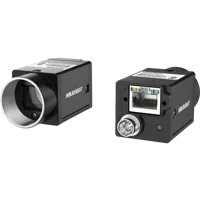
- Sensor format
- 1/1.7"
- Interface
- GigE
- Resolution
- Up to 3 MP
- Shutter
- Global
The MV-CH120-11UC is a color, global-shutter camera with a USB3 interface and C-mount lens mount.
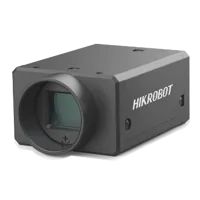
- Sensor format
- 1.1"
- Interface
- USB3
- Resolution
- 12 MP
- Shutter
- Global
These identify different interface options; they are not evidence of a particular RGB throughput. Before selecting either, confirm supported pixel formats, resulting rates, payload requirements and compatibility with your acquisition software.
If the limiting stage is host-side conversion, assess the processing platform instead of assuming that a faster camera will help. Compare vision controllers against measured conversion time, camera connectivity, software compatibility and sustained workload. Test the complete pipeline under representative thermal and operating conditions.
8. Know when the usual fixes are wrong
Raw Bayer acquisition is unsuitable when the camera does not expose an appropriate raw format or the application requires a validated camera-produced color pipeline. Changing conversion location can alter color rendering and requires renewed inspection validation.
Shorter exposure is also not automatically better. If it makes the inspection feature too noisy or too dark, the higher frame rate may reduce decision reliability. Improve illumination or reconsider the inspection timing before accepting that tradeoff.
Discarding old frames can be appropriate for a live preview, but not necessarily for counting, traceability or synchronized measurements. Define which images may be dropped before changing queue policy.
Finally, an externally triggered camera may run slowly because triggers arrive slowly. Raising a free-running frame-rate setting does not manufacture additional trigger events. Likewise, replacing a cable will not fix a host worker that consistently processes images too slowly.
9. Verify the result and prepare the next step
Repeat the baseline test with the final configuration and the real inspection workload. For a target of 30 frames/s over 60 seconds, the nominal total is 30 × 60 = 1800 frames. Account explicitly for startup intervals, trigger timing and any intentional discard policy.
Use this acceptance checklist:
- Record the final pixel format, image dimensions, exposure and trigger mode.
- Read back the accepted frame-rate value and current bounds after configuration.
- Compare camera timing, complete received frames and processed results separately.
- Confirm that queue depth remains bounded and latency does not steadily rise.
- Verify color correctness and inspection performance, not only preview speed.
- Repeat after application restart and the documented camera startup sequence.
- Save the configuration and logs needed to reproduce the result.
A resolved system has an explained rate limit, valid configuration writes and sustained processing capacity. It does not merely stop reporting an exception.
With those measurements, start the camera configuration process or send the format, payload, timing and queue results through applications support. That gives the next hardware or integration decision a measurable basis.
Questions
Why does the camera reject a frame rate that appears equal to its maximum?
The maximum depends on the active camera configuration. Exposure, image dimensions, pixel format and throughput settings may change the allowed range. Read the current bounds after those settings are applied, preserve numeric precision, and use the camera's documented rules for selecting and writing an accepted value.
Will switching from RGB to Bayer always increase usable frame rate?
No. Bayer output can reduce transmitted data and move demosaicing to the host, but another stage may remain limiting. Compare raw reception with and without host conversion, keeping exposure and image dimensions constant. Validate the mosaic arrangement and resulting colors before adopting the changed pipeline.
How can you tell whether the preview or the camera is slow?
Count completed images independently from display updates, and inspect frame identifiers or camera timestamps when available. Then disable preview rendering while retaining reception counters. If acquisition remains steady while the preview slows, investigate display scheduling, conversion or processing rather than assuming the sensor is running slowly.
Should you replace the camera or cable when RGB acquisition is slow?
Change hardware only after identifying the constrained stage. Transport errors support investigating the connection, while rising queue depth suggests insufficient processing capacity. A new camera should be evaluated using documented performance for the required format and mode, not its interface name or headline resolution alone.