
A camera control showing an exposure value of 100 or a gain value of 16 does not tell you its physical meaning. Those numbers could represent time, register codes, decibels or an application-specific scale. For acquisition developers and inspection engineers, the reliable approach is to separate documented units from measured image response. You can then check brightness scaling without building an undocumented conversion into your software. For associating settings with individual frames, use the companion guide to verifying exposure and gain metadata.
Start with the feature definition, not the slider
Read the camera's documented feature description through its supported software or feature interface. Record the feature name, data type, unit, minimum, maximum, increment and current value. Also record the camera configuration and software version used for the measurement.
An integer control is not necessarily a register, and a floating-point control is not necessarily a physical quantity. A slider may translate its position into another value before sending a command. An automatic exposure algorithm may also use an internal sensitivity variable that never appears directly in the device interface.
Keep these three values separate:
- Application request: what your program or slider submits.
- Device readback: what the camera reports after accepting the request.
- Frame-associated setting: what was actually applied to the image being measured, where supported.
A camera may round a request to a supported increment. Pipeline delays can also mean that the next delivered frame still reflects an earlier setting. If a feature is unavailable, follow the feature-access error diagnostic rather than assigning a unit from its name alone.
Separate time, register codes, multipliers and decibels
Exposure time describes how long a photosensitive element integrates light. Gain describes amplification or scaling somewhere in the imaging chain. Their numeric representations need different interpretations.
| Representation | What the value means | Valid conversion basis |
|---|---|---|
| Exposure in a documented time unit | Integration duration | Convert using the stated unit |
| Raw exposure code | A device-specific setting | Documented timing equation or lookup table |
| Raw gain code | A device-specific amplification setting | Documented gain mapping |
| Linear gain factor | A ratio relative to a defined reference | Multiply by the stated factor |
| Gain in decibels | A logarithmic ratio | Use the documented decibel convention |
For example, a documented exposure of 100 microseconds equals 0.0001 seconds. A raw exposure value of 100 does not support that conversion unless its timebase is known. Some devices use timing increments related to sensor operation rather than a simple fixed multiplier.
A raw gain code of 16 is equally ambiguous. It could select a gain stage, index a table or encode a multiplier with an offset. Do not assume that dividing it by 16 produces a physical gain factor.
For decibels, first establish the definition. Under an amplitude-ratio convention:
Here, G is a linear amplitude multiplier. Under that convention, an increase of approximately 6.02 dB represents a factor of 2. A power-ratio convention instead uses 10 × log10 of the power ratio. The same numeric decibel change therefore has a different ratio interpretation. The documented definition, not a generic label, decides which conversion applies.
Predict the response only within a linear range
For a stable scene and fixed illumination, a useful simplified model is:
D is the measured digital value, B is the black offset, L is scene irradiance, t is exposure time and K collects the fixed conversion factors. G represents effective linear gain for the operating region being tested. S is the offset-corrected signal.
This model is an approximation. It assumes stable illumination, fixed optics, no clipping and a linear output pipeline. It does not identify whether gain occurs before or after digitization. It also does not reveal the physical unit of an undocumented register.
Subtracting the offset matters. If the black offset is 16 counts and the illuminated mean is 56 counts, the corrected signal is 40 counts. Doubling that signal predicts 80 corrected counts, or 96 total counts—not 112.
A nonlinear output transformation changes the prediction. For an illustrative power-law output:
X is normalized linear signal and Y is transformed output. If q = 0.5, doubling X multiplies Y by approximately 1.414. This is an illustrative exponent, not a universal interpretation of a camera's gamma control.
Run a controlled brightness test
Use a stationary matte target with a reasonably uniform region. Keep the lens, aperture, focus and illumination unchanged. Prefer stable lighting and allow the system to reach its normal operating condition before collecting measurements.
- Select the least-processed output available. Disable automatic exposure, automatic gain and adaptive brightness controls. Disable gamma, tone mapping, sharpening and denoising where the documented interface permits it.
- Fix the output representation. Keep pixel format, bit depth and image conversion unchanged. Measure numeric pixels before preview scaling or display adjustments.
- Select a measurement region. Avoid reflections, edges, defective pixels and clipped areas. A region around 100 × 100 pixels is a practical starting point for averaging a uniform target.
- Capture a dark reference. Block incoming light using an appropriate optical cover. Record the dark mean for each tested exposure and gain combination because the baseline may change.
- Change one control at a time. First vary documented exposure time at fixed gain. Then vary gain at fixed exposure. Wait for setting changes to reach the measured frames.
- Record repeated frames. A starting set of 32 frames per condition supports a mean measurement and a preliminary temporal-noise comparison. It is not a substitute for a formal characterization procedure.
For color data, compare the same channel under fixed white balance. For mosaic raw data, select the same pixel class or measure channels separately. Mixing differently scaled channels can disguise the response you are trying to measure.
Do not rely on a mean alone. Examine the histogram and maximum values, since a small clipped highlight can coexist with a moderate overall mean. A high-bit-depth container can also hold lower-bit-depth data, so establish the effective output range rather than assuming the container limit is the clipping limit.
Work through exposure and gain separately
Consider this hypothetical measurement from a linear output pipeline. The gain settings are called A and B because their physical units have not yet been established.
| Condition | Documented exposure time | Gain setting | Dark mean | Illuminated mean | Corrected signal |
|---|---|---|---|---|---|
| Baseline | 100 microseconds | A | 16 counts | 56 counts | 40 counts |
| Longer exposure | 200 microseconds | A | 16 counts | 96 counts | 80 counts |
| Changed gain | 100 microseconds | B | 18 counts | 98 counts | 80 counts |
The exposure result is:
The measured response agrees with the expected exposure ratio at these operating points. That supports local linearity, but it does not prove linearity throughout the entire range.
The gain result is:
Setting B produces approximately twice the corrected signal of setting A under this test. You have measured relative image sensitivity, not decoded the register scale. A single pair of measurements cannot establish an offset, a step size or a piecewise gain equation.
Repeat the comparison at several unsaturated brightness levels and several settings. If the relative response changes with brightness, investigate nonlinear processing, clipping or baseline correction. If it changes after restarting acquisition, investigate automatic controls, saved configurations and setting application timing.
Distinguish brightness improvement from noise improvement
Longer exposure gathers more photons when the illumination remains constant. Gain changes the conversion or scaling of the collected signal; it does not create additional detected photons. Equal output brightness therefore does not imply equal image quality.
In a shot-noise-limited example, the standard deviation in detected electron count is approximately the square root of the mean count:
At a mean of 400 detected electrons, shot noise is approximately 20 electrons and the signal-to-noise ratio is approximately 20. Doubling exposure gives about 800 electrons, noise of about 28.3 electrons and a signal-to-noise ratio of about 28.3.
An ideal factor-of-2 digital multiplication of the original measurement instead doubles both signal and existing noise. Its mean becomes 800 in scaled units, while the shot-noise contribution becomes 40 in those same units. The original signal-to-noise ratio remains unchanged.
Real analog gain requires more care. Increasing amplification before later readout stages can reduce the significance of downstream noise and quantization. Consequently, higher analog gain is not automatically worse in every low-light situation. Its benefit and clipping trade-offs depend on the sensor and signal chain.
For a preliminary temporal-noise check, calculate each pixel's standard deviation across repeated frames, then summarize those results within the measurement region. Do not substitute spatial variation across one image: target texture, illumination gradients and fixed-pattern variation can dominate that measurement.
Treat frame timing and motion as separate limits
Doubling exposure may improve photon statistics but also increase motion blur. It may reduce the achievable acquisition rate or conflict with the trigger schedule. Shorter exposure with more gain can therefore be the correct compromise for moving parts, even when a longer exposure produces a cleaner stationary image.
At 100 frames per second, frame starts are separated by 10 milliseconds. That interval is not automatically the available exposure budget. Sensor readout overlap, trigger mode and required timing margins determine the actual limit. Check supported timing rather than subtracting an assumed readout duration.
Use the external-pulse frame-rate guide when trigger timing changes the observed behavior. For moving inspections, the conveyor camera selection guide connects exposure duration to blur and object-space sampling.
With a rolling shutter, different rows integrate at different times. Flickering illumination can therefore create bands or row-dependent brightness. Averaging the entire image may conceal that timing problem and lead to an incorrect gain interpretation.
Choose hardware by documentation and processing access
Both area scan cameras and smart cameras can be relevant, but packaging alone does not establish their exposure or gain units. Start with the camera finder, then verify the documented controls and accessible image formats for the shortlisted configuration.
For an area-scan candidate, the LS-MV-133GM-GE is cataloged with a GigE interface, global shutter and C-mount. Those attributes help establish system fit; they do not establish a gain equation or guarantee a particular processing control.

- Sensor format
- 1/2.7"
- Interface
- GigE
- Resolution
- Up to 3 MP
- Shutter
- Global
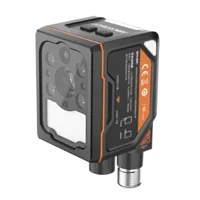
For an on-device inspection candidate, the MV-SC3013XM-12M-ATN-H is cataloged with a GigE interface, global shutter and M12 lens mount. Confirm access to the required measurements and processing settings before choosing it for response characterization.
- Interface
- GigE
- Resolution
- Up to 3 MP
- Sensor format
- 1/1.45"
- Shutter
- Global
Inspection on the device, no PC
307 models · from $169.00Before ordering, request the exposure feature definition, gain definition, supported increments, processing controls and setting-to-frame timing information. Ask whether an unprocessed image path is available and how saturation is represented. If those details are undocumented, retain raw setting labels in your application instead of displaying invented physical units.
Save an acceptance record before deployment
Keep a short configuration and measurement record that another technician can repeat:
- Units: documented exposure unit and gain representation, with the documentation revision.
- Readback: requested values, accepted values and frame-associated values where available.
- Processing: pixel format, black-level treatment, gamma and automatic-control states.
- Brightness response: corrected means and ratios at several unsaturated operating points.
- Noise: repeated-frame measurements, with spatial nonuniformity kept separate.
- Timing: trigger conditions, acquisition rate and evidence that settings reached the measured frames.
- Repeatability: results after a restart and after restoring the saved configuration.
Recheck this record after changing acquisition software, image conversion or device configuration. The software upgrade validation checklist provides a broader structure for that regression test.
The normal preference for longer exposure is wrong when motion or timing makes the resulting image unusable. The normal preference for low gain can also be wrong when downstream read noise dominates. Choose the combination that meets the inspection requirement, while keeping undocumented conversions out of the production interface.
Start a shortlist with the camera configuration step, or send your feature definitions and controlled measurements through applications support to resolve the remaining selection questions.
Questions
Can I convert a raw gain value directly into a multiplier?
No. A raw gain value is a device-specific code unless documentation defines its relationship to amplification. It may include offsets, discrete stages or a nonlinear mapping. An image test can establish relative sensitivity between settings, but it cannot by itself establish the manufacturer's register definition.
Does increasing camera gain by 6 dB double pixel brightness?
Only when the documented decibel convention supports that interpretation. With a definition of 20 times the base-10 logarithm of the amplitude ratio, approximately 6.02 dB represents a factor of 2. Confirm the convention and verify that output processing is linear before expecting doubled pixel signal.
Why does doubling exposure fail to double my measured image value?
Possible causes include an unremoved black offset, clipping, gamma, adaptive processing, changing illumination or measuring a frame captured before the new setting took effect. Begin with dark-corrected numeric image data, fixed processing and a stationary target. Check the histogram rather than judging only the preview.
Should I increase exposure or gain for a dark inspection image?
Use longer exposure when motion and acquisition timing allow it, because collecting more photons can improve signal-to-noise ratio. Increase gain when exposure is constrained or downstream read noise is significant. Compare inspection performance at matched output brightness, not brightness alone, and check clipping at each setting.
What should I confirm before buying a camera for quantitative measurements?
Confirm the documented exposure unit, gain representation, supported increments, processing controls and access to suitable image data. Also establish how setting changes map to captured frames. Catalog interface and shutter specifications help with system selection, but they do not define gain units or measurement access.