
A rectified stereo pair can look convincing while producing a fragmented, striped or nearly empty disparity map. Block matching needs more than a pleasing overlay: corresponding details must share image rows, fall inside the disparity search interval and remain recognizable between views. This workflow helps you separate geometry, configuration and image-content faults before changing hardware. Start with a static, textured scene, preserve the original images and change one processing setting at a time.
Start with the symptom, not the filter settings
Record the input pair, rectification transforms, matcher settings and validity mask for every test. Keep the display scale fixed so a color change cannot masquerade as an improvement.
| Symptom | First likely cause to test | Useful test | Corrective action |
|---|---|---|---|
| Most pixels are invalid | Wrong disparity interval or image order | Measure signed horizontal shifts manually | Correct the convention and search interval |
| Textured regions fail across the image | Residual vertical misalignment | Measure corresponding feature rows | Revisit calibration or rectification |
| Flat surfaces contain holes | Insufficient texture | Add a temporary textured target | Improve usable texture or change sensing method |
| Repeated stripes produce false surfaces | Ambiguous repeating patterns | Inspect competing matches | Apply confidence checks and reconsider the scene |
| Object boundaries smear | Matching windows cross depth edges | Compare smaller windows | Reduce support size where texture permits |
| Static tests work but moving parts fail | Capture timing or motion blur | Repeat with the scene stationary | Verify synchronization and exposure |
| The map looks plausible but distances are wrong | Missing metric calibration | Inspect the reconstruction geometry | Use a calibrated reconstruction workflow |
Do not begin by smoothing the output. Smoothing can hide the evidence needed to distinguish an incorrect correspondence from a genuinely unobservable region.
Measure residual vertical misalignment
A horizontal stereo matcher searches along rows. After rectification, the same physical point should therefore have nearly equal vertical coordinates in both images.
Choose approximately 30–50 reliable correspondences across the shared image area. Include the center, corners, near objects and background details. Reserve some points that were not used to estimate the rectification transforms; fitting points alone can give an optimistic result.
For each correspondence, calculate the absolute vertical residual. Report its median, an upper percentile and its location in the image. A signed average is misleading because positive and negative errors can cancel.
As a practical initial target, look for most reliable correspondences to lie within about 0.5 pixel vertically. This is a diagnostic target, not a universal acceptance specification. Matcher tolerance depends on image texture, interpolation and support-window size. Investigate a consistent residual of 1 pixel rather than assuming a large window will absorb it.
A red-and-cyan overlay can conceal small row errors, especially around broad edges. Magnified crops and marked coordinates provide stronger evidence. If errors increase toward image corners, inspect lens-distortion correction and calibration coverage. If one image region behaves differently, check for poor feature distribution or an unstable geometric estimate.
For a calibrated setup, the calibration target flatness guide explains why target construction matters. Uncalibrated estimation also needs reliable, well-distributed correspondences; matches concentrated on one flat surface can leave the geometry poorly constrained.
Verify image order, disparity sign and search range
Define the coordinate convention before tuning anything else. With disparity defined as x_left - x_right, a feature at horizontal coordinates 180 and 138 has a disparity of 42 pixels. Swapping the image order changes the sign.
Do not assume your matcher uses this convention. Check its documented definition, accepted search intervals and interpretation of the reference image. Uncalibrated rectification can also introduce horizontal offsets, so valid disparities need not be positive.
Measure horizontal shifts for reliable features at several depths. Suppose a diagnostic pair produces shifts between 12 and 58 pixels under your chosen convention. A search interval covering only 0–16 pixels excludes most of those observed matches.
An illustrative starting interval is:
These margins are test choices, not guaranteed coverage. Expand them if the production scene includes closer objects or greater positioning variation. Adapt the endpoints to the matcher's documented interval restrictions, including any required increments or endpoint rules.
Search-range width also affects processing effort and ambiguity. A wider interval is useful for diagnosis, but it is not automatically a better production setting.
Check the image preparation path as well:
- Both matcher inputs must represent the intended rectified views, not an anaglyph or montage.
- Independent resizing changes the correspondence geometry and must be avoided.
- Different horizontal crop origins shift the measured disparity offset.
- Different vertical crop origins break row alignment.
- Warped border padding must be excluded from the valid matching region.
Separate texture, exposure and occlusion failures
Once geometry and search coverage pass, inspect the actual matching evidence. A uniform surface has many nearly equivalent candidate locations. Repeating grooves or printed patterns can create several convincing but incorrect candidates.
Place a temporary matte, irregularly textured target at the working depth. If it matches well while the real surface fails, the problem is probably not the search interval alone. The object may lack distinctive texture, show specular reflections or appear different from each viewpoint.
For a controlled test, use stable illumination and fixed exposure and gain. Match image brightness reasonably without clipping highlights or burying details in noise. Identical numeric camera settings are not proof of identical image response, and different cameras do not need identical intrinsic parameters to form a calibrated stereo system.
The automatic iris, exposure and gain guide covers the acquisition controls involved. During disparity debugging, remove independent automatic changes where possible so each comparison starts from consistent conditions.
Occlusions are different from poor tuning. A point visible in only one image has no valid stereo correspondence. Expect missing regions near depth discontinuities and image borders. Confidence filtering should reject these regions rather than force a complete-looking surface.
If only moving scenes fail, compare synchronized captures against a stationary reference. The external camera trigger timing guide helps distinguish acquisition timing from processing rate. A trigger connection alone does not prove that both exposure intervals coincide.
Tune matching support and rejection separately
Only adjust matching parameters after checking geometry, sign, range and image quality. Use a small test matrix rather than changing several controls simultaneously.
For example, compare support windows of 7 × 7 and 15 × 15 pixels if your implementation permits them. The smaller window preserves narrower structures but has less evidence in weakly textured regions. The larger window can stabilize some surfaces while mixing foreground and background at boundaries.
Uniqueness or confidence controls determine whether a candidate is sufficiently better than alternatives. Their numeric scales and direction vary between implementations. Read the documented definition rather than treating a threshold as a portable percentage.
Temporarily relaxing a rejection threshold can reveal whether candidates exist. It does not establish that those candidates are correct. Keep rejected pixels distinguishable from valid estimates throughout the experiment.
Where supported, inspect left-right consistency using the implementation's coordinate and sign conventions. Disagreement can expose occlusion and ambiguous matches. Then compare:
- Valid-pixel fraction inside a fixed region of interest.
- Outliers on a known flat target.
- Boundary preservation around a foreground object.
- Repeatability over repeated static captures.
A setting that fills every hole but creates false surfaces is worse than a sparse, trustworthy map. Apply interpolation or smoothing only after you understand which measurements are valid.
Distinguish disparity from metric depth
Uncalibrated rectification aligns epipolar geometry for correspondence search. It does not, by itself, provide the metric camera model needed to report distances in millimeters.
For a calibrated, horizontally rectified stereo pair, a common simplified relationship is:
Here, Z is depth, f_rectified is the rectified focal length in pixels, and B is the baseline in the desired distance unit. d_corrected includes the applicable rectified principal-point offset. When the rectified horizontal principal points coincide, it reduces to the usual horizontal coordinate difference.
Use the reconstruction parameters associated with the exact rectified images. Original focal-length settings, arbitrary image translations and independently cropped views cannot simply be substituted into this expression.
Consider an illustrative calibrated geometry with a rectified focal length of 1,000 pixels, a baseline of 0.12 m and corrected disparity of 40 pixels:
This first-order estimate considers only a disparity uncertainty of 1 pixel. It excludes calibration error, baseline uncertainty, synchronization error and surface-dependent bias. It explains why a map that looks smooth can still have inadequate depth precision.
Never interpret a rejected or sentinel value as a real zero-disparity measurement. Preserve the matcher's validity information before reconstruction.
The wide-baseline stereo camera selection guide addresses the hardware geometry decision. Here, the immediate task is proving that correspondence and reconstruction are internally consistent before changing that geometry.
Choose hardware only after identifying the limiting factor
For a custom stereo rig, browse area scan cameras and the camera finder after defining your acquisition requirements. Confirm synchronization capability, exposure behavior, lens compatibility and software support from the relevant documentation before ordering.
The MV-CU020-90GC is a color, global-shutter camera with a GigE interface.
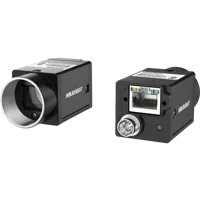
- Sensor format
- 1/1.7"
- Interface
- GigE
- Resolution
- Up to 3 MP
- Shutter
- Global
The LS-MV-133GM-GE is a monochrome, global-shutter camera with a GigE interface.

- Sensor format
- 1/2.7"
- Interface
- GigE
- Resolution
- Up to 3 MP
- Shutter
- Global
These are separate acquisition candidates, not a recommendation to combine unlike cameras into a stereo pair. For a new rig, matched cameras and lenses can simplify integration, but matching hardware does not replace calibration. Global shutters also do not establish synchronization between cameras.
If the application needs a depth-producing device rather than a custom correspondence pipeline, compare the architectures within 3D sensors. Projected texture may help with some low-texture surfaces, but reflective, transparent or strongly absorbing materials still require application testing.
The MV-DPS200P-02 is a projected structured-light camera. Confirm its supported acquisition workflow and depth-output requirements against your application.
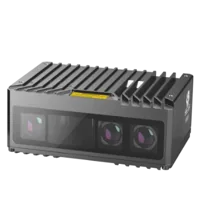
- Type
- Stereo / structured light
For processing integration, vision controllers are another selection stage. Size the processing platform using measured image dimensions, search width, frame rate and algorithm timing. Do not infer software compatibility or processing throughput from camera-port count alone.
Vision computers and fanless industrial PCs
190 models · from $1,119.00If a depth-producing device already supplies valid depth but your software cannot interpret the stream, follow the missing depth-stream pixel-format guide. Rebuilding disparity is not the first remedy for a stream-decoding problem.
Verify the fix and preserve a regression pair
Acceptance should cover more than one attractive image. Use the same regions, validity rules and display limits before and after each change.
- Geometry: check held-out correspondences across the shared field, including the corners.
- Search coverage: verify that expected near and far objects remain inside the configured disparity interval.
- Static repeatability: compare 20 repeated captures without moving the target.
- Motion: test the intended operating speed after the stationary case passes.
- Occlusion handling: confirm that unsupported regions remain invalid rather than becoming invented surfaces.
- Metric verification: compare reconstructed distances against independent references at several working depths.
- Configuration control: save calibration, rectification, crops, image order, matcher settings and software versions together.
Keep a successful raw stereo pair as a regression fixture. If later changes degrade its result, you can isolate processing changes without introducing fresh acquisition variation.
For hardware selection, start with the camera configurator. For application review, use technical support with representative stereo pairs, measured row residuals, observed disparity limits and the required depth tolerance.
Questions
Why can rectified images look correct while the disparity map fails?
An overlay is a visual inspection aid, not a measurement of correspondence quality. Small vertical errors, an incorrect disparity interval or weak texture can still prevent matching. Measure feature coordinates in the actual matcher inputs, check their signed horizontal shifts and keep invalid pixels visible during diagnosis.
How should the disparity search range be chosen?
Measure horizontal coordinate differences for reliable correspondences spanning the nearest and farthest expected objects. Add margins for scene variation, then adapt the interval to your matcher's documented restrictions. Verify image order and sign first, because increasing a positive-only interval cannot recover correspondences requiring negative disparities.
Can uncalibrated rectification produce metric depth?
A disparity map from uncalibrated rectification does not establish metric scale by itself. Metric reconstruction needs suitable calibration or additional geometric constraints, along with reconstruction parameters consistent with the rectified views. Validate reported distances against independent references rather than relying on the appearance of the depth visualization.
Must both stereo cameras have identical intrinsic parameters?
No. Different intrinsics can be handled by an appropriate stereo calibration and rectification process. However, resolution, optical behavior, image response and exposure timing affect integration. Matched hardware often simplifies a new build, while documented synchronization and measured calibration quality remain separate requirements.
Should every hole in a disparity map be filled?
Not every missing region represents a recoverable measurement. Occluded points lack a counterpart, and textureless surfaces may provide insufficient evidence. Retain the original validity mask, validate any interpolation separately and avoid treating filled values as independently measured depth in gauging or control decisions.