
A separate-camera stereo rig gives you control over camera spacing, but a larger baseline does not automatically produce better depth maps. It improves depth sensitivity while reducing near-range overlap and increasing differences between the two views. For buyers building live depth mapping, the first decision is therefore geometric, not the camera interface.
Start with the nearest and farthest useful distances, required depth uncertainty, and scene motion. Then calculate focal length in pixels, overlap, disparity range, synchronization tolerance, and acquisition bandwidth. Those numbers turn a request for fast, simultaneous video into requirements you can verify before ordering cameras, lenses, and mounting hardware.
1. Decide whether the baseline fits the working range
The baseline is the distance between the cameras' optical centers. For a simplified parallel stereo pair, depth depends on baseline, focal length, and the displacement of corresponding image points.
After calibration and rectification, corresponding points should lie on the same image row. Their horizontal displacement is disparity, measured in pixels. With matching rectified principal points, the basic relationship is:
Here, Z is depth, B is baseline, f_px is the rectified horizontal focal length in pixels, and d is disparity in pixels. Use the same distance unit for Z and B. If rectified principal points differ, account for their horizontal offset rather than inserting raw coordinate differences into this simplified formula.
Increasing baseline increases disparity at a given distance. That improves depth sensitivity, but also increases occlusion and reduces the shared field of view. A baseline suitable for distant structures may be unsuitable for objects close to the cameras.
Write down these requirements before browsing area scan cameras:
- Minimum and maximum useful depth.
- Required shared coverage at the minimum depth.
- Maximum acceptable depth uncertainty.
- Scene speed, paired frame rate, and allowed output latency.
- Whether baseline is adjustable or fixed by the installation.
2. Convert lens focal length into pixels
A lens focal length stated in millimeters cannot be combined directly with disparity in pixels. Convert it using sensor width and horizontal image resolution:
Here, f_mm is physical focal length, W_px is horizontal image resolution, and S_mm is the active sensor width in millimeters. This is an initial pinhole estimate; calibrated intrinsics and the rectification settings determine the value used by the depth calculation.
For an illustrative camera with a 9.6 mm active sensor width and 1920 horizontal pixels, an 8 mm lens gives:
These are hypothetical design inputs, not specifications for the products below. Sensor format labels alone do not provide the exact active width needed for this calculation.
The lens focal length selection guide explains the relationship between sensor size, working distance, and field of view. Use the lens finder to narrow physical focal lengths after establishing the geometry.
Cropping, resizing, and rectification can change the effective image dimensions and intrinsics. If you halve both image dimensions, focal length in pixels and measured disparities also halve. Keep the calibration and matching images in the same coordinate system.
3. Check near-range overlap before choosing resolution
For identical, parallel cameras with horizontally aligned fields of view, an approximate scene width at distance Z is:
These estimates ignore distortion, rectification cropping, and physical obstructions. They describe geometric coverage, not the fraction of pixels that will produce reliable matches.
Consider a fixed 1 m baseline with the hypothetical focal length of 1600 pixels. At a distance of 0.5 m:
There is no shared coverage on that depth plane. Increasing resolution alone cannot repair this geometry while preserving the same viewing angles.
The first overlap occurs beyond approximately:
That threshold provides only the start of overlap, not a useful central measurement area. For a required shared fraction q:
Requiring 50% shared width gives a minimum distance of approximately 1.67 m. Conversely, achieving that fraction at 0.5 m would require f_px no greater than 480 pixels. With the hypothetical sensor, that corresponds to approximately 2.4 mm physical focal length.
Such a wide view brings substantial calibration and edge-quality challenges. Angling cameras inward can move the shared region, but it changes rectification and does not eliminate occlusion or viewpoint differences.
4. Calculate disparity range and depth uncertainty
For the same illustrative geometry, a working range from 2 m to 20 m produces the following estimates:
| Depth | Disparity | Estimated depth uncertainty for 0.25-pixel disparity uncertainty |
|---|---|---|
| 2 m | 800 pixels | 0.6 mm |
| 10 m | 160 pixels | 16 mm |
| 20 m | 80 pixels | 63 mm |
The first-order uncertainty relationship is:
For example, at 10 m:
This calculation assumes small disparity errors and accurate calibration. It excludes systematic errors, bad matches, mechanical movement, and synchronization error. Subpixel output is not evidence that the matcher consistently achieves a particular subpixel uncertainty.
The matcher must cover disparities from approximately 80 to 800 pixels, plus allowance for calibration, depth-range margins, and its implementation requirements. Do not confuse the minimum disparity with the search span. This example needs a span of about 720 pixels, not a search starting at zero and ending at 80.
Search cost also matters. A simple comparison count scales roughly with image pixels multiplied by disparity hypotheses. Doubling horizontal resolution can increase both image size and the necessary disparity span, making processing substantially more demanding.
The camera resolution calculator helps check ordinary image sampling requirements. It does not predict stereo matching accuracy or processing time.
5. Specify exposure synchronization, not simultaneous arrival
Frames arriving together are not necessarily exposed together. Transport buffering and application scheduling can disguise exposure-time differences. Reading one camera and then the other in software does not establish synchronized capture.
For moving scenes, request documented support for a shared hardware trigger or another verified exposure synchronization mechanism. Confirm trigger timing, exposure behavior, timestamp meaning, and whether both cameras share a clock reference.
The approximate image displacement caused by a small timing offset is:
At 2 m distance, with transverse motion of 1 m/s and f_px of 1600 pixels, a 1 ms timing difference causes approximately:
Keeping that contribution below 0.25 pixels requires an exposure timing difference below approximately 0.31 ms. This is a design budget, not a guarantee of matching performance.
Global shutters simplify moving-scene stereo because image rows do not represent successive exposure times. They do not synchronize separate cameras by themselves. Rolling shutters require careful treatment of row timing and scene motion, even when acquisition starts from a common signal.
Exposure duration also matters. Under the same motion conditions, approximately 1.25 ms produces one pixel of motion blur. Shorten exposure or increase illumination if that exceeds the matching budget.
The external-trigger frame-rate guide covers trigger acceptance and acquisition limits. Stereo adds the requirement to verify exposure alignment between cameras, not merely successful triggering of each device.
6. Budget uncompressed bandwidth and total latency
Calculate transport load from the actual output dimensions, frame rate, and transmitted pixel format:
For an illustrative 1920 × 1080 image stream at 60 frames/s with one transmitted byte per pixel:
These decimal figures exclude protocol overhead and other traffic. An unpacked three-byte color image triples the payload. Packed formats require their actual transport size; converting a received image to grayscale does not reduce the bandwidth already consumed.
Check the complete path: camera interface, network connection or host controller, shared upstream links, memory copies, and processing. Separate connectors do not necessarily provide independent bandwidth.
For network acquisition, the camera software compatibility checks help distinguish interface standards from application support. Verify that your acquisition software exposes the required pixel formats, trigger controls, frame identifiers, and metadata.
Avoid assuming that a generic video capture interface supplies raw, paired images. Compression can introduce artifacts and buffering, while automatic image processing can make corresponding regions look different.
At 60 frames/s, frames are approximately 16.7 ms apart. Three waiting frames add about 50 ms before matching begins. Measure exposure-to-result latency separately from frame rate, and define whether your application drops stale pairs or processes every pair.
7. Treat calibration and mounting as measurement components
Choose machine vision lenses for sensor coverage, shared viewing angle, focus range, and usable image quality. Matching nominal focal lengths does not remove the need to calibrate each camera independently.
Calibrate intrinsics and lens distortion first, then the cameras' relative position and orientation. Use the same resolution, crop, focus, and processing settings intended for operation. Lock focus and aperture where practical.
A calibration target must be visible to both cameras across useful positions and orientations. With a wide baseline, a small close target may never occupy both views adequately. Plan target size and placement before assembling the final structure.
Mount both cameras to a common stable structure where possible. Provide cable strain relief, prevent bracket rotation, and account for temperature changes or vibration. A positioning stage can help adjustment without necessarily being suitable as the final stereo support.
Baseline error alone gives an approximate proportional depth-scale error:
A 1 mm baseline error over a 1 m baseline is approximately 0.1%. At 10 m, that corresponds to about 10 mm of scale error, before other effects. Relative angular movement can introduce additional errors that this simple calculation does not capture.
Browse camera stands and the accessories finder for positioning components, but verify load capacity, attachment geometry, and rigidity separately.
8. Use catalog parts as candidates, not a certified pair
The following cameras illustrate different acquisition choices. They are alternatives to investigate, not a recommendation to combine unlike cameras into one stereo pair.
| Catalog candidate | Listed characteristics | Checks still required |
|---|---|---|
| LS-MV-133GM-GE | Global shutter, mono, GigE, C-mount | Exact image dimensions, triggering, timing, throughput, software access |
| MV-CH120-11UC | Global shutter, color, USB3, C-mount | Exact image dimensions, triggering, timing, throughput, software access |
Prefer two identical camera models and matching lenses unless there is a specific reason to accept additional calibration and radiometric differences. Neither catalog entry alone establishes the worked example's frame rate or synchronization requirements.

- Sensor format
- 1/2.7"
- Interface
- GigE
- Resolution
- Up to 3 MP
- Shutter
- Global
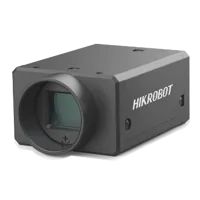
- Sensor format
- 1.1"
- Interface
- USB3
- Resolution
- 12 MP
- Shutter
- Global
The LS-SYJ-BZ is listed as a portable optical test stand. Treat it as a positioning candidate only; the supplied catalog information does not establish its suitability for carrying a complete stereo assembly.

- Type
- Portable optical test stand
Use the camera finder to filter acquisition options. Obtain manufacturer documentation through legitimate channels before committing to timing-dependent features.
9. Verify the design before placing an order
Use a short acceptance checklist to separate calculated suitability from demonstrated performance:
- Overlap: Check the nearest required plane with the intended lens angles, rectification crop, and physical obstructions.
- Image sampling: Confirm exact active dimensions and intrinsics at the selected output settings.
- Pair identity: Match frames using documented identifiers or timing information, rather than arrival order alone.
- Exposure alignment: Use a repeatable moving target or suitable timing reference to test the complete synchronization path.
- Photometric stability: Test fixed exposure and gain first, then assess changing illumination. The exposure and gain control guide explains the competing control effects.
- Transport: Run both streams together and record incomplete frames, dropped frames, and queue growth.
- Depth validation: Compare measured depth against independent references at near, middle, and far distances, including image edges.
- Mechanical repeatability: Repeat validation after warm-up and representative vibration or repositioning.
Record invalid-depth rate as well as error on valid pixels. A system can appear accurate while rejecting most difficult regions.
10. Recognize when a wide baseline is the wrong answer
Passive stereo needs recognizable correspondence. Textureless surfaces, repeated patterns, reflections, transparency, and occlusion can defeat matching even when geometry and synchronization are correct.
A wider baseline makes some surfaces visible to only one camera. Those regions cannot be recovered by increasing disparity search or adding more pixels. Depth maps also do not automatically provide a complete image from an arbitrary virtual viewpoint; newly exposed surfaces may have no source image data.
If the baseline is fixed and near coverage fails, reconsider the nearest supported distance, viewing angles, or camera arrangement. Additional viewpoints or a different depth-sensing approach may suit the task better, but each needs its own validation.
Next, take your baseline, depth range, overlap calculation, motion budget, and bandwidth estimate to the camera configurator. For a constrained mounting layout, contact the applications team with a dimensioned sketch and the required shared measurement volume.
Questions
Is a larger stereo baseline always better?
No. More baseline increases disparity and improves depth sensitivity for a given focal length and disparity uncertainty. It also reduces near-range shared coverage and increases occlusion. Choose baseline against the nearest required measurement distance, rather than maximizing camera spacing independently.
Should stereo disparity be measured in pixels or millimeters?
In the usual rectified-image equation, disparity and focal length are both expressed in pixels. Baseline and calculated depth must share a distance unit. Convert physical lens focal length using active sensor width and image resolution, then use calibrated rectified intrinsics for actual reconstruction.
Do two global-shutter cameras automatically capture together?
No. A global shutter addresses exposure timing across an individual image. Separate cameras still need a documented synchronization mechanism and a way to associate corresponding frames. Verify actual exposure timing, because matching arrival times or software capture calls do not establish simultaneous exposure.
Should a separate-camera stereo pair use identical cameras?
Usually, the simpler starting point is two identical models with matching lenses. Different cameras can sometimes be calibrated together, but differences in image scale, shutter timing, spectral response, processing, and transport complicate matching. Confirm every required acquisition feature rather than relying on interface labels alone.
Does subpixel disparity guarantee accurate depth?
Subpixel disparity describes the output representation or estimation method, not guaranteed measurement accuracy. Depth error also depends on distance, calibration, image texture, synchronization, and mounting stability. Validate against independent distance references and report invalid pixels alongside errors on accepted matches.