
A barcode can look recognizable while its narrow spaces have already disappeared from the captured image. Conversely, a sharp barcode can fail because its orientation, crop or illumination does not suit the decoding path. This troubleshooting workflow helps you separate those cases for a single rotated linear barcode. You will build a small, controlled set of image candidates, measure which changes help, and identify when acquisition changes are necessary instead of more filtering.
1. Establish a repeatable failure before changing pixels
Start with the original captured file, not a screenshot or a preview enlarged by the display application. Retain its pixel dimensions, bit depth and compression history. Keep an untouched copy throughout testing.
Run your decoder on that file with documented settings. Enable only the expected symbologies when you know them, and check its documented orientation and inversion options. These capabilities vary by decoder and configuration; no universal rule says that every rotated barcode must be corrected externally.
Record the outcome, processing time and returned payload. A decoder success is useful only when the result matches the expected identifier and application rules. A checksum does not establish that the label belongs to the current part.
Create a small regression set containing readable images, intermittent failures and persistent failures. Include different rotations, label positions and glare locations. Preserve failed images rather than collecting only successful examples.
If the issue concerns receiving scanner output rather than preparing pixels, use the separate guide to USB barcode scanner data capture. That integration problem requires different tests.
2. Check likely causes in a controlled order
For an existing image, inexpensive configuration and crop checks should precede destructive image processing. The order below is a practical diagnostic sequence, not a claim about failure frequency in every installation.
| Suspected cause | Test on the original image | Corrective action |
|---|---|---|
| Unsupported settings or orientation | Check enabled symbologies and documented rotation options | Correct configuration; then test orientation candidates |
| Cropped quiet zones or symbol edges | Compare the crop with the full image | Expand the crop using real surrounding pixels |
| Uneven illumination | Compare grayscale, global threshold and local threshold results | Use restrained local thresholding; improve illumination |
| Perspective distortion | Inspect whether bars converge and module scale changes across the symbol | Reposition the camera or test a justified planar correction |
| Defocus or motion blur | Inspect narrow spaces at native resolution and compare stationary captures | Refocus, shorten exposure or reduce motion |
| Saturated glare or physical damage | Check whether multiple bars and spaces have become indistinguishable | Change lighting, viewing geometry or the label |
Change one factor at a time. Applying rotation, sharpening, perspective correction and thresholding together might produce a successful decode, but it will not reveal which operation helped.
3. Search orientation without trimming the symbol
A linear barcode is read across its bars, through the sequence of narrow and wide elements. The available scan directions and orientation tolerance depend on the decoder. Making bars approximately vertical can help a scanline-based implementation, but it is not a universal input requirement.
Use a limited orientation search rather than rotating repeatedly until something happens:
- Try the untouched grayscale image with the decoder's documented orientation options.
- Estimate the dominant bar direction using repeated parallel edges, rejecting unrelated label borders where possible.
- Generate a corrected candidate directly from the original grayscale image.
- Test a few nearby angles if the orientation estimate is uncertain.
- Retain the successful candidate and its settings for diagnosis.
For example, if bars lean 35 degrees from image vertical, test the correction that brings them close to vertical. Nearby corrections offset by 2 or 5 degrees can test sensitivity to estimation error. These are experimental search increments, not guaranteed decoder tolerances.
Expand the rotation canvas so the symbol corners are not clipped. Preserve actual background around both ends of the encoded sequence. The required quiet-zone dimensions depend on the symbology and its applicable specification.
Adding a blank border can prevent a processing operation from clipping existing content, but it cannot prove that the original printed quiet zone was compliant. It also cannot recover bars excluded by the crop.
Avoid rotating an already rotated image. Each resampling can soften edges or change apparent element widths. Generate every candidate from the same retained source.
4. Correct perspective only when geometry supports it
Rotation and perspective are different problems. Rotation changes orientation without changing relative scale across a flat symbol. An oblique view can make elements at one end appear narrower than equivalent elements at the other.
A planar perspective transform can help when a flat label's geometry is known well enough. Use reliable corners, a known label rectangle or calibrated geometry. Do not assume that the outermost visible bars define a rectangular label boundary.
Compare three versions: the original image, a rotation-only candidate and a perspective-corrected candidate. Use the same decoder settings for each. If correction helps only a few samples while damaging previously readable ones, inspect the estimated geometry before adding more filtering.
Choose an output scale that preserves the source's useful sampling. Stretching a small far edge into a large rectangle creates interpolated pixels, not new information. Inspect that edge separately because it can remain the limiting region after rectification.
A curved bottle label is not one plane. A single planar transform may improve one region and distort another. In that case, camera placement, label presentation or application-specific surface correction may matter more than a stronger threshold.
5. Treat thresholding as a candidate, not a mandatory first step
Keep the grayscale image available. Many decoders perform their own binarization, so an externally thresholded image should be an alternative input rather than the only input.
A global threshold can work when illumination is reasonably uniform and local bar-to-space contrast is strong. A single image-wide histogram does not establish decodability: background regions, shadows and label graphics can dominate it. Conversely, overlapping global intensity distributions do not automatically prevent a local method from working.
Local thresholding estimates a decision level from a neighborhood around each pixel. It can help when a gradual shadow crosses the symbol, provided the narrow elements remain resolved.
Select neighborhood sizes relative to the observed module width, meaning the narrowest nominal element width. As an initial experiment, test windows several module widths across, then compare their effects on narrow spaces. A window that is too small can follow individual bars; one that is too large can miss illumination changes.
Use a compact candidate set:
- Original grayscale, with documented decoder preprocessing.
- Rotation-corrected grayscale, without external thresholding.
- A globally thresholded version of the corrected grayscale image.
- A locally thresholded version when shading is visible.
Start without smoothing or sharpening. Smoothing can erase the narrowest spaces, while aggressive sharpening can introduce halos and false edges. Add either only when a defined noise problem justifies it and the regression set shows a benefit.
Avoid routine erosion or dilation. Both change element widths, which are the information a linear barcode encodes.
6. Calculate whether acquisition preserves the narrow elements
Preprocessing has a useful limit: it can improve the representation of surviving information, but it cannot reliably reconstruct an unknown sequence after adjacent elements merge.
For an approximately front-facing label, estimate sampling across the code with:
Use consistent distance units and express exposure time in seconds for the blur calculation. These estimates assume approximately uniform image scale and motion across the bars. Oblique viewing reduces sampling along the foreshortened direction.
Suppose the narrowest module is 0.25 mm and the horizontal field of view is 100 mm. Using an illustrative target of 4 pixels per module:
Four pixels per module is a starting point for engineering trials, not a symbology requirement or a guaranteed decoding threshold. Print quality, optics, contrast and processing all affect the margin. Use the camera resolution calculator to explore sampling requirements.
Now suppose the label moves across the bars at 500 mm/s. At an exposure of 0.0001 s:
If your experimental blur budget is 0.5 pixels, the corresponding exposure limit is:
That limit is a chosen design budget, not a universal decoding boundary. Shortening exposure also reduces collected light unless illumination changes. The guide to camera exposure and gain units explains why raw parameter values must be interpreted before applying such calculations.
For broader acquisition sizing, see sorting conveyor camera selection. Its sampling and motion constraints also apply to moving labels.
7. Separate single-file success from live-stream success
A live scanner can observe changing focus, angle, exposure, reflections and subpixel alignment. Even when every frame shows the same label, the pixel evidence need not be identical.
Consequently, a live application reading a displayed image does not prove that its imported-file path can decode the original file. The successful frame may contain a different effective scale, less glare or a more favorable sampling phase. Some applications may also use different processing paths; do not assume temporal fusion without documentation.
For a fair comparison, save the actual frame that produced the successful result, where the application permits it. Decode that frame independently and compare its crop, orientation, resolution and visible narrow spaces with the failed file.
Measure both single-frame success and success within a defined time window. They answer different questions. An inspection with one triggered exposure cannot rely on the same opportunities as continuous scanning.
Where the decoded identifier controls handling, associate the result with the correct acquisition event. The guide to barcode verification before picking addresses that downstream association.
8. Choose hardware around the failure you measured
Choose the architecture after identifying whether the remaining constraint is acquisition, decoding or integration. Browse fixed code readers for a dedicated reading path, area scan cameras for host-side image processing, and smart cameras when evaluating on-device inspection.
| Architecture | Useful when | Confirm before choosing |
|---|---|---|
| Fixed reader | You want a dedicated barcode-reading device | Supported symbologies, orientation behavior, image export and result interface |
| Area scan camera | You need direct control over preprocessing and decoder selection | Sampling, exposure control, lens coverage and host software compatibility |
| Smart camera | You want to evaluate processing at the camera | Available barcode tools, custom-processing support and diagnostic image access |
The LS-R172-S1 is a fixed-reader candidate with a USB interface and global shutter. Confirm its application-specific reading and communication requirements before selection.
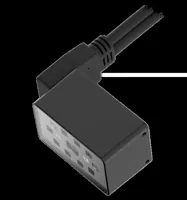
- Resolution
- Up to 3 MP
- Shutter
- Global
- Interface
- USB
The LS-MV-133GM-GE provides a monochrome, global-shutter area-camera option with a GigE interface. A separate decoder and suitable imaging setup remain part of the system design.

- Sensor format
- 1/2.7"
- Interface
- GigE
- Resolution
- Up to 3 MP
- Shutter
- Global
The MV-SC3013XM-12M-ATN-H is a monochrome vision-sensor candidate with a global shutter. Confirm whether its documented tools support the processing and diagnostic access your workflow requires.
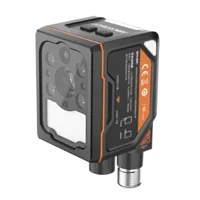
- Interface
- GigE
- Resolution
- Up to 3 MP
- Sensor format
- 1/1.45"
- Shutter
- Global
These are architecture examples, not a claim that the devices share processing capabilities. Use the camera finder to narrow the acquisition choices against measured requirements.
9. Validate the pipeline and know when to stop
Evaluate each candidate against the same held-out images, including previously readable labels. Track correct decodes, incorrect results, failures and processing time. A success-rate improvement that introduces wrong identifiers is not an acceptable trade.
For example, decoding 190 of 200 labeled images gives 95% observed success on that set. It does not establish a production reliability guarantee, especially if those images omit glare, motion or print variation.
Before freezing the design, check:
- Original grayscale images remain available for diagnosis.
- Crops preserve the complete symbol and genuine surrounding background.
- Every geometric candidate is generated from the retained source.
- Thresholding preserves the narrowest visible bars and spaces.
- Tests include motion, label variation, angle and illumination changes.
- Results are validated against expected identifiers and acquisition events.
- Worst-case processing time fits the inspection deadline.
- Failed reads produce a defined reject, retry or review outcome.
Stop adding filters when the limiting region contains merged spaces, clipped highlights or unresolved elements. Revisit illumination geometry, focus, field of view and exposure. Successful decoding is also not a standardized print-quality grade; use the appropriate verification process when grading is required.
Take representative original images, module dimensions, field of view and motion speed to application support, or begin an acquisition configuration in the camera configurator.
Questions
Must barcode bars be vertical before decoding?
Not necessarily. Some decoders search multiple orientations internally, while others depend more strongly on available scan directions. Check the documented options first. If external rotation helps, create each candidate from the original grayscale image and preserve the entire symbol plus its actual surrounding background.
When should I use adaptive thresholding for a barcode?
Use adaptive thresholding when illumination varies across the label but local bar-and-space detail remains visible. Compare it with unmodified grayscale input because the decoder may already perform suitable binarization. Reject settings that close narrow spaces or create false transitions, even if some difficult samples improve.
Can sharpening recover a blurred barcode?
Sharpening may improve edge contrast when useful detail survives, but it cannot reliably recover an unknown sequence whose elements have merged. Inspect narrow spaces at native resolution and compare stationary, correctly focused captures. If those captures improve substantially, change acquisition before expanding the filtering pipeline.
Why does live scanning work when the saved image fails?
A live stream offers multiple captures with different focus, reflections, scale and pixel alignment. One favorable frame may be enough for success. Compare saved successful frames with the original file, and test the actual single-exposure workflow rather than treating eventual live success as proof of single-image reliability.
Should I choose a fixed reader or a camera with a separate decoder?
A fixed reader suits a dedicated reading task when its documented tools and interfaces meet the application. A camera with a separate decoder offers more control over image processing. Choose using representative failed images, required sampling, exposure constraints and diagnostic access rather than resolution alone.