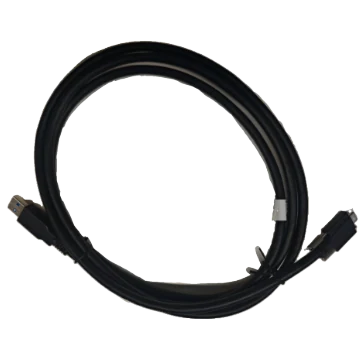
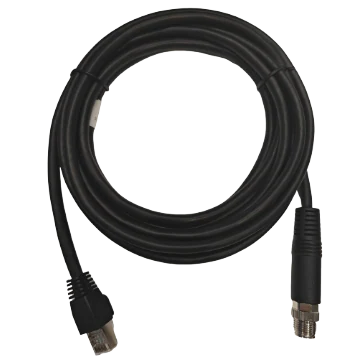
Camera Data Cable, M8 12-pin connector, Male to RJ45, 15 m
LS-CBL-0089
- Length 15 m
- End A M8 12-pin connector, Male
- End B RJ45
$69.00
Ships in 2-3 weeks
Accessories
Camera cables: USB3, GigE, 10GigE, CoaXPress and Camera Link data cables, power and I/O cables, frame-grabber I/O cables and power cords, in standard and high-flex versions for drag chains. Order the length you need plus some slack.

LS-CBL-0089
$69.00
Ships in 2-3 weeks
LS-CBL-0148
$59.00
Ships in 2-3 weeks
LS-CBL-0003
$59.00
Ships in 2-3 weeks
LS-CBL-0012
$59.00
Ships in 2-3 weeks
LS-CBL-0065
$69.00
Ships in 2-3 weeks
LS-CBL-0070
$49.00
Ships in 2-3 weeks
LS-CBL-0082
$49.00
Ships in 2-3 weeks
LS-CBL-0076
$49.00
Ships in 2-3 weeks
LS-CBL-0094
$49.00
Ships in 2-3 weeks
LS-CBL-0147
$49.00
Ships in 2-3 weeks
LS-CBL-0088
$49.00
Ships in 2-3 weeks
LS-CBL-0064
$49.00
Ships in 2-3 weeks
LS-CBL-0029
$49.00
Ships in 2-3 weeks
LS-CBL-0131
$39.00
Ships in 2-3 weeks
LS-CBL-0127
$39.00
Ships in 2-3 weeks
LS-CBL-0130
$39.00
Ships in 2-3 weeks
LS-CBL-0129
$39.00
Ships in 2-3 weeks
LS-CBL-0002
$49.00
Ships in 2-3 weeks
LS-CBL-0092
$39.00
Ships in 2-3 weeks
LS-CBL-0093
$39.00
Ships in 2-3 weeks
LS-CBL-0128
$39.00
Ships in 2-3 weeks
LS-CBL-0026
$39.00
Ships in 2-3 weeks
LS-CBL-0080
$39.00
Ships in 2-3 weeks
LS-CBL-0081
$39.00
Ships in 2-3 weeks
Most intermittent faults in a vision system - dropped frames, cameras that vanish from the network, triggers that go missing - trace back to a cable: wrong type for the motion, too long for the bit rate, or a connector that works loose. Choosing the cable takes four decisions: the interface, the connector at each end, the length and how the cable will move.
Read the connector off the camera, code reader or frame grabber datasheet, not the photo. The data cables here cover every common camera interface:
| Interface | Camera end | Other end | Practical length |
|---|---|---|---|
| GigE, 2.5 GigE | RJ45 with locking screws, straight or angled | RJ45 | up to 100 m copper (Ethernet limit) |
| 10 GigE | RJ45, or LC / MPO fibre | RJ45 or LC | copper for short runs; multimode fibre for long ones |
| USB3 Vision | Micro-B or Type-C with screw locking, straight or angled | Type-A | a few metres passive |
| CoaXPress | DIN 1.0/2.3 or HD-BNC | DIN 1.0/2.3, HD-BNC or BNC | falls as the bit rate rises |
| Camera Link | SDR26 or MDR26 | SDR26 or MDR26 | about 10 m, less at high pixel clock |
A screw-locking connector matters on any machine that vibrates: a plain USB plug can unseat by a fraction of a millimetre and drop the link without looking loose. Angled connectors (up, down, left) save space behind a camera in a tight enclosure; check the direction against the camera's connector orientation before ordering.
Industrial cameras take power, trigger inputs and strobe outputs through a separate connector, usually a 6-pin or 12-pin circular plug on area scan cameras, and M8 or M12 connectors with 8, 12 or 17 pins on smart cameras and code readers. The other end is usually open wires for terminal blocks, or a breakout with RJ45, DB9 serial and a terminal for I/O on code readers. Check the pin count and the coding (A-code for power and I/O on M12). If the camera is powered over Ethernet (PoE), the I/O cable is only needed for the trigger and outputs.
Measure the real route through the cable chain and cabinet, not the straight-line distance, and add slack for the service loop. Stock lengths run from short 0.19-0.5 m jumpers to 60 m, with 3, 5, 10 and 15 m the most common. Do not coil a long cable to use up surplus length near a drive or servo cable; route it away from motor power. For bandwidth per interface, see the camera bandwidth calculator.
This is the choice that decides how long the cable lasts. Static cables are for fixed installations. Drag-chain (high-flex) cables use finely stranded conductors and a jacket rated for millions of back-and-forth bends: where stated, 2 to 10 million U-type bending cycles. Robot-arm cables are also rated for twisting - 3 to 5 million cycles of ±180° torsion where stated. Respect the minimum bending radius, which runs from about 30 mm to 114 mm across this category; a high-flex cable bent tighter than that fails early. Our article on robot camera cable failures covers routing and strain relief.
Light extension and drag-chain cables for lights are listed under lighting accessories; brackets and spare parts for readers under code reader accessories.
Can I use a normal Ethernet cable for a GigE camera?
On the bench, yes. On a machine use an industrial cable
with screw-locked RJ45 at the camera, shielding, and a high-flex rating if it moves.
How long can a USB3 camera cable be?
Passive cables are reliable for a few metres. For longer runs switch to
a GigE camera or use an active or fibre extension.
When do I need fibre?
For 10 GigE runs beyond what copper carries, through electrically noisy areas, or
between buildings. Multimode fibre at 850 nm with LC connectors is the common choice.
Which cables does my system need?
Configure the system: the
camera choice sets the data and I/O connectors the cables need.