
Corrugated cartons: read a dot-printed date code across the board texture with a blue bar light
The source image shows a dot-printed date and batch code on corrugated board under a blue bar light. The light-coloured characters stay readable across the rough fibre texture and a raised ridge in the board.
Angled bar light separates printed dots from the board texture.
 Manufacturer test image
- Light in sourceLS-BAR-0509 · blue
- EvidenceManufacturer test image
- Imaging kitCamera, lens and fixture proposed
- AcceptanceValidate on representative parts
Explore it in 3D

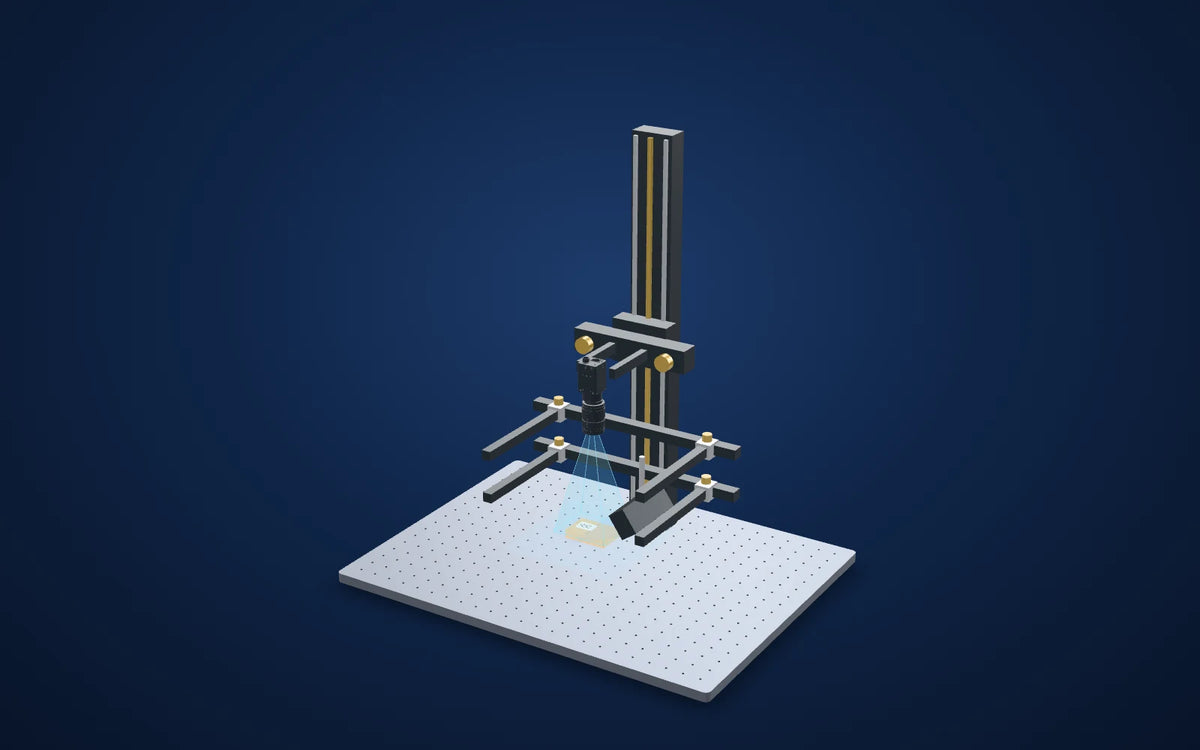
Camera and available lens CAD are published models. Lens and light envelopes use printed dimensions. The linked station uses its published base size and column height; carriage, brackets, fittings, parts and spacing are illustrative. Confirm load, travel, fasteners and clearances before ordering. Light paths explain the arrangement and do not simulate optical performance. Representative part geometry is illustrative, not reconstructed inspection evidence. The specimen and lighting distance are representative, not dimensions or settings recovered from the source capture.
Lighting manufacturer's application test image
What the camera saw
Images from the manufacturer's application test, cropped; the original annotations are kept and nothing is generated or enhanced. Drag a comparison slider, or open any image full size.
The challenge
Corrugated board is fibrous and uneven, so printed date codes can merge into its texture.
The board is not flat: flutes and folds change the angle of the surface under the code.
How it was solved
The source identifies the blue 102 × 38 mm bar light, 32 mm emitting width, for character inspection on packaging boxes.
Light the code with the bar and read it with the proposed monochrome camera, checking that every character is present and legible. The source does not name its camera, lens, light angle or reading software.
Why it works
- 1
A bar to one side lights the surface at an angle, which can separate the printed dots from the fibre texture.
- 2
The source shows one result; the angle and distance it used are not given, so they must be set on real cartons.
Lighting manufacturer's application test image
Evidence you can inspect
Eleven light-coloured dot-printed characters run across dark, fibrous board; a raised ridge crosses the code.
The source captions the example packaging-box character inspection and identifies the blue bar light.
One source capture. No character height, read rate, light angle or line speed is supplied.
From image contrast to a production decision
What to validate on your part
- 01
Use production cartons
Include different board colours, recycled board and codes printed over folds.
- 02
Vary print quality
Collect faint, smeared and partly missing codes from the printer.
- 03
Measure reader outcomes
Record correct reads, no-reads and wrong reads on a separate labelled set.
From the demo to your test bench
Parts in this setup
 LightTested
LS-BAR-0509
102 x 32 mm Bar light (LS-BAR-0509)
Blue version of the 102 mm bar light identified in the source packaging-box character example. Printed 102 × 38 × 27 mm with a 32 mm emitting width. The catalog lists red, green, blue and white variants; this trial selects blue.
$219.00
In proposed setup
LightTested
LS-BAR-0509
102 x 32 mm Bar light (LS-BAR-0509)
Blue version of the 102 mm bar light identified in the source packaging-box character example. Printed 102 × 38 × 27 mm with a 32 mm emitting width. The catalog lists red, green, blue and white variants; this trial selects blue.
$219.00
In proposed setup
 CameraOur pick
MV-CS050-10GM(NPOE)
Hikrobot MV-CS050-10GM(NPOE) 5 MP GigE area scan camera, IMX264, Gen 2 basic version, Mono, Without PoE
5 MP monochrome global-shutter camera proposed for a contrast trial. Confirm field, sampling, exposure and algorithm on the actual application.Not available in the United States. Available for delivery to other countries.
$819.00
In proposed setup
CameraOur pick
MV-CS050-10GM(NPOE)
Hikrobot MV-CS050-10GM(NPOE) 5 MP GigE area scan camera, IMX264, Gen 2 basic version, Mono, Without PoE
5 MP monochrome global-shutter camera proposed for a contrast trial. Confirm field, sampling, exposure and algorithm on the actual application.Not available in the United States. Available for delivery to other countries.
$819.00
In proposed setup
 LensOur pick
LS-FFL-1454
16 mm, F2.8, 1.1", C-mount, Macro lens (52 mm (-0.25X) to 546 mm (-0.03X)) (LS-FFL-1454)
Proposed 16 mm C-mount macro lens at its printed 0.1x magnification / 152 mm working-distance pair. The proposed 2448 × 2048 sensor with 3.45 µm pixels gives a derived 84.456 × 70.656 mm field; confirm focus, coverage and residual distortion on the real sample.
$319.00
In proposed setup
LensOur pick
LS-FFL-1454
16 mm, F2.8, 1.1", C-mount, Macro lens (52 mm (-0.25X) to 546 mm (-0.03X)) (LS-FFL-1454)
Proposed 16 mm C-mount macro lens at its printed 0.1x magnification / 152 mm working-distance pair. The proposed 2448 × 2048 sensor with 3.45 µm pixels gives a derived 84.456 × 70.656 mm field; confirm focus, coverage and residual distortion on the real sample.
$319.00
In proposed setup
 Camera test stationOur pick
LS-MNT-0097
Camera stand with XZ adjustment and glass tray, height 600 mm, 600 x 450 mm base (LS-MNT-0097)
600 mm column, 600 × 450 mm breadboard, XZ adjustment, glass tray and two lighting holders as listed. Proposed bench fixture; confirm loads, travel and camera/lens clamps.
$1,309.00
In proposed setup
Camera test stationOur pick
LS-MNT-0097
Camera stand with XZ adjustment and glass tray, height 600 mm, 600 x 450 mm base (LS-MNT-0097)
600 mm column, 600 × 450 mm breadboard, XZ adjustment, glass tray and two lighting holders as listed. Proposed bench fixture; confirm loads, travel and camera/lens clamps.
$1,309.00
In proposed setup
"Tested" marks the part the manufacturer used in its application test. "Our pick" is our proposed alternative or supporting part, not tested by the manufacturer in this set-up. Confirm colour, optics, controllers, power supplies, cables and mounting before ordering.
The set-up
| Tested light | LS-BAR-0509, blue |
|---|---|
| Source camera / lens | Not specified in the source image caption; proposed parts below |
| Proposed lens point | 0.1x at 152 mm, printed lens pair |
| Derived proposed field | 84.456 × 70.656 mm = sensor dimensions / 0.1x; not a source test field |
| Bar envelope (printed) | 102 × 38 × 27 mm; 32 mm emitting width |
| Source light position | Not supplied; the 3D scene shows a proposed angled position |
| Mounting (proposed) | LS-MNT-0097; 600 mm column, 600 × 450 mm base, glass tray and two included lighting holders |
Mount the optics with intent
The station is an optical test bench, with its two lighting holders included in the catalog listing. The 3D column and base follow the published height and footprint. Carriages, clamps and part supports are schematic: confirm camera screw pattern, lens support, light fasteners, permissible load and actual travel before ordering.
Complete the electrical system
Select a controller against the exact light voltage, drive mode and power, then confirm camera data/power/I/O cables and a suitable PC. These are not silently added to the proposed optical kit.
Build this system
Start from this setup, adapt it to your part.
The configurator opens with this study's camera, lens, light and station picked. Swap any part, check fit and price, then buy or ask for a quote.
Camera and available lens CAD are published models. Lens and light envelopes use printed dimensions. The linked station uses its published base size and column height; carriage, brackets, fittings, parts and spacing are illustrative. Confirm load, travel, fasteners and clearances before ordering. Light paths explain the arrangement and do not simulate optical performance. Representative part geometry is illustrative, not reconstructed inspection evidence. The specimen and lighting distance are representative, not dimensions or settings recovered from the source capture.
Packaging, labels and print
Related case studies

 Packaging, labels and print
Indentation marks on aluminium film
Make a surface change visible before deciding whether it exceeds the specification.Proposed light housing (spec)340 × 48 × 75 mmExplore the study
Packaging, labels and print
Indentation marks on aluminium film
Make a surface change visible before deciding whether it exceeds the specification.Proposed light housing (spec)340 × 48 × 75 mmExplore the study

 Packaging, labels and print
Bottle-base mould code
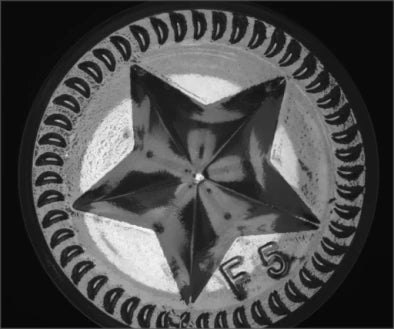
Diffuse dome light evens out the curved base so the moulded code can be read.Light in sourceLS-DOM-0094 · whiteExplore the study
Packaging, labels and print
Bottle-base mould code
Diffuse dome light evens out the curved base so the moulded code can be read.Light in sourceLS-DOM-0094 · whiteExplore the study

 Packaging, labels and print
Foreign matter in a bottle bottom
Build the clean-bottle variation into the test before setting a dark-spot threshold.MethodTransmitted white backlightExplore the study
Packaging, labels and print
Foreign matter in a bottle bottom
Build the clean-bottle variation into the test before setting a dark-spot threshold.MethodTransmitted white backlightExplore the study
Make the next trial specific.
Tell us the part size, smallest defect or tolerance, available working distance, material and line speed. Include what a good part and a reject look like.
About this case study: the photos and camera images are the manufacturer's application test images, supplied by the maker of the tested part and taken on the parts shown; LumaSpec did not run this test. Your results depend on your part, camera and set-up. This is a manufacturer's application study, not a LumaSpec customer deployment. Reported figures are the manufacturer's; proposed components require a fresh trial. The 3D scene illustrates the arrangement and does not simulate imaging performance.